SaaS Reactivation Email Examples You Can Copy
 George Apostolov
- 05 Nov 2025
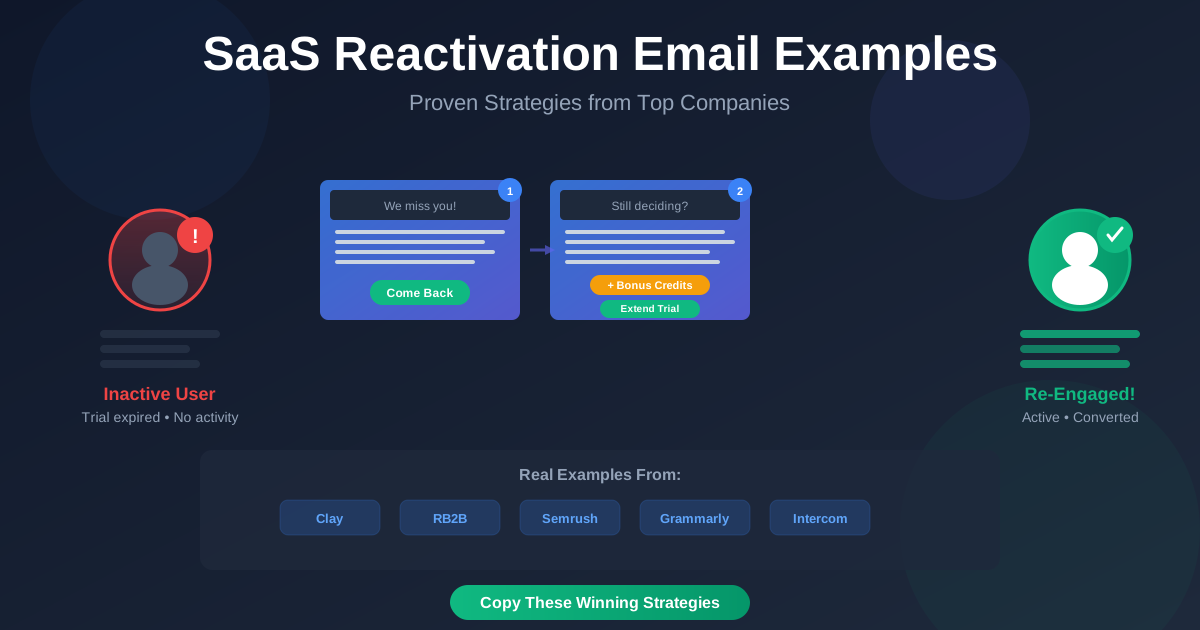
Reactivation emails are one of the most powerful tools in a SaaS marketer's arsenal. Whether someone stopped using your product, abandoned a trial, or never finished onboarding, a thoughtful win-back email can bring customers back, reactivate inactive subscribers, recover lost revenue, and close opportunities that seemed lost.
These campaigns are low-cost, high-impact, and one of the easiest ways to boost retention without requiring massive product investment or engineering resources.
In this article, we break down real re-engagement email examples from top-tier SaaS companies — Clay, RB2B, Semrush, Grammarly, Pendo, and Intercom. These aren't theoretical templates — we've analyzed actual email sequences from these companies to show you their entire reactivation campaigns, including subject lines, email bodies, and key tactics.
Hopefully, these email sequences can serve as inspiration for your own campaigns and help you understand how to integrate interactive demos into your reactivation strategy.
What Makes a Great Reactivation Email Campaign?
The best re-engagement email campaigns share several common characteristics:
- A clear trigger: Expired trial, no recent activity, or incomplete setup that signals it's time to reach out
- A helpful tone: Friendly and supportive, not pushy or aggressive
- One clear job: Each email should have one focused CTA — login again, extend trial, contact support, etc.
- Optional incentive: Bonus credits, a discount, or a free 1:1 call can make it easier for users to say yes
- Smart timing: Sent soon after inactivity, while there's still interest and brand loyalty
Why Reactivation Emails Work
Reactivation emails deliver measurable results because they:
- Reignite interest: Remind users what your product can do and what they're missing out on
- Improve conversion: Re-engage users after a free trial ends before they disappear for good
- Drive upgrades: Turn a quiet free user into a paying customer
- Feel personal: A direct email can feel like someone's looking out for you, not marketing at you
With that foundation, let's dive into these real-world reactivation email examples:
Real SaaS Reactivation Email Examples
1. Clay – Trial Expired + Bonus Credits
Subject: Reaching out from Clay
Tone: Friendly, no-pressure
Trigger: Trial expired
Clay is a modern prospecting tool that helps sales and growth teams build smarter lead workflows using live data and AI. It enriches contact data from dozens of sources, automates outreach, and allows users to create complex workflows with a spreadsheet-like interface.
When a user's trial ends, Clay doesn't simply cut access. Instead, they automatically move users to a free account and throw in 100 bonus credits to keep exploring:
"Don't worry! We moved you to a free account with a bonus 100 credits to explore any enrichments or AI prompts."
They casually mention that paid plans start at $149/month but don't push hard on the upgrade. The focus is on continued exploration, not urgency. The email ends with easy ways to get help — either via Slack or by replying directly.
Why it works:
- Gives a soft landing after trial expiry to re-activate
- Includes a small gift (bonus credits) to encourage re-engagement
- Offers multiple support options without pressure to upgrade
- Keeps the tone helpful, with a casually formatted email
- Focused on value over urgency
Takeaway for LiveDemo.ai users: You could embed an interactive demo showing what users can do with those bonus credits, making the value proposition tangible and interactive.
2. RB2B – "We Miss You" + Big Product Update
Subject: we miss you at RB2B
Tone: Personal, confident
Trigger: Inactive user
RB2B is a B2B marketing tool that helps companies de-anonymize website traffic by identifying which companies and even which people are visiting your site. It turns anonymous sessions into qualified pipeline insights.
This reactivation email comes directly from the founder and reads like a casual check-in. The lowercase subject line ("we miss you at RB2B") feels approachable and human, which helps it stand out in the inbox and encourages opens.
The message starts with a milestone:
"RB2B just crossed $5M ARR with a five‑person team. Just 13 months post‑launch. We couldn't have done this without you!"
Then it introduces a major product improvement: a new Demandbase partnership that increases person-level ID coverage from 35% to 65%.
"RB2B + Demandbase = Person-level IDs now up to 65%"
A 15% discount code (valid for 48 hours) adds urgency, and the email closes with the next steps in the project roadmap and a casual, founder-style sign-off:
"See you in the dashboard,
—Adam"
Why it works:
- The lowercase subject line feels more personal and increases open rates
- Leads with a success story to build trust and credibility
- Shares a major product improvement in clear terms
- Uses a time-sensitive offer to nudge action
- Keeps the tone confident but human
Takeaway for LiveDemo.ai users: Showcase product updates with an interactive demo embedded directly in the email, letting inactive users experience the improvements firsthand.
3. Semrush – Last Chance + Personal 1:1 Call
Subject: Don't miss out your personalized 1:1 session – let's chat
Tone: Consultative
Trigger: Inactive trial user
Semrush is an all-in-one SEO and digital marketing platform used by marketers to grow online visibility through tools for keyword research, content planning, competitor analysis, backlink tracking, and more.
This reactivation email targets users who haven't engaged since starting a trial. The subject line feels warm and personal, using conversational phrasing like "let's chat" to soften the offer and make it feel like a genuine invitation, not a sales pitch.
The core of the email is a free 1:1 session with a Customer Success Manager. There's no hard sell, just a clear promise that the call will be helpful and tailored:
"In just one quick call, we can show you how to:
✔ Use the right tools for your strategy
✔ Plan long term with confidence
✔ Take advantage of 17% in savings on annual plans"
The 17% discount is mentioned, but it's positioned as a bonus, not the headline.
Why it works:
- The subject line feels approachable and human, encouraging opens
- Offers real value through a personalized session, not just generic tips
- Low-friction CTA — users only need to book a time
- Frames the conversation as user-focused, not sales-focused
- Mentions a discount, but doesn't rely on it as the main driver
Takeaway for LiveDemo.ai users: Include a link to an interactive demo in your reactivation email that previews what you'll cover in the call, giving users a taste of the value before they commit to a meeting.
4. Grammarly – Zero Activity Nudges
Subject: Uh-oh—you might be logged out
Tone: Light and data-driven
Trigger: No writing activity for a week
Grammarly is a writing assistant that helps users improve grammar, clarity, tone, and style across emails, documents, and messaging apps. It offers both free and premium tiers, with advanced features like full-sentence rewrites and tone detection in the paid plan.
This reactivation email is triggered by a lack of writing activity over the past week. The subject line leads with a casual "uh-oh," which makes it feel like a gentle reminder to re-engage inactive users, not a cold marketing message. It hints at a problem (you might be logged out), encouraging re-engagement.
Inside, Grammarly shares personalized activity data — zero words analyzed, zero alerts, zero unique words — and nudges the user to re-engage by logging back in:
"If this wasn't a planned break, try signing back into your Grammarly account to continue earning new achievement badges."
The email also reminds customers about the benefits of upgrading to Grammarly Pro, along with educational content links and activation options for other Grammarly tools (browser extension, desktop app, mobile keyboard).
Why it works:
- The lighthearted subject line grabs attention without pressure
- Uses behavioral data to highlight inactivity in a personal way
- Frames the absence as a break, not a problem
- Reminds users about benefits and achievements
- Provides multiple ways to re-engage (login, upgrade, activate tools)
Takeaway for LiveDemo.ai users: Use data-driven personalization in your reactivation emails, and consider embedding an interactive demo that shows users exactly what they've been missing during their absence.
5. Pendo – Installation Blocked? Need Help?
Subject: Installation blocked? Need help?
Tone: Supportive, helpful
Trigger: Installation incomplete or blocked
Pendo is a product adoption platform that helps SaaS companies guide users through their applications with in-app messaging, product tours, and analytics. It's a tool that requires technical setup, which can be a common friction point.
This reactivation email targets users who started the installation process but never completed it. The subject line is direct and helpful — it acknowledges a potential problem (installation blocked) and offers a solution (help).
The email is straightforward and empathetic:
"We noticed you might have run into a snag during installation. Don't worry — we're here to help!"
It offers multiple support options: a link to documentation, a direct support contact, and even a link to schedule a quick call. The tone is never pushy, just genuinely helpful.
Why it works:
- Addresses a specific friction point (installation)
- Offers multiple ways to get help without pressure
- Frames the issue as solvable, not a deal-breaker
- Shows the company cares about user success
- Low-pressure approach builds trust
Takeaway for LiveDemo.ai users: Create an interactive demo walkthrough that shows users exactly how to complete installation or setup, making it easy for them to get unstuck and continue their journey.
6. Intercom – Trial Expired? Here's a 3-Email Win-Back Sequence
Subject Lines:
- "First Name", your Intercom trial expired, but the possibilities haven't—extend your trial
- "First Name", up-level your customer service—extend your Intercom trial
- "First Name", unlock great customer service—buy Intercom now or extend your trial
Tone: Supportive, structured, and consistent
Trigger: Trial expired
Intercom is a customer messaging platform that helps teams communicate with customers across channels. Their core pitch is "AI-first customer service," helping teams reduce volume, boost CSAT, and improve productivity with less overhead.
After a trial ends, Intercom runs a structured 3-email re-engagement sequence. The subject lines feel personal and tailored, using the recipient's name and straightforward value-focused headlines to encourage opens.
Email 1: "Let's pick up where you left off"
The first email leads with empathy and a low-friction offer to re-engage customers:
"We get it – sometimes trying new tools can fall down the priority list."
Intercom offers inactive customers to extend the trial by simply replying with "Extend my trial". The email also previews what's available during the extension:
- Unlimited Fin AI Agent usage
- Multi-channel support
- Proactive messaging
- A success story from Webex Events
It closes with a pricing table and links to each plan tier (Essential, Advanced, Expert) well below the fold, but the real focus is the ease of continuing.
Email 2: "Still deciding? Let us help"
The second email checks in again, framed as another chance to act:
"Did you run out of time? Just reply with 'Extend my trial'…"
It repeats the offer and adds a customer example from Culture Amp, highlighting a 95% CSAT score using Intercom. The pricing section remains, reinforcing flexibility without changing the tone.
Email 3: "Time's up – here's what you're missing"
The final follow-up email increases urgency and FOMO:
"Here's what you're missing out on without Intercom…"
It recaps Fin AI Agent, Help Desk, automation, and proactive support. It reuses the pricing table and adds a final testimonial from Qonto, who saw 95% CSAT and saved 1,000+ hours per quarter after switching to Intercom.
The CTA remains the same, giving customers the option to extend the trial or subscribe directly.
Why it works:
- Subject lines are conversational and clear, boosting open rates
- Sequence ramps gently: value → reminder → urgency
- Trial extension just requires a reply
- Real customer proof reinforces trust and ROI
- Structure stays consistent across emails, making each one easy to scan and act on
Takeaway for LiveDemo.ai users: Build a multi-email reactivation sequence where each email includes a different interactive demo highlighting different features or use cases, keeping users engaged throughout the campaign.
How to Write a Reactivation Email Sequence
Ready to send your own reactivation emails? Here's how to write a reactivation email and set up basic reactivation campaigns using tools like HubSpot, Mailchimp, or similar platforms.
1. Choose a trigger event
Decide when a user should receive a reactivation email. Common triggers could include:
- Trial expired (no upgrade within X days)
- No login or usage for 7–30 days
- Didn't complete setup or onboarding
- Downgraded or canceled plan
2. Segment your list
Create a list or audience segment based on customer data and a trigger. For example:
- In HubSpot: Use a list filter like "Last login date is more than 14 days ago" or "Trial end date is in the past 7 days."
- In Mailchimp: Use Tags or Segments based on behavior (e.g. tag users at signup, then filter by last activity date using custom fields or integrations).
3. Write the email (or sequence)
Start simple with a single message. If your tool supports it, build a sequence like Intercom's with delays and branching logic.
Tips:
- Use a clear subject line (ideally personalized)
- Keep copy short and friendly
- Include a single, obvious CTA
- Optional: add a small incentive, exclusive offer, or update highlight to encourage further action
- Pro tip: Embed an interactive demo directly in your email to show users exactly what they're missing — LiveDemo.ai makes this easy with embeddable interactive demos that work beautifully in email clients
- Tip: Ensure that email subscribers have the ability to set their email preferences so they can unsubscribe
4. Automate it
Set up the re-engagement campaign as part of an automated workflow or customer journey:
- In HubSpot: Use Workflows to send the email when a contact meets your criteria. Add delays and branches to send follow-ups if they don't re-engage.
- In Mailchimp: Use Customer Journeys to build out multi-step flows based on tags, time since last activity, or other custom events.
5. Measure and adjust
Track key metrics:
- Sender reputation, i.e. open and click-through rates making sure you don't end up in the spam folder
- Re-activation and engagement metrics (logins, upgrades, conversions)
- Unsubscribes
Tweak timing, subject lines, or content based on results.
✅ Pro tip: Don't wait too long. The sooner after drop-off you reach out, the better your chances of getting them back.
Final Thoughts
Reactivation emails are one of the simplest and most effective ways to reduce churn, reactivate inactive users, get new customers, and boost retention. Re-engagement email campaigns don't require redesigning your product or launching new features.
As the examples above show, great reactivation emails don't just say "come back." They perk customer interest and remind users why the product matters.
They can be:
- Helpful like Pendo, offering support when setup stalls
- Incentivized like RB2B, with a discount and a compelling update
- Data-driven like Grammarly, using behavior to nudge action
- Personal and consultative like Semrush's 1:1 call offer
- A sequence like Intercom, using timed follow-ups to build momentum
The common thread in all of these sequences is clarity, relevance, and respect for the user's time.
If you're not sending reactivation emails yet, start with a single message triggered by inactivity or a trial expiry. Make the next step clear. Offer help, value, or incentive — not pressure.
Ready to enhance your reactivation emails with interactive demos? Create an interactive demo with LiveDemo.ai that shows users exactly what they've been missing. Embed it in your reactivation emails to turn passive reminders into engaging experiences that drive action.
Try LiveDemo.ai Free →
No credit card required. Set up your first demo in under 10 minutes.