
Did you know that top-performing B2B teams are using interactive demos across an average of 6+ different touchpoints in their go-to-market strategy? 🚀
While most companies start by embedding demos on their website, the real magic happens when you activate interactive demos throughout your entire customer journey, from cold outreach to customer onboarding.
Our research shows that companies using interactive demos across multiple use cases see 3x higher engagement rates and cut their sales cycles by up to 40%. 📈
🎯 See the possibilities:
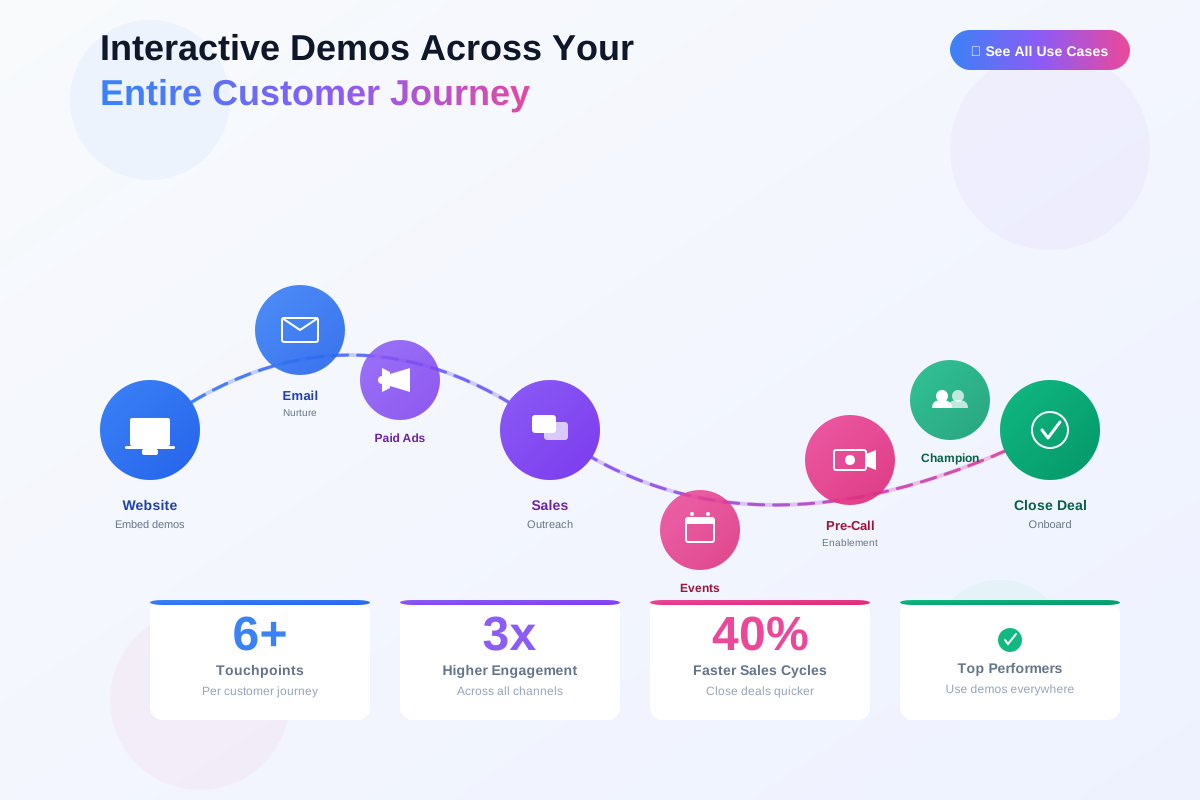
📖 Complete Use Cases Guide:
Below, we'll explore the top use cases for interactive demos at each stage of your customer journey, plus a bonus strategy that's gaining serious traction in 2025.
🎪 Top of Funnel: Generate Demand & Educate
At the top of the funnel, interactive demos help you stand out in a crowded market and give prospects a genuine taste of your product value.
💻 Use Case #1: Website Homepage & Product Pages
Your website is working 24/7. Make sure it's actually converting.
Adding LiveDemo.ai interactive demos to your website delivers two critical benefits:
• Self-service product education: Let prospects explore on their own timeline without booking a call
• Conversion rate optimization: Interactive content converts 2-3x better than static screenshots
Real Results: A leading B2B marketing team saw impressive results after adding LiveDemo tours to multiple key website pages:
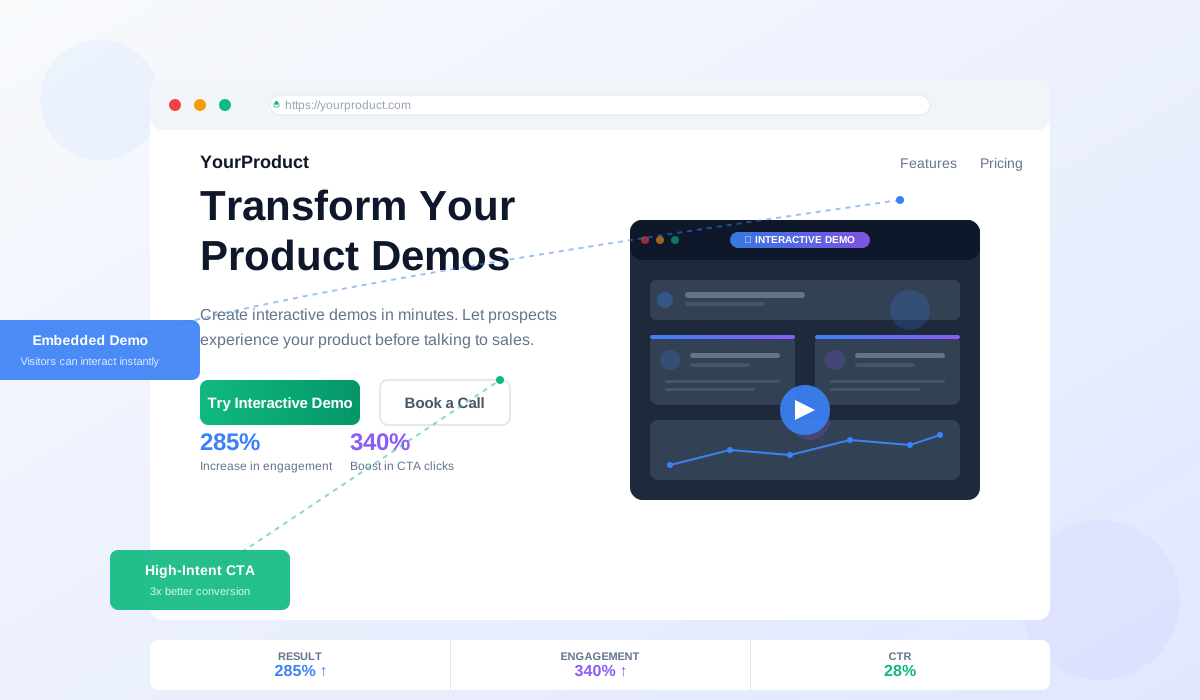
✅ 285% increase in product page engagement
✅ 340% boost in CTA clicks
✅ 28% click-through rate on "Try Interactive Demo" buttons
💡 Pro tip: Create persona-specific demo paths: one for technical buyers, one for business stakeholders, and one for end users. Use LiveDemo.ai's analytics to see which features prospects explore most, then optimize your homepage messaging around those high-interest areas.
📱 Use Case #2: Paid Ads & Social Campaigns
Stop sending paid traffic to boring landing pages. 🛑
Interactive demos give prospects immediate product value, which is exactly what they're looking for when they click an ad. Instead of asking for a meeting or trial signup (high friction), you're offering instant gratification (low friction).
Real Results: A workflow automation platform achieved remarkable performance improvements:
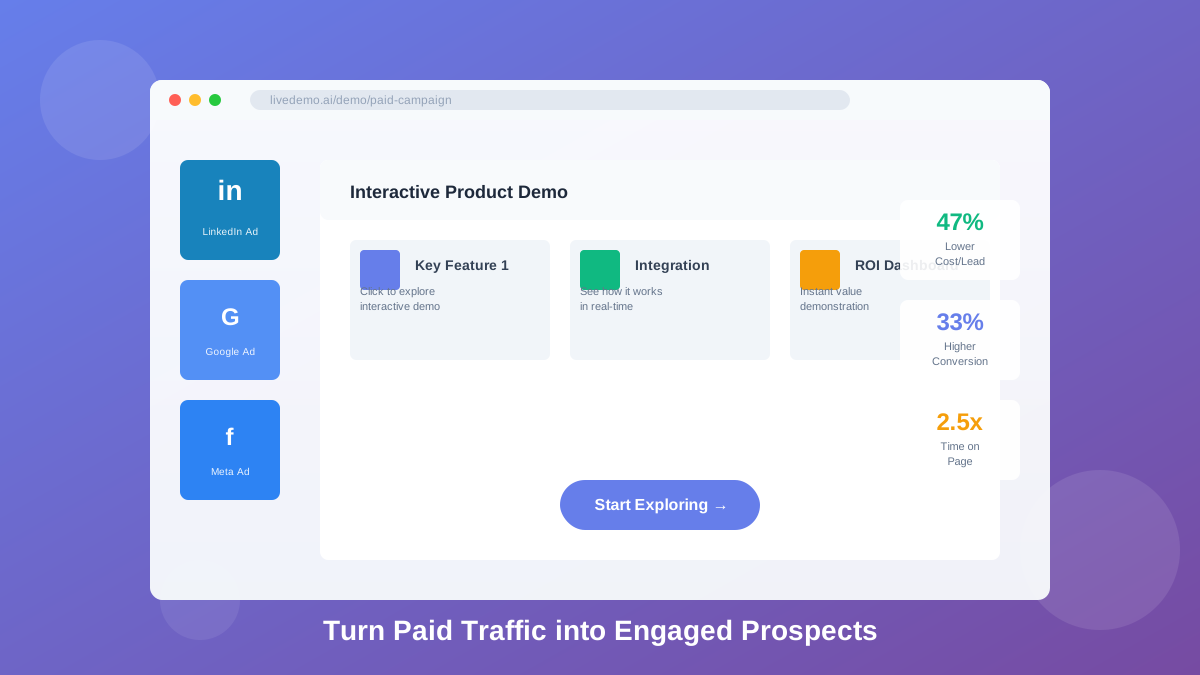
✅ 47% decrease in cost per lead
✅ 33% higher conversion rates on PPC landing pages
✅ 2.5x longer time on page compared to static content
They created separate demos for each ad campaign: one highlighting integrations for IT buyers, another showcasing ROI for finance teams, and a third demonstrating ease-of-use for operations managers.
💡 Pro tip: LinkedIn Ads with interactive demos see 40-60% higher engagement rates versus case studies or whitepapers. Use UTM parameters in your demo links to track which campaigns drive the most engaged viewers and pipeline.
🎤 Use Case #3: Conference & Event Follow-Ups
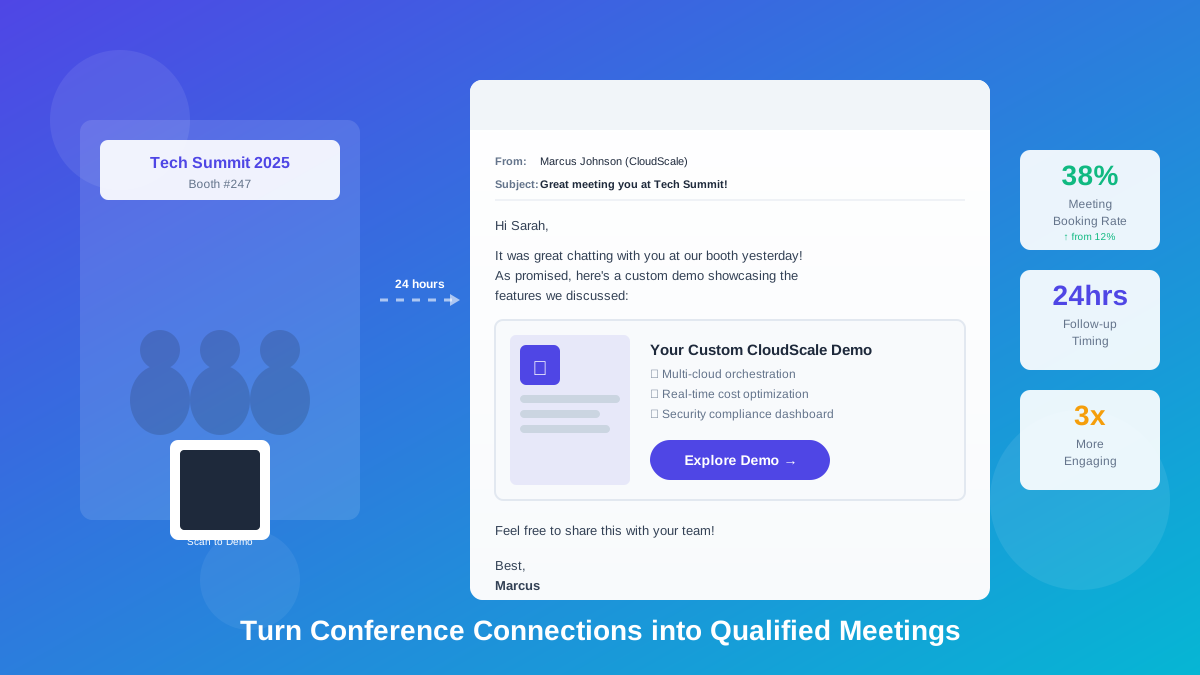
Your prospects aren't going to remember your booth conversation or rewatch that webinar recording.
Instead of sending slide decks or static one-pagers after events, send an interactive demo that lets them experience your product hands-on.
Real Results: A cloud software company uses this event follow-up strategy consistently:
"After every conference, we send personalized demo links within 24 hours. We reference our conversation, highlight 2-3 features they cared about, and include a custom demo tour. Our meeting booking rate from event follow-ups jumped from 12% to 38%."
With LiveDemo.ai's template library, you can:
✓ Create event-specific demos in minutes
✓ Personalize them with attendee information
✓ Track which prospects actually engage
✓ Set up automated follow-up sequences based on completion
💡 Pro tip: Create a QR code for your event booth that links directly to an interactive demo. Attendees can scan and explore while waiting to talk to your team.
🎯 Middle of Funnel: Qualify & Accelerate
Prospects in this stage are actively evaluating solutions. Interactive demos help you stand out from competitors and move deals forward faster.
📧 Use Case #4: Sales Outbound & SDR Enablement
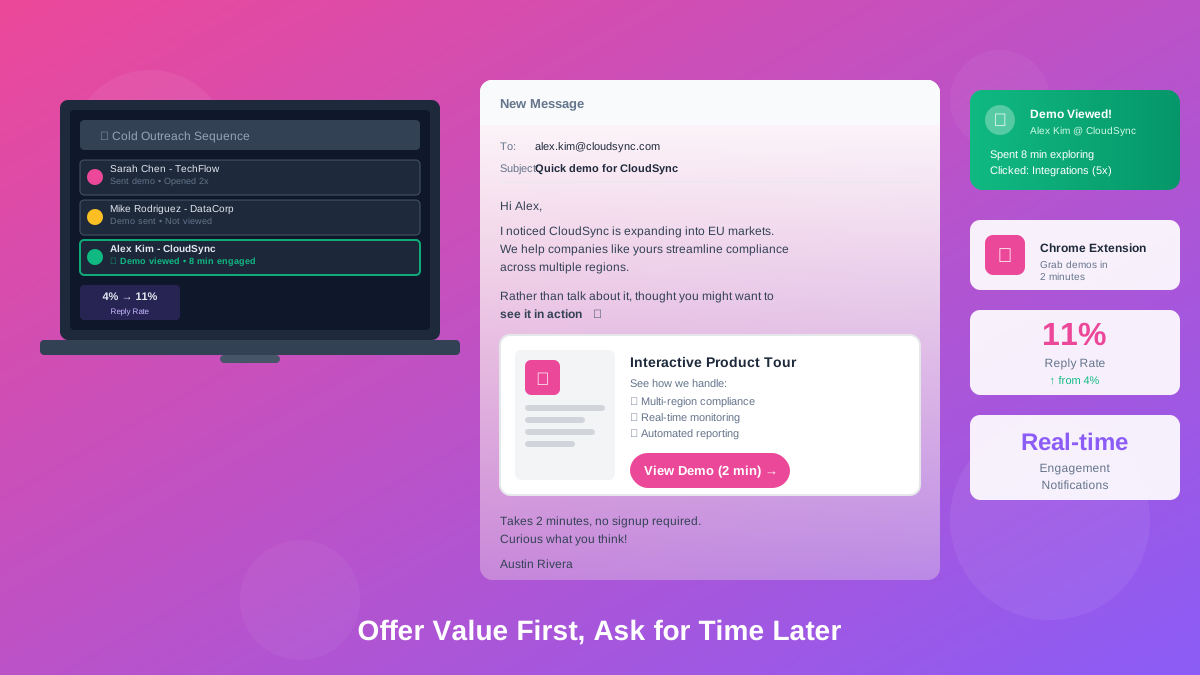
Cold emails are tough. Interactive demos make them easier. 💪
Instead of asking for a 30-minute intro call (asking for their time), SDRs can send an interactive demo (offering value). Prospects can explore on their schedule, and your SDR gets visibility into exactly what they care about.
Real Results: One outbound sales team shared:
"LiveDemo.ai completely changed my outbound game. I send personalized demo links in my sequences, and my reply rates went from 4% to 11%. Even better, when prospects engage with the demo, I can see exactly which features they explored, so my follow-up emails are laser-focused."
With LiveDemo.ai's Chrome extension, SDRs can:
✓ Grab pre-built demos from a library
✓ Customize them in 2 minutes
✓ Drop them into emails or LinkedIn messages
✓ Get real-time notifications when prospects view them
💡 Pro tip: A/B test your email subject lines. "Quick demo for [Company]" tends to outperform "Can we schedule a call?"
📬 Use Case #5: Email Nurture Campaigns
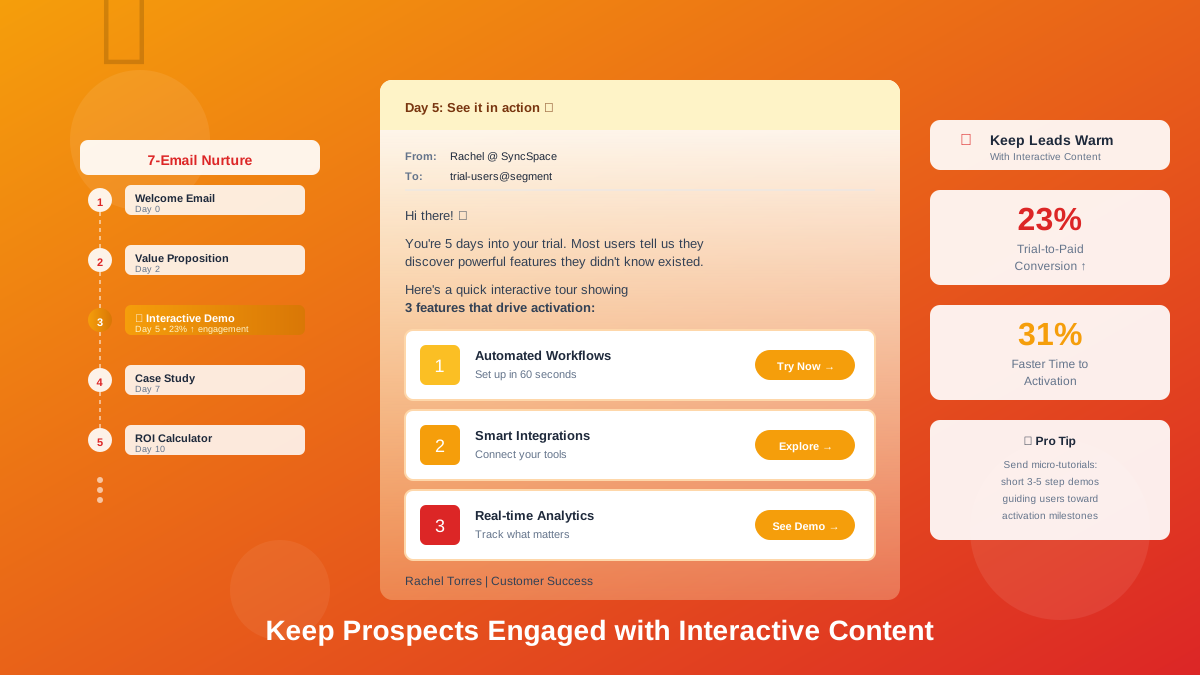
Not every lead is ready to buy today. Keep them warm with interactive content. 🔥
Instead of sending blog posts or case studies in your nurture sequences, insert bite-sized interactive demos that showcase specific features or use cases relevant to their industry.
Real Results: A SaaS company running nurture campaigns saw major gains:
"We inserted interactive demos into our 7-email trial nurture sequence. Trial-to-paid conversion increased by 23%, and time-to-activation dropped by 31%. Users told us the demos helped them understand features they'd otherwise miss."
💡 Pro tip: For free trial users, send micro-tutorials, short 3-5 step demos that guide users toward activation milestones. Segment your nurture campaigns by persona or industry, then send demos highlighting the most relevant features for each segment.
🎬 Use Case #6: Pre-Call Sales Enablement
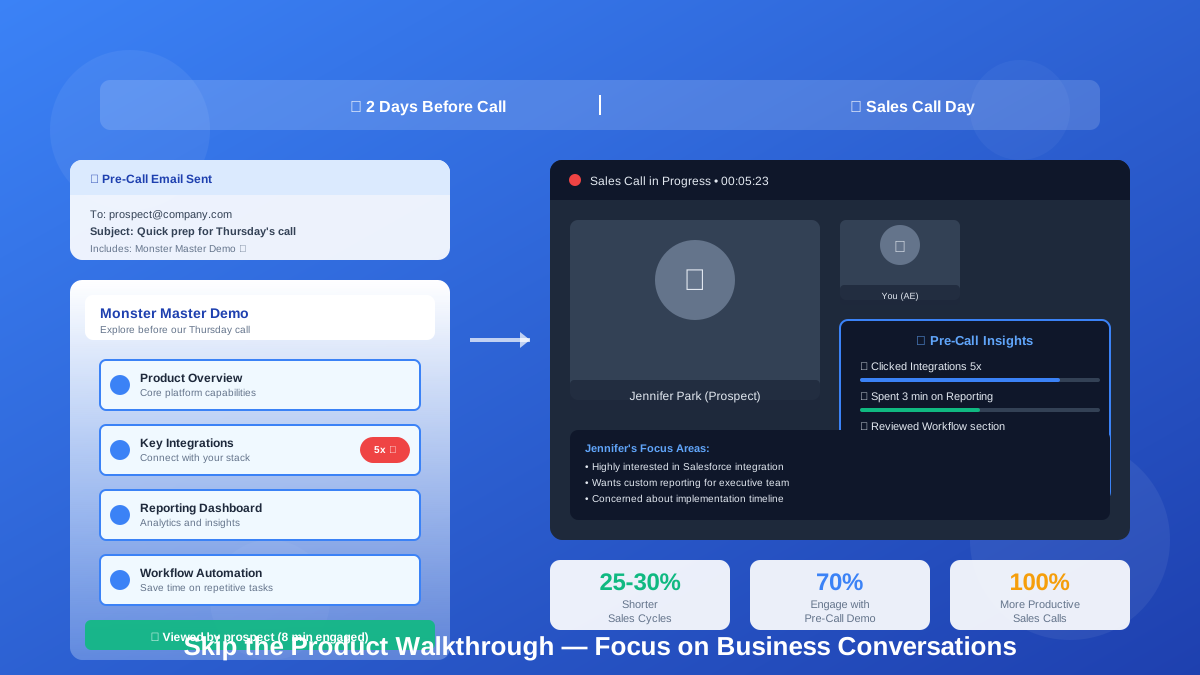
Stop wasting the first 15 minutes of discovery calls on basic product overviews. ⏰
Send prospects an interactive demo before your meeting and ask them to explore it. When you jump on the call, you'll already know:
✓ Which features caught their attention
✓ How long they engaged with your product
✓ What questions they might have
Real Results: A RevOps team found that sending demos before calls transformed their process:
"We now send a 'monster master demo' to prospects 2 days before our sales calls. About 70% actually go through it. When they do, I can see exactly where they spent time: maybe they clicked through integrations five times or lingered on the reporting dashboard. That tells me what matters to them, so our sales calls are way more productive."
This approach:
✅ Shortens sales cycles by 25-30%
✅ Increases deal quality (engaged prospects close faster)
✅ Frees up AEs to focus on business conversations, not product walkthroughs
💡 Pro tip: Set up automated email reminders 24 hours before calls: "Don't forget to check out the custom demo we created for you!"
🏆 Bottom of Funnel: Close & Expand
At this stage, buyers need confidence that your product solves their specific problems. Interactive demos provide that final proof point.
🤝 Use Case #7: Personalized Champion Enablement
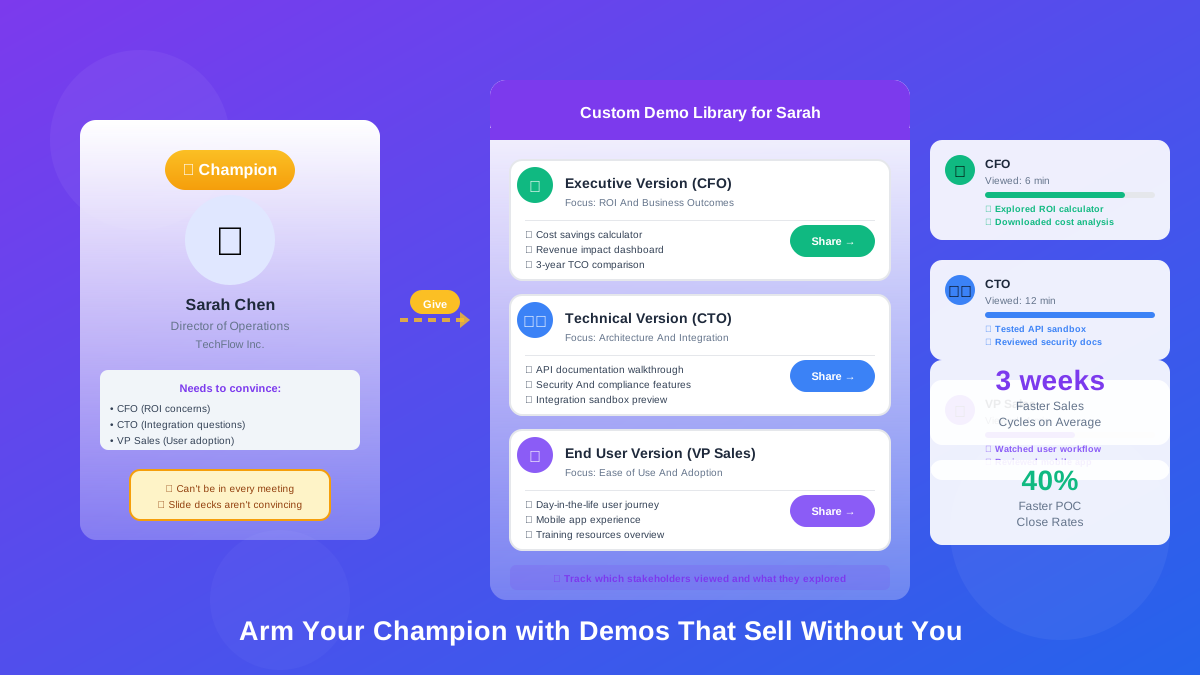
Your champion needs ammunition to sell internally. Give them something better than a slide deck. 📊
Create a customized interactive demo highlighting the features that matter most to their stakeholders. Your champion can share it with finance, IT, operations, or whoever needs convincing, without requiring you to join every meeting.
Real Results: A data management company shared:
"We use LiveDemo.ai to create 'executive versions' of our demos, shorter, focused on ROI and business outcomes instead of features. Our champions love being able to send a demo link to their CFO or CTO without having to schedule yet another product demo. It's sped up our sales cycles by 3 weeks on average."
With LiveDemo.ai, you can:
✓ Create role-specific demo versions (technical vs. business)
✓ Add custom variables (company name, use case, logo)
✓ Embed CTAs for booking next steps
✓ Track which stakeholders viewed the demo and what they explored
💡 Pro tip: Include a slide deck or one-pager alongside your demo that your champion can use to frame the conversation before stakeholders explore.
📤 Use Case #8: Post-Demo Follow-Ups & Leave-Behinds
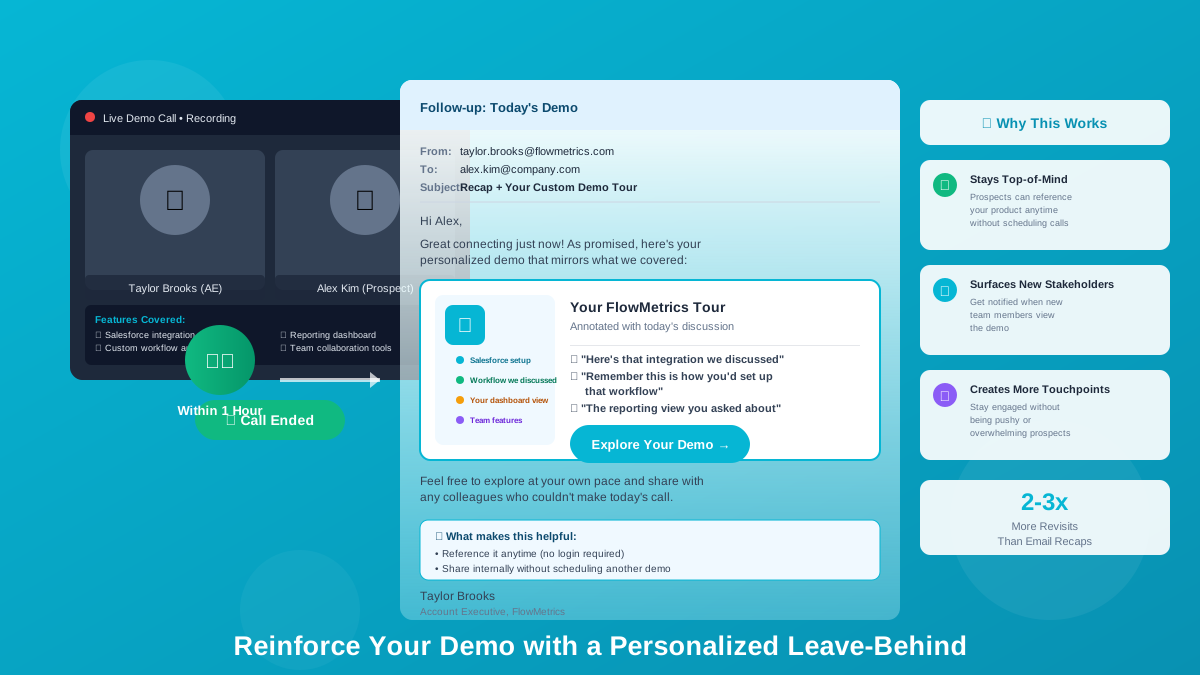
The live demo went great. Now what? 🤔
Send a customized interactive demo that reinforces what you discussed, but lets prospects explore at their own pace and share with colleagues who couldn't attend.
Real Results: A sales team found great success with personalized follow-ups:
"Within an hour of every demo call, I send a personalized LiveDemo.ai tour that mirrors what we just covered. I include annotated notes: 'Here's that integration we discussed' or 'Remember this is how you'd set up that workflow.' Prospects love having something they can reference later, and I love knowing when they, or their teammates, revisit it."
This strategy:
✅ Keeps your product top-of-mind
✅ Surfaces new stakeholders (you'll see when additional emails view the demo)
✅ Creates more touchpoints without being pushy
💡 Pro tip: Use LiveDemo.ai's annotation features to add personalized notes or callouts referencing your conversation.
🔬 Use Case #9: Interactive Sandbox Environments
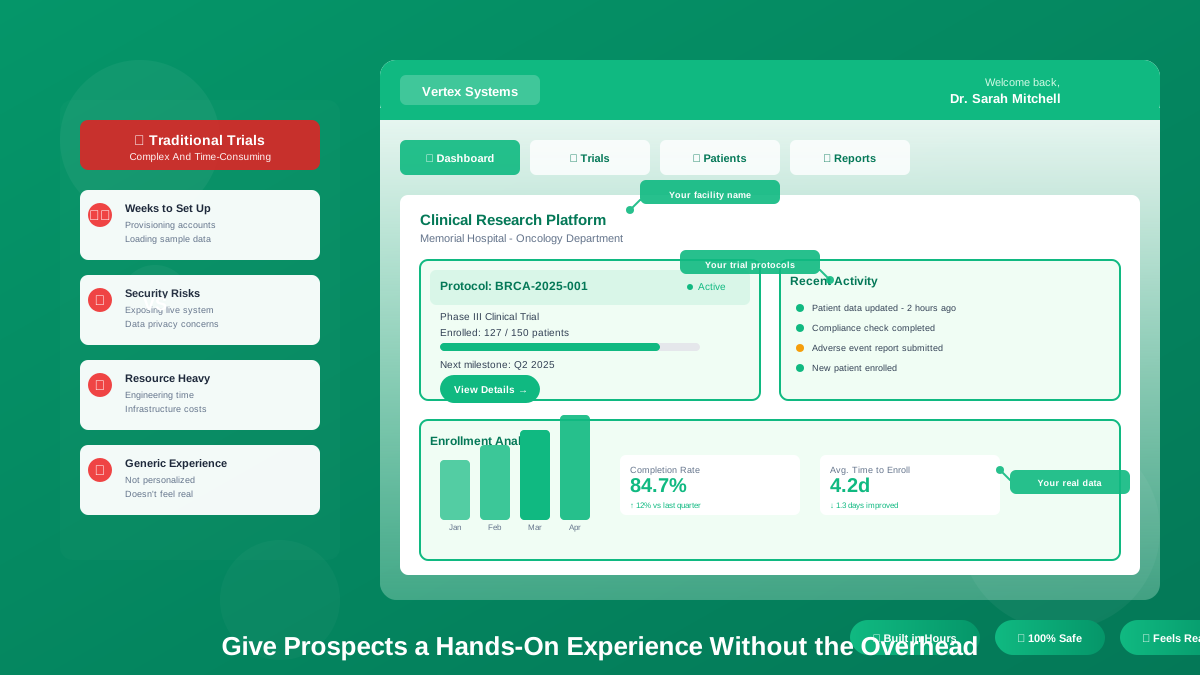
Some prospects want to "try before they buy," but spinning up sandbox accounts can be complex, time-consuming, and risky. 😰
LiveDemo.ai's sandbox-style demos give prospects a hands-on experience without the overhead of actual trial accounts.
Real Results: A software provider offering complex solutions uses this approach:
"Our product is a clinical research platform, so prospects need to feel confident it works for their specific scenarios. We use LiveDemo.ai to create fully interactive sandbox environments where they see their facility name, their trial protocols, their data. It feels real, but we built it in hours, not weeks."
Alex personalizes every demo with:
✓ Prospect's company name and logo
✓ Industry-specific data and workflows
✓ Role-specific views and permissions
✓ Annotated tooltips guiding them through key actions
Result: POCs close 40% faster, and fewer deals stall in technical evaluation. ⚡
💡 Pro tip: Use conditional branching to create "choose your own adventure" demos where prospects can explore different workflows based on their use case.
✅ Use Case #10: Proof-of-Concept (POC) Support
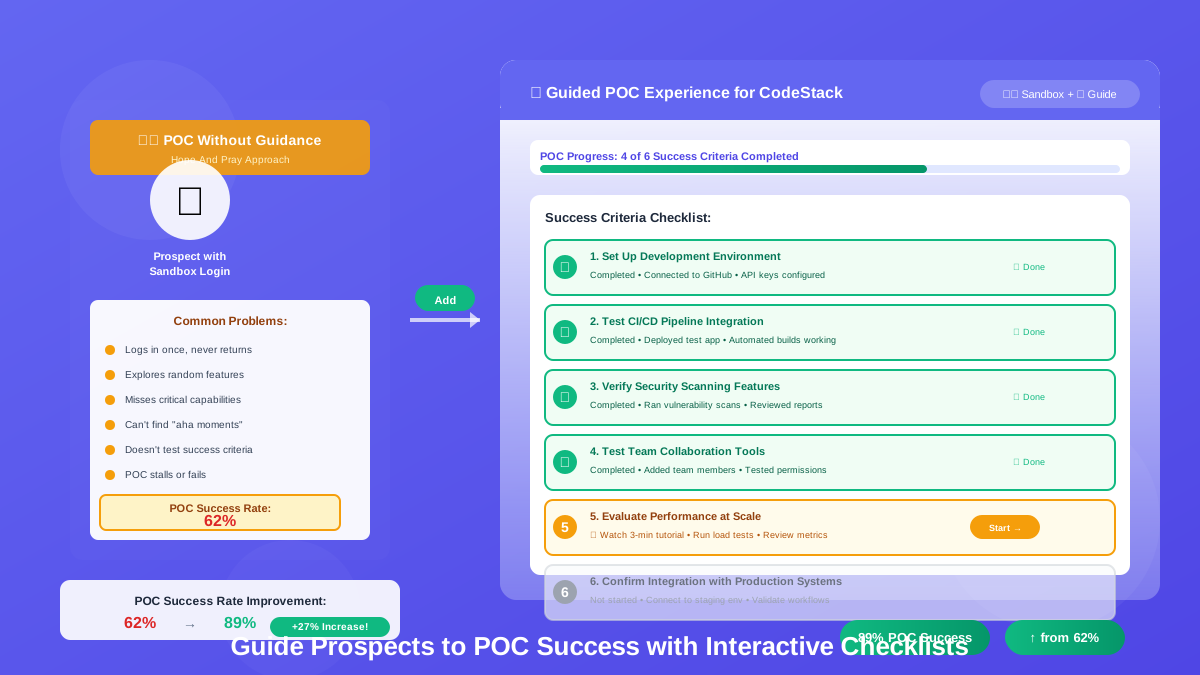
Even when prospects get their own sandbox, they don't always know what to do with it. 🤷
Use LiveDemo.ai to create guided POC experiences that walk users through success criteria, ensuring they hit the "aha moments" that lead to purchasing decisions.
Real Results: A technology company improved its proof-of-concept success dramatically:
"We used to just hand prospects a sandbox login and hope for the best. Now we pair it with a LiveDemo.ai guided tour that shows them exactly what to test and why. POC success rates jumped from 62% to 89%."
💡 Pro tip: Create a POC checklist demo that prospects can follow step-by-step, ensuring they evaluate all critical features before making a decision.
🎁 Bonus Use Cases: Hidden Gems
⭐ Use Case #11: Software Review Sites (G2, Capterra, TrustRadius)
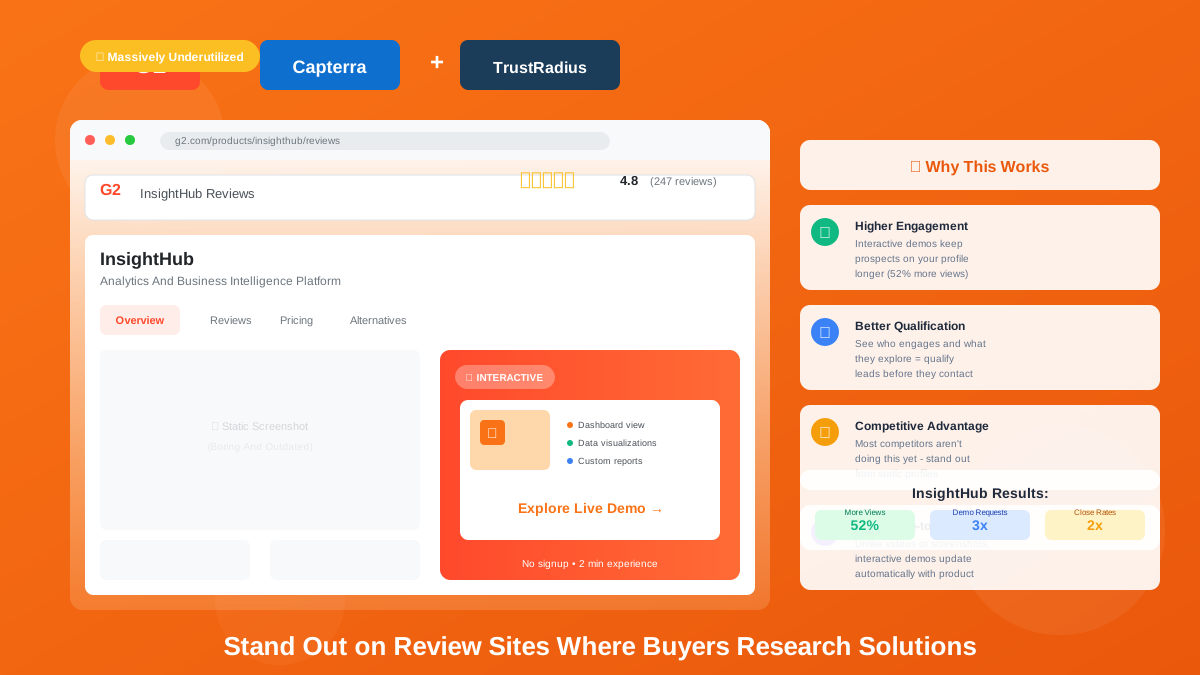
Here's a use case that's massively underutilized: review sites. 🚀
Review sites are often the first place prospects research vendors. But most company profiles just have screenshots, videos, and text descriptions: all static, all boring.
With LiveDemo.ai, you can embed interactive demos directly into your G2, Capterra, and TrustRadius profiles, letting prospects explore your product without leaving the review site.
Why this works:
✅ Higher engagement: Interactive demos keep prospects on your profile longer
✅ Better qualification: You can see who engages and what they explore
✅ Competitive advantage: Most competitors aren't doing this yet
✅ Always up-to-date: Unlike videos, demos update automatically
Real Results: A software vendor added interactive demos to their G2 profile and saw measurable lift:
✅ 52% more profile views (G2's algorithm favors engaging content)
✅ 3x more demo requests from G2 traffic
✅ Better qualified leads (prospects who engaged with the demo had 2x higher close rates)
💡 Pro tip: Create a simplified, fast-moving demo specifically for review sites. Assume low commitment and optimize for "wow factor" in under 2 minutes.
🎓 Use Case #12: Customer Onboarding & Training
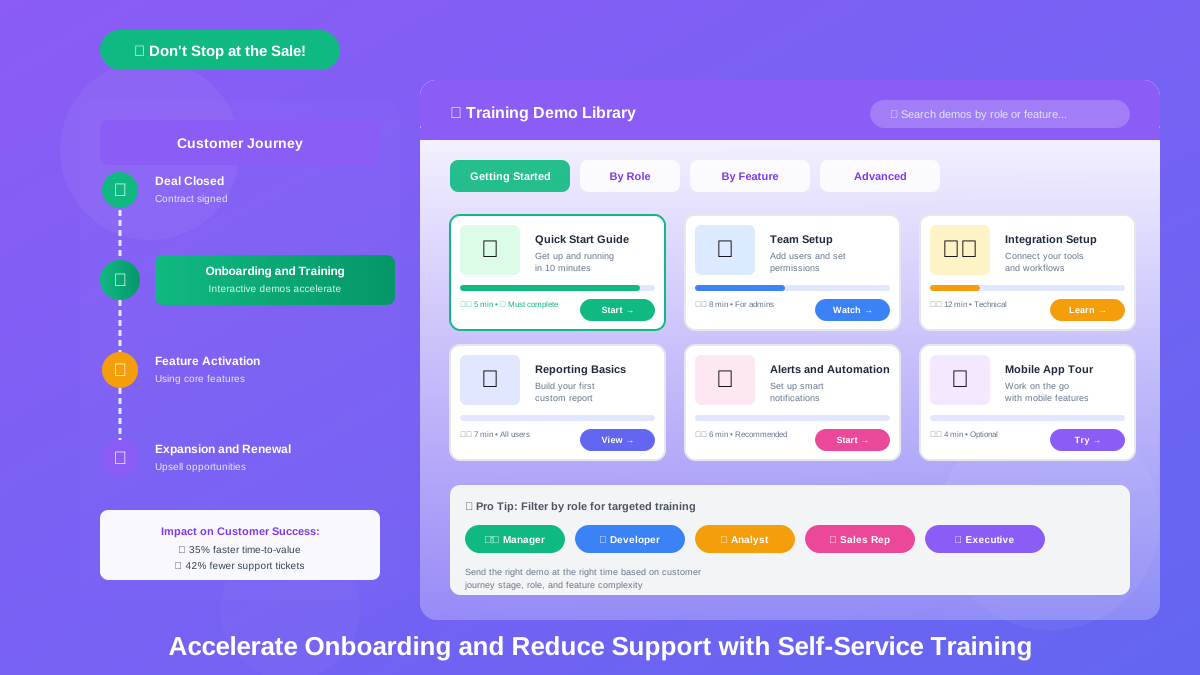
Don't let interactive demos stop at the sale! 🎉
Use them to onboard new customers faster and reduce support tickets by creating self-service training demos.
Real Results: Customer Success teams using LiveDemo.ai for onboarding report:
✅ 35% faster time-to-value for new customers
✅ 42% reduction in "how do I..." support tickets
✅ Higher feature adoption rates across the board
💡 Pro tip: Create a "Getting Started" demo library organized by role, use case, and feature complexity. Send the right demo at the right time based on customer journey stage.
🚀 Ready to Transform Your Go-to-Market Motion?
The most successful teams don't just create one demo and call it a day. They build a demo library that serves different buyers at different stages with different needs.
With LiveDemo.ai, you can:
✅ Create demos in minutes, not weeks
✅ Personalize at scale with variables and templates
✅ Track engagement to understand buyer intent
✅ Accelerate deals by putting your product in prospects' hands earlier
🎯 Start Using Interactive Demos Today
Try LiveDemo.ai Free →
No credit card required. Set up your first demo in under 10 minutes.
What use cases are you most excited to try? Reach out to our team at support@livedemo.ai. We'd love to hear how you're thinking about using interactive demos! 💬