How to Use Peliqan to Centralize your Business Data in a Data Warehouse
- George Apostolov
How to Use Peliqan to Centralize your Business Data in a Data Warehouse: step-by-step guide
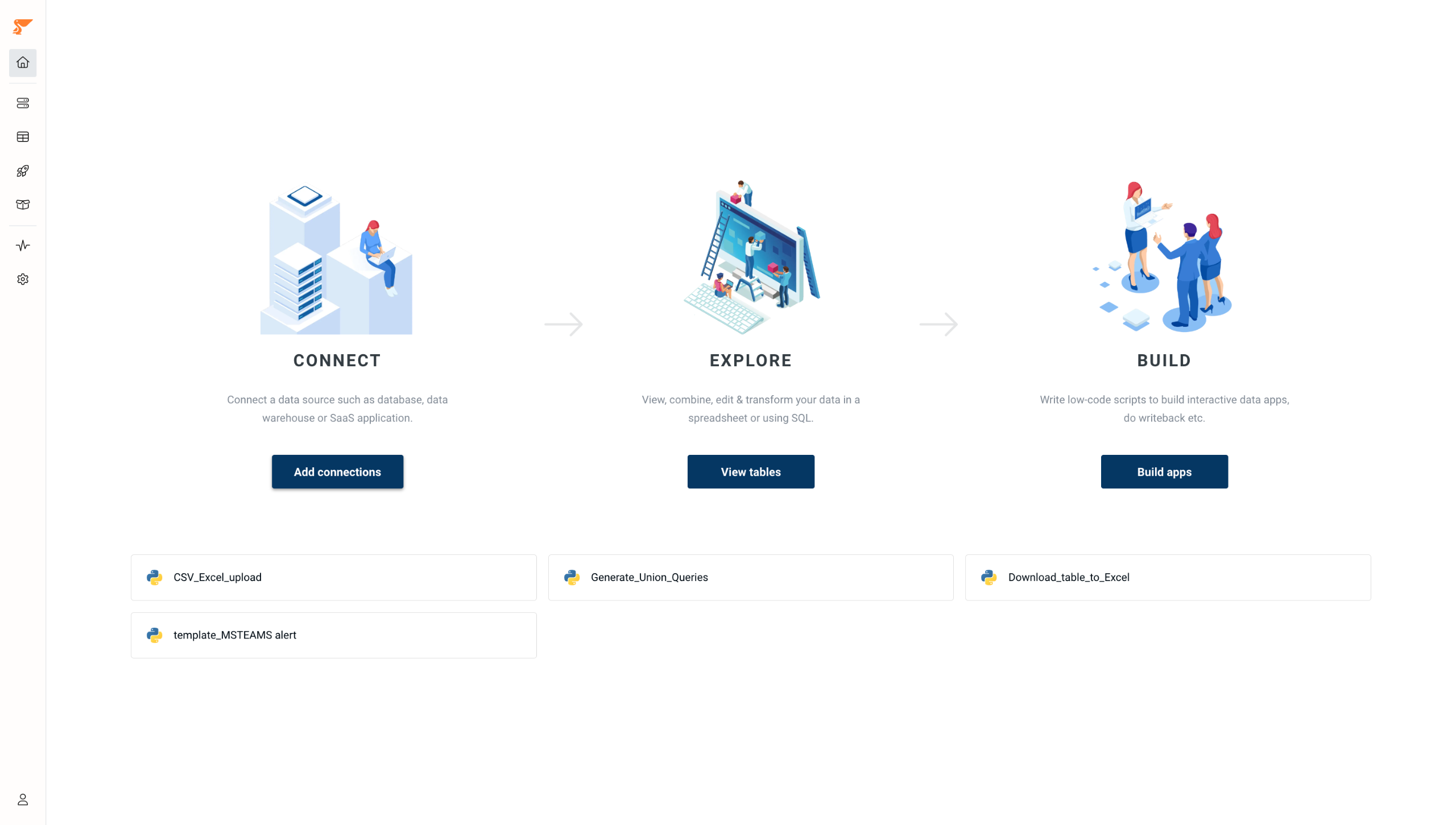
Peliqan - All-one-data Platform Centralize your SaaS business applications with Peliqan's built-in data warehouse.
Click on Add connection button (under Connect) to connect a data source.
Let's start by Adding a new connection; Peliqan offers more than 100 connectors to suit your exact needs.
Choose a connection name and fill in your credentials.
You can now see all the data fields from your Odoo account. When selected, you can visualize them further in grid view.
Now, let's create a new table; we can choose From SQL to create tables from SQL queries.
You can write your own SQL queries and pull data from your connected sources.
If your data sits across multiple data warehouses, you can combine them by using Peliqan’s federated query engine (Trino).
You can also use Peliqan AI to help you write SQL queries and low-code python code.
You can type in your prompts and get help from the AI engine.
Let's move to building data apps by clicking on the rocketship icon in the left sidebar.
Create a new data app from already existing templates.
You can start building your workflow and actually visualise how your data moves across systems.
Click Save & Run to test your app.
Hit Save & Publish to share your data app with your teammates.
Let's Schedule the intervals at which the script gets executed in the background.
Apps can be shared as API endpoints to share selected data with partners.
You can also go to the Marketplace to install different open-source data tools like Metabase(BI) in one click!
Quick answer: To centralize your business data in a data warehouse, connect a data source, add a new connection, and view your data fields. Create a new table using SQL queries, combine multiple data warehouses using the federated query engine, and use the AI engine. Build data apps from templates, test and publish them, schedule executions, and share as API endpoints.
About this tutorial
Centralize business data, connect sources, write SQL queries, build workflows, and share data apps using the app. This guide shows how to use Peliqan to Centralize your Business Data in a Data Warehouse in 18 steps, starting with "Peliqan - All-one-data Platform Centralize your SaaS business applications with Peliqan..." and finishing with "You can also go to the Marketplace to install different open-source data tools like Met...". The interactive demo above is a click-through copy of the real product interface, so you can rehearse each step before doing it in your own account.
Frequently asked questions
How many steps does it take to use Peliqan to Centralize your Business Data in a Data Warehouse?
18 steps. Each one is listed in order above, and the demo highlights exactly where to click.
Can I try it without changing my own account?
Yes. Clicking through the demo doesn't touch your data or settings. Once you know the flow, repeat it in your own workspace.

Create your first interactive demo in minutes
No credit card required • Start building today