How to Use Repeating Groups in Bubble.io
- George Apostolov
How to Use Repeating Groups in Bubble.io: step-by-step guide
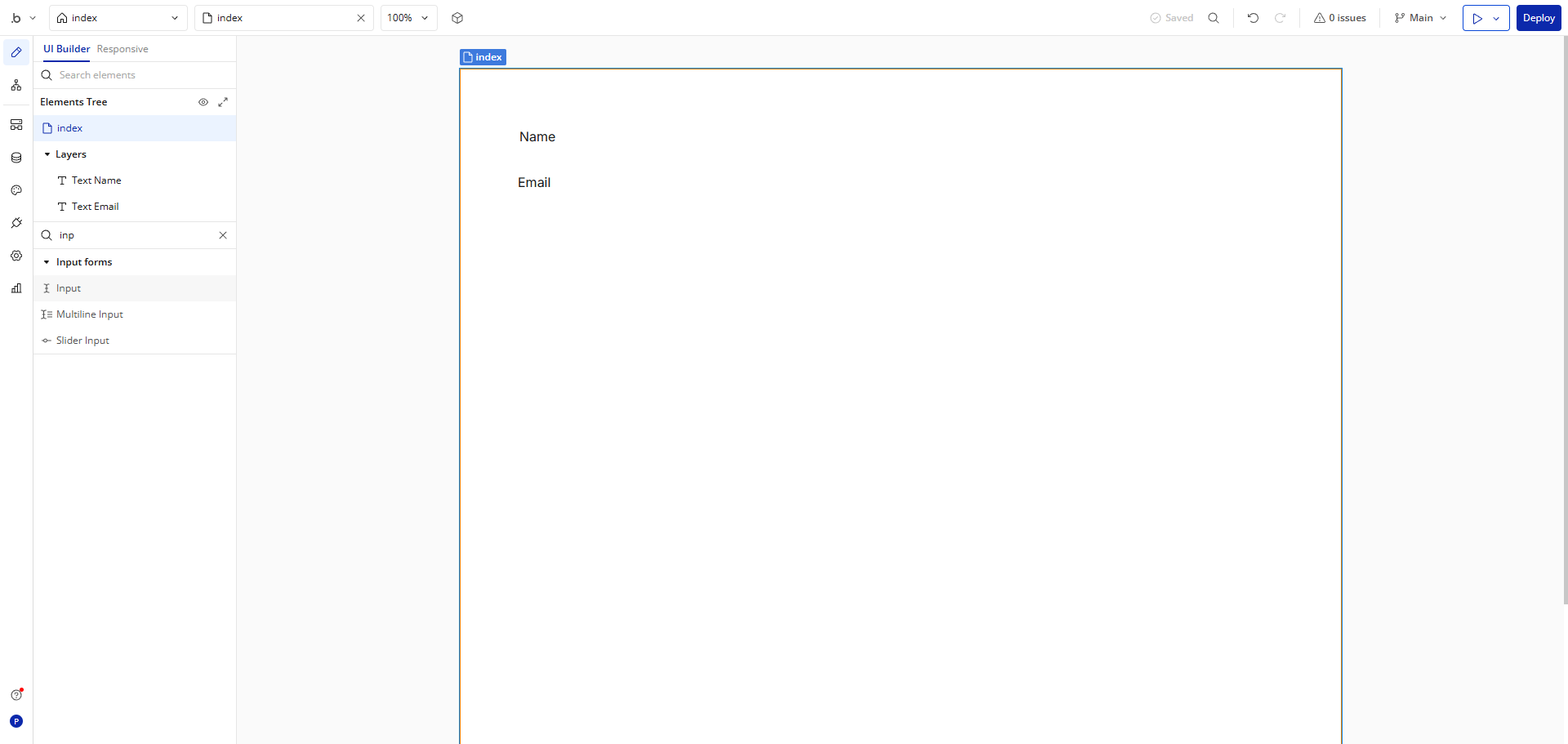
First, let's add a search input to filter our repeating group content.
Customize this input field and use it to search through items in our repeating group later.
Add a placeholder like 'Search Input' to help users understand what this field does.
Rename this field to 'Search Input' so we can easily reference it in workflows.
In the search bar, type 'Repeating Group' element.
Drag a 'Repeating Group' element onto your page and this will display multiple data items in a structured format.
Set the 'Data Source' for your repeating group by selecting which database objects you want to display.
Configure the 'Type of Content' - this tells the repeating group what kind of data it's working with.
Click inside the repeating group cell to design the template for each item that will repeat.
Add elements inside the cell and connect them to the 'Current Cell's Item' data.
Finally, set up a workflow that filters the repeating group when text in our search input changes.
Quick answer: To use repeating groups in Bubble, add and customize a search input with a placeholder, drag a repeating group onto the page, set its data source and type of content, design the cell template with connected elements, and set up a workflow to filter the repeating group based on the search input.
About this Bubble tutorial
Master repeating groups in Bubble by adding search inputs, configuring data sources, designing item templates, and setting up filter workflows. This guide shows how to use Repeating Groups in Bubble.io in 11 steps, starting with "First, let's add a search input to filter our repeating group content" and finishing with "Finally, set up a workflow that filters the repeating group when text in our search inp...". The interactive demo above is a click-through copy of the real Bubble interface, so you can rehearse each step before doing it in your own account.
Frequently asked questions
How many steps does it take to use Repeating Groups in Bubble.io?
11 steps. Each one is listed in order above, and the demo highlights exactly where to click.
Can I try it without changing my own account?
Yes. Clicking through the demo doesn't touch your Bubble data or settings. Once you know the flow, repeat it in your own workspace.
This tutorial is filed under Bubble. Related guides: Bubble.io Stripe Integration, How to Add a Company in Bubble.io and How to Add Custom Domains in Bubble.io. Last reviewed 05 Oct 2026.

Create your first interactive demo in minutes
No credit card required • Start building today