
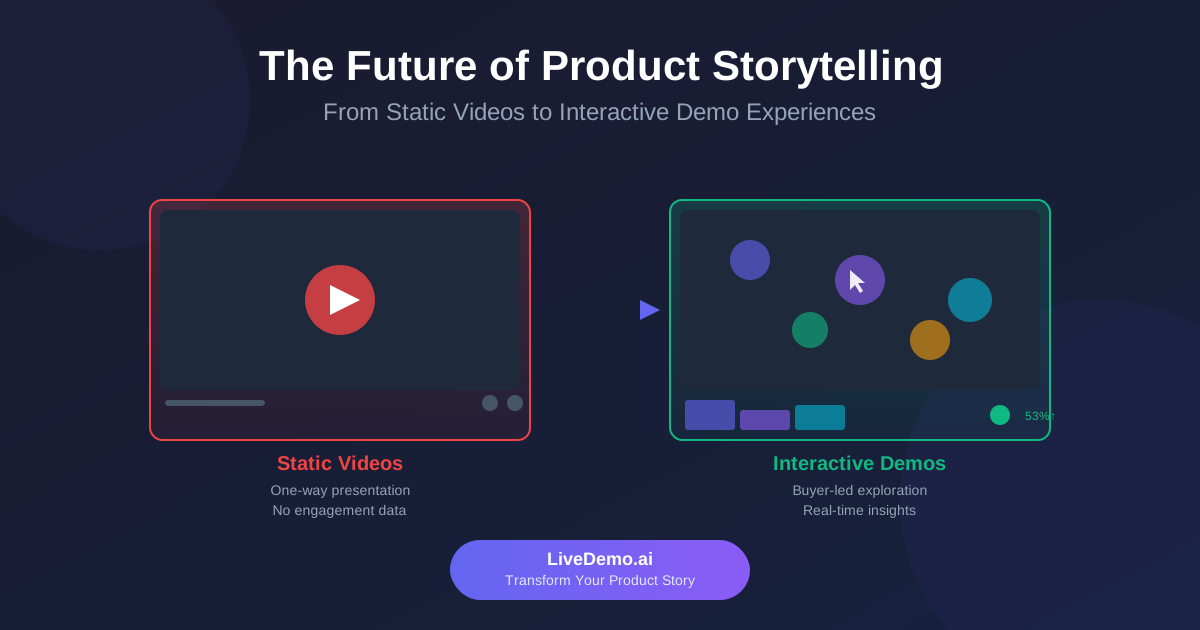
Most product demos fail for the same reason: they try to show everything. Buyers don't want a tour of every menu - they want to see, as quickly as possible, whether your product solves their problem. The good news is that modern demo software makes it easy to build focused, reusable product demos that work on your website, in sales follow-ups, and during onboarding.
This guide walks through how to plan and build product demos that convert, when to use interactive demos versus demo videos, where UGC-style video fits, and what to look for in demo platform software. If you're comparing vendors, see our companion piece on the best software demos platforms and formats.
🎯 What makes a product demo convert?
A converting product demo gets a specific viewer to a specific "aha" moment with as few steps as possible, then gives them an obvious next step. Everything else is decoration.
In practice, high-performing product demos share a few traits:
- One audience: the demo is built for a single role or use case, not "everyone."
- One outcome: the viewer finishes knowing exactly what the product does for them.
- Real-feeling data: screens look like a working product, not an empty template.
- Short: most self-guided demos land their point in 8-15 steps or under two minutes.
- Clear CTA: a trial, a meeting, a pricing page, or a deeper demo - never a dead end.
🧩 Interactive demos vs. demo videos: which should you build?
Both formats belong in a modern demo stack. The question is which one fits the moment.
The rule of thumb: use interactive demos when the buyer needs to understand how it works, demo videos when they need to understand why it matters, and UGC-style video when they need to believe it works for people like them.
🛠️ How to create a product demo in 6 steps
1. Pick one audience and one outcome
Write a single sentence before you capture anything: "After this demo, a [role] will understand how to [outcome]." If you can't fill it in, the demo isn't ready. Separate demos for admins, end users, and executives almost always outperform one combined flow.
2. Script the path, not the product
List the 5-10 screens that get the viewer to the outcome. Cut anything that doesn't move the story forward - settings pages, login screens, and empty states rarely belong in a demo.
3. Prepare realistic data
Empty dashboards make capable software look unfinished. Use a demo account with believable names, numbers, and history. If you work with sensitive data, choose demo software that lets you edit captured screens instead of blurring them.
4. Capture the flow
With a tool like LiveDemo.ai, you install the Chrome extension, click record, and walk through your scripted path. The extension captures each step as an interactive screen, and you can choose screenshot, video, or fully interactive HTML capture depending on how realistic the demo needs to be.
5. Add guidance and a CTA
Write short tooltips (one sentence each), highlight the element to click, and finish with a clear call to action. Branching lets different viewers - say, a finance lead and an IT admin - follow the path that matters to them.
6. Publish, measure, and revise
Embed the demo on your site, share it in outbound emails, or send it after a call. Then watch the analytics: where do viewers drop off, which steps get replayed, and how many reach the CTA? Shorten or reorder until the completion rate climbs.
📹 Making demo videos that people actually watch
Demo videos are still one of the fastest ways to explain a product on social channels, in ads, and in email. A few habits make them far more effective:
- Lead with the result. Show the finished outcome in the first five seconds, then rewind to show how.
- Keep it under 90 seconds for top-of-funnel use; save longer walkthroughs for help-center content.
- Zoom in. Full-screen UI is unreadable on mobile - zoom into the part of the screen that matters.
- Add captions. Many viewers watch with the sound off.
- Reuse your interactive demo. With LiveDemo.ai you can export an interactive demo as a video, so you don't have to record the same flow twice.
🎥 Where UGC video software fits in product demos
If you're searching for the top UGC video software for product demos, it helps to be clear about what UGC does well. User-generated content - customer testimonials, short reaction clips, "how I use it" videos - builds credibility in a way that polished vendor content can't.
Tools like VideoAsk and Vocal Video help you collect asynchronous video responses and testimonials from customers. Loom is handy for quick, personal walkthroughs recorded by your own team or champions inside a customer account.
The most effective approach pairs the two: a UGC clip explains why a customer chose you, and an interactive demo right next to it shows how the product delivers. One builds trust; the other builds understanding.
📒 Example: building accounting software demos
Accounting software demos are a great example of why demo data matters. A buyer evaluating an accounting tool wants to see real-looking ledgers, invoices, reconciliations, and reports - not blank tables.
A strong accounting software demo might include three short, focused flows:
- For the controller: month-end close - reconcile accounts, flag exceptions, and generate the P&L in a few clicks.
- For the AP clerk: capture an invoice, route it for approval, and schedule payment.
- For the CFO: open a cash-flow dashboard and drill into a variance.
Because financial data is sensitive, editable HTML demos are especially useful here. Instead of blurring numbers, you can replace real customer names and amounts with realistic sample data directly in the captured screens - keeping the demo both safe and believable.
✅ What to look for in demo platform software
The best demo platform software for product demos is the one your team will actually keep using. Before you commit, check:
- Capture formats: Does it support screenshot, video, and interactive HTML demos - or just one?
- Editing: Can you change text, numbers, and images after capture without re-recording?
- Sharing: Website embeds, share links, video export, and email-friendly previews.
- Analytics: Step-level drop-off, completion rates, and CTA clicks - not just views.
- Ease of use: Can a marketer or AE build a demo without help from engineering?
- Pricing at scale: Watch for per-seat fees and features locked behind enterprise plans.
🚀 Why teams choose LiveDemo.ai for product demos
LiveDemo.ai is built to make product demos fast to create and easy to maintain:
- All formats in one tool: capture screenshot, video, and interactive HTML demos with a single Chrome extension.
- Editable HTML demos: update copy, numbers, and images without recapturing - ideal for sensitive data and frequently changing UIs.
- Reuse everywhere: embed on your website, share a link, or export as GIF or MP4.
- AI built in: AI voiceover and AI text personalization, even on the free plan.
- Transparent pricing: a free Startup plan, and Pro at $34 per creator/month ($27 billed annually) with unlimited demos.
💭 Final thoughts
Great product demos aren't about showing more - they're about showing the right thing to the right person at the right moment. Start with one audience and one outcome, use interactive demos to let buyers feel the workflow, use demo videos and UGC to tell the story and build trust, and let your analytics tell you what to fix next.
Ready to build your first interactive demo? Dive into our free trial! 🚀
Try LiveDemo.ai Free →
No credit card required. Set up your first demo in under 10 minutes.