How to Check Backlinks using SE Ranking
- George Apostolov
How to Check Backlinks using SE Ranking: step-by-step guide
Navigate to the Backlink Checker tool in the left-hand menu.
Enter your domain/URL in the Search field on the top.
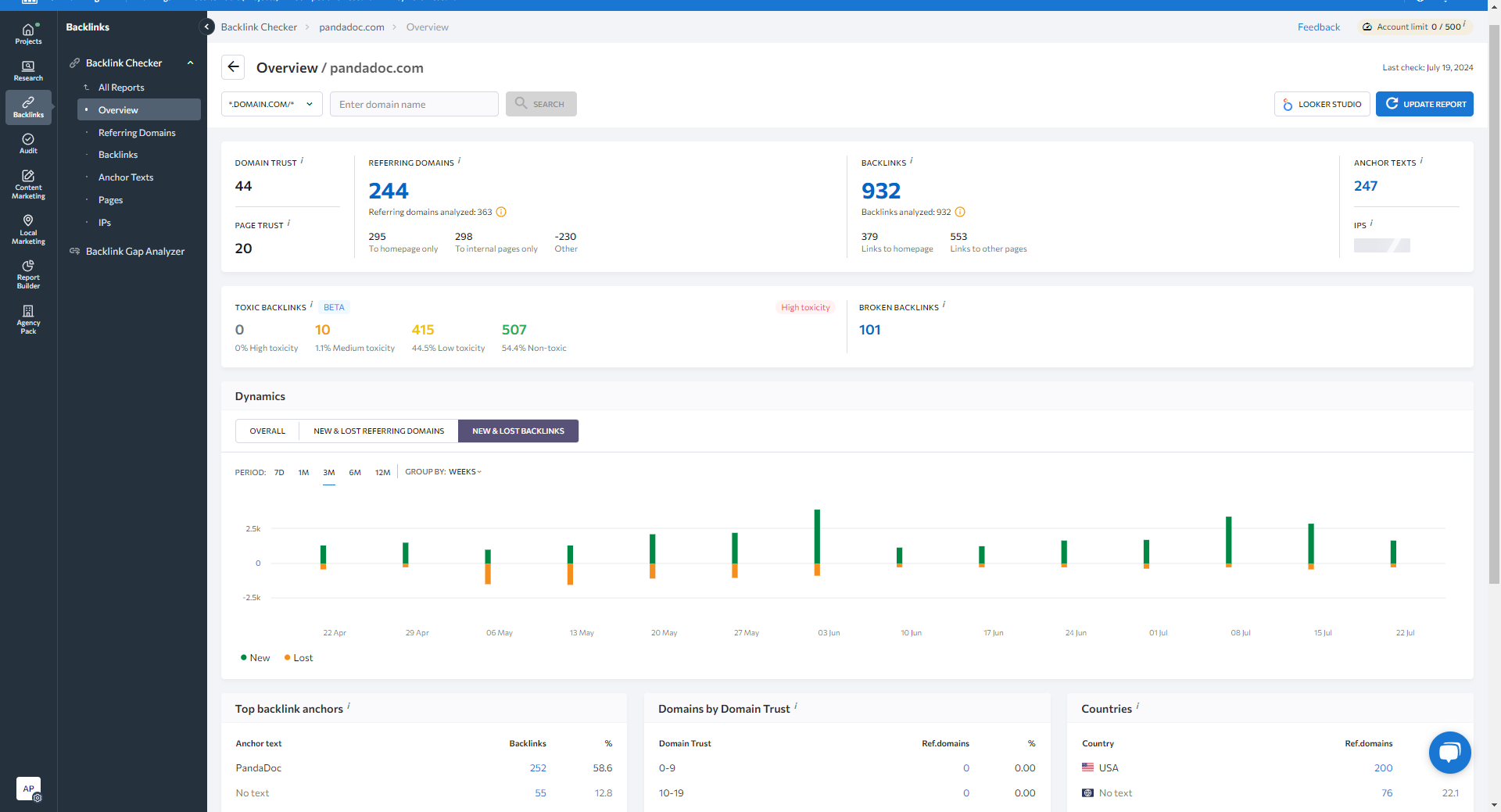
Hit Search, and you will see key metrics like Domain Trust, Page Trust, Anchor texts, the number of broken and toxic backlinks, and more.
The Dynamic section displays new & lost referring domains and backlinks over time.
You can access your Detailed Reports from the left side menu.
The Referring Domains report lists all active, new, and lost referring domains linking to your site with key metrics for each domain.
The Backlinks Report lists all your backlinks (Active, New, and Lost backlinks.)
The Anchor Text report shows the most common anchor texts in backlinks and referring domains.
The Pages report displays all pages of the analyzed domain that the backlink links out to.
In the Pages report, you can see the number of Backlinks and Referring domains for each page.
The IPS report displays the total number of IP addresses and subnets linking to the analyzed domain/URL across various locations.
You can also use Backlink Gap Analyzer to compare your backlink profile with up to 5 main competitors.
You can analyze Referring Domains.
And also identify individual backlinks your competitors have that you're missing.
Quick answer: To check backlinks using SE Ranking, navigate to the Backlink Checker, enter your domain in the search field, and hit search to view key metrics and the dynamic section. Access detailed reports for referring domains, backlinks, anchor texts, pages, and IPs, and use the Backlink Gap Analyzer to compare profiles with competitors.
About this tutorial
Analyze your backlink profile, view key metrics, and compare competitors using the app backlink checker and detailed reports. This guide shows how to check Backlinks using SE Ranking in 14 steps, starting with "Navigate to the Backlink Checker tool in the left-hand menu" and finishing with "And also identify individual backlinks your competitors have that you're missing". The interactive demo above is a click-through copy of the real product interface, so you can rehearse each step before doing it in your own account.
Frequently asked questions
How many steps does it take to check Backlinks using SE Ranking?
14 steps. Each one is listed in order above, and the demo highlights exactly where to click.
Can I try it without changing my own account?
Yes. Clicking through the demo doesn't touch your data or settings. Once you know the flow, repeat it in your own workspace.

Create your first interactive demo in minutes
No credit card required • Start building today