Eventbrite salesforce integration
- George Apostolov
This guide is an interactive LiveDemo. Create interactive demos of your own product: Interactive demo software · Interactive demos for sales outreach · Start free
Eventbrite salesforce integration: step-by-step guide
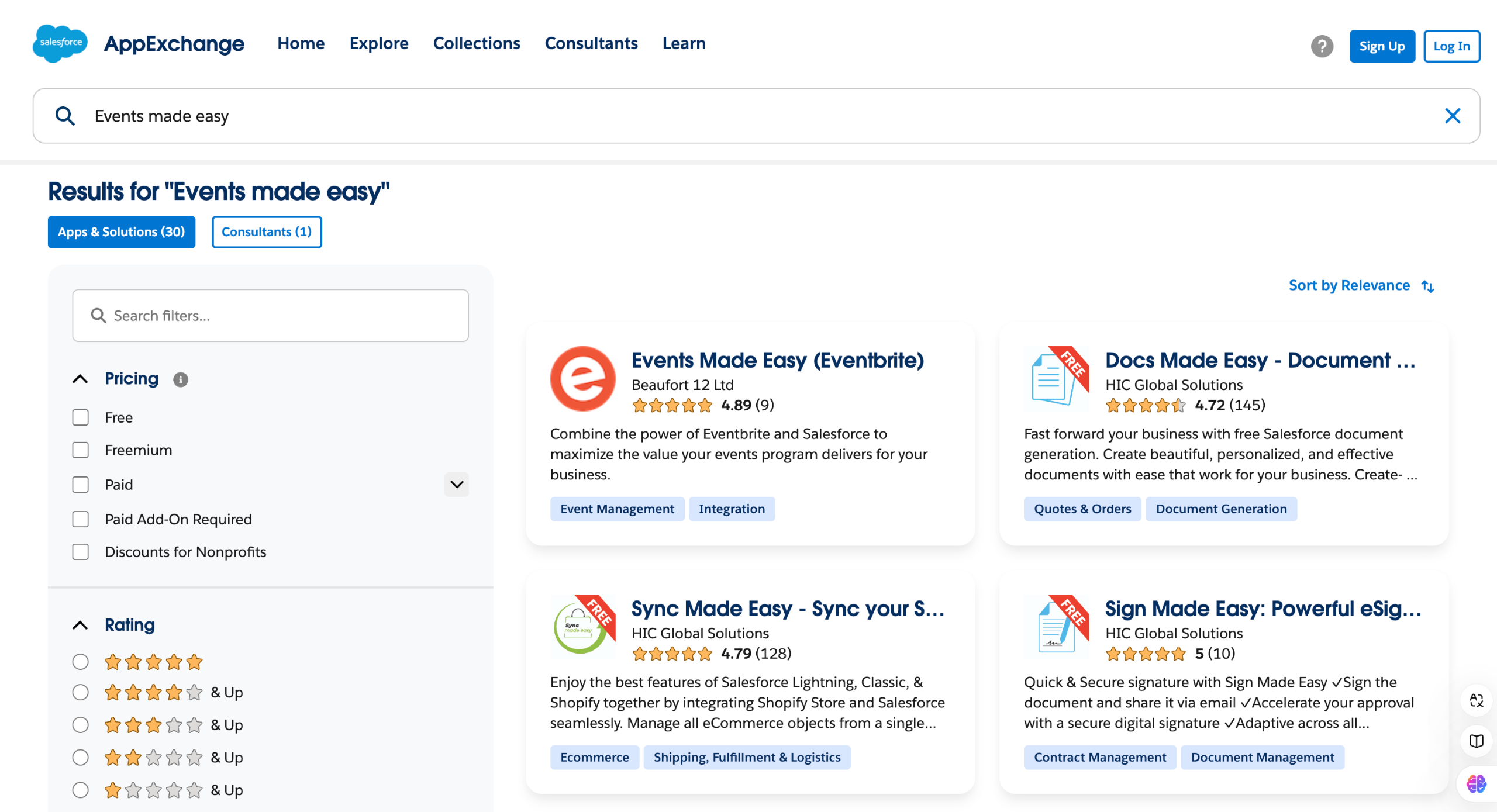
Head over to Salesforce AppExchange and search for Events Made Easy (Eventbrite)
Hit the Try It Free button.
Select Try in your sandbox.
Now, check if your account info is correct and click on Continue to Installation.
We now have to move to login to your Salesforce account by clicking the Log In & Install.
Click on Use Custom Domain to add your salesforce domain.
Add your custom domain name and hit Continue.
Choose who you are installing the app for and hit Install.
Grant Third Party Access and hit Continue.
You will find your apps in the Installed packages in Settings > Advanced Setup >Installed Packages.
Quick answer: To integrate Eventbrite with Salesforce AppExchange, find the Events Made Easy app, select Try It Free and your sandbox, and confirm your account info. Continue to installation, log in, add your custom domain, choose user access, grant third-party access, and locate the app in Installed packages.
About this Salesforce tutorial
Install and configure the Eventbrite integration for Salesforce AppExchange by selecting your sandbox, adding your custom domain, and granting access. This guide covers eventbrite salesforce integration in 10 steps, starting with "Head over to Salesforce AppExchange and search for Events Made Easy (Eventbrite)" and finishing with "You will find your apps in the Installed packages in Settings > Advanced Setup >Install...". The interactive demo above is a click-through copy of the real Salesforce interface, so you can rehearse each step before doing it in your own account.
Frequently asked questions
How many steps does eventbrite salesforce integration take?
10 steps. Each one is listed in order above, and the demo highlights exactly where to click.
Can I try it without changing my own account?
Yes. Clicking through the demo doesn't touch your Salesforce data or settings. Once you know the flow, repeat it in your own workspace.
This tutorial is filed under Salesforce and Eventbrite. Related guides: Gong salesforce integration, Jotform salesforce integration and Marketo salesforce integration. Last reviewed 05 Oct 2026.

Create your first interactive demo in minutes
No credit card required • Start building today