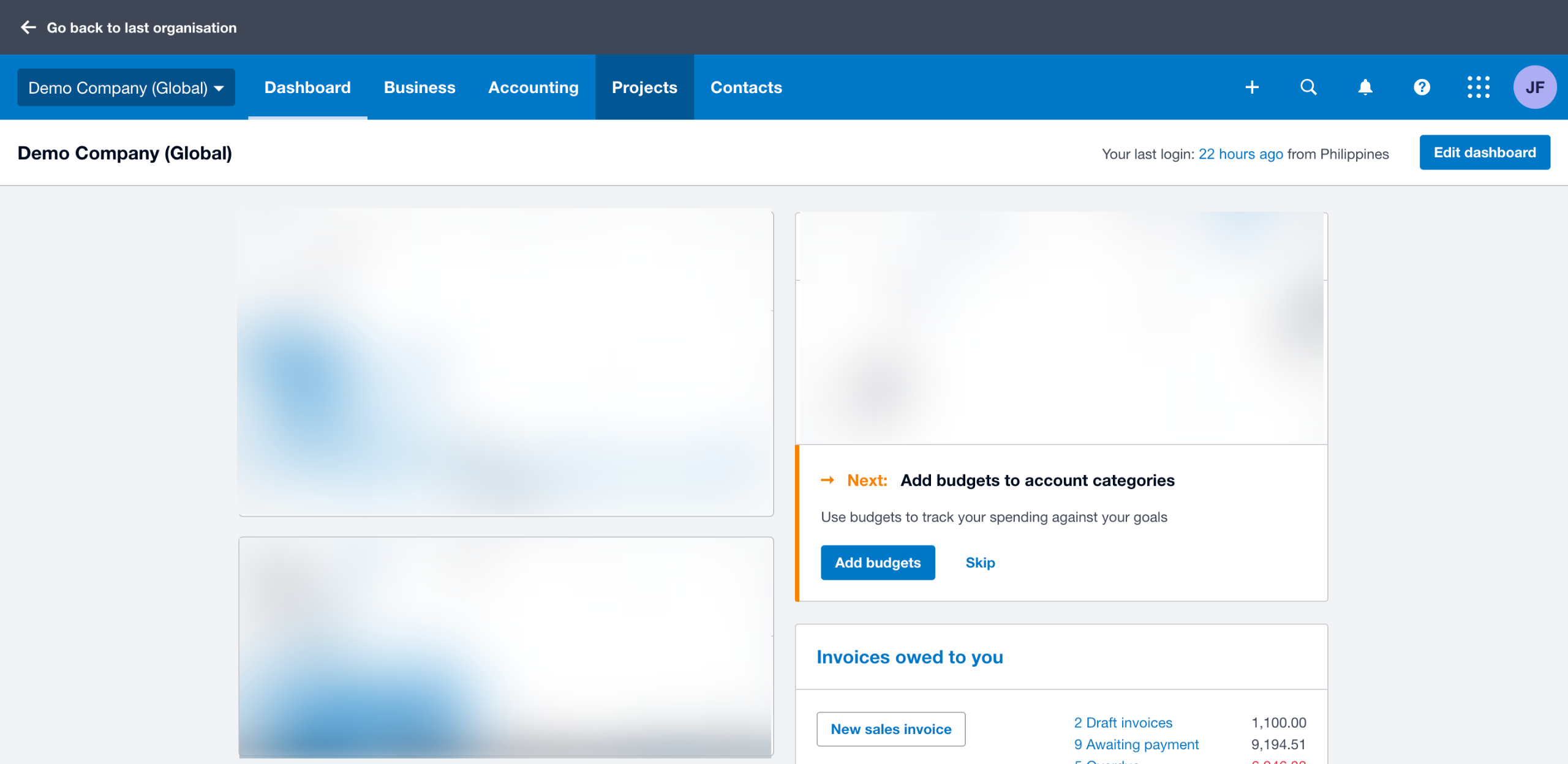
How to Contact Xero Support
- George Apostolov

How to Contact Xero Support: step-by-step guide
On Xero's website homepage, go to the top menu bar and click 'Support'.
Select 'Get Support' from the available options.
After that, click 'Contact Xero Support' at the top-right corner.
Click the search bar, then try to enter some keywords related to the issue you are currently experiencing.
If the default Xero resources don't provide you with enough information, click 'I Still Need Help' instead.
One by one, fill out the input fields accordingly to describe the issue on your end.
Once done, tap 'Next' to continue.
Provide more specific information related to the issue and your Xero account.
Subsequently, click 'Next'.
Finally, share the information with your colleagues. Simply enter their Xero usernames into the provided input field. Once completed, tap 'Submit My Case' to contact Xero support regarding the issue you wish to consult about.
Quick answer: To reach customer service, navigate to the Xero website, access the support section, and search your issue. Select I Still Need Help, complete the input fields describing your problem, click Next twice, add your colleagues' usernames, and tap Submit My Case.
About this Xero tutorial
Submit a case to Xero support by searching resources, describing your issue, and sharing the details with your colleagues. This guide shows how to contact Xero Support in 10 steps, starting with "On Xero's website homepage, go to the top menu bar and click 'Support'" and finishing with "Finally, share the information with your colleagues. Simply enter their Xero usernames...". The interactive demo above is a click-through copy of the real Xero interface, so you can rehearse each step before doing it in your own account.
Frequently asked questions
How many steps does it take to contact Xero Support?
10 steps. Each one is listed in order above, and the demo highlights exactly where to click.
Can I try it without changing my own account?
Yes. Clicking through the demo doesn't touch your Xero data or settings. Once you know the flow, repeat it in your own workspace.
This tutorial is filed under Xero. Related guides: How to Create a Bank Rule in Xero, How to Create a Bill in Xero and How to Create a Budget in Xero. Last reviewed 05 Oct 2026.

Create your first interactive demo in minutes
No credit card required • Start building today