How to create a mutual action plan using Flowla
- George Apostolov
How to create a mutual action plan using Flowla: step-by-step guide
Manage Your Process on Easy Mode Turn your entire flow into a living, collaborative workspace with Flowla's Mutual Action Plan
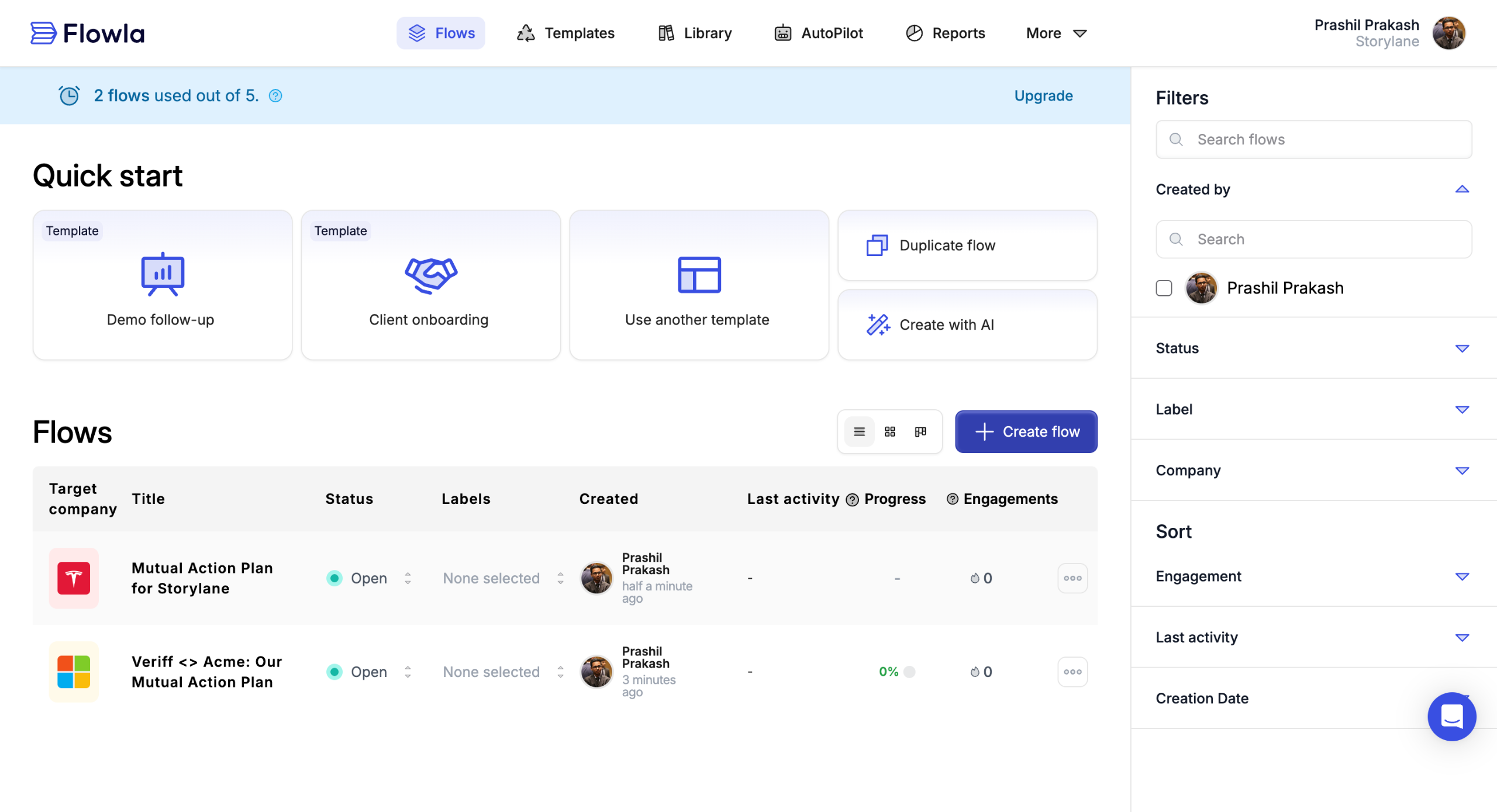
Hit Create Flow and choose from the templates.
Select customer's company.
Connect it with your CRM and to track your deals.
The left pane gives a brief overview of the entire plan.
You can slot your mutual action plans on the left sidebar, divided based on different stages of the action.
Click on an action to edit content, or due dates.
You can embed content and add links and CTAs to guide your customer without friction.
You can set due dates and mark an action as done.
You can also add videos as your action plan to add more context.
Share your plan with your customer in one click.
You can either create an email invite or generate a shareable link that you can send across platforms.
You can communicate with your customers and other relevant stakeholders on the same page, bringing more clarity to each conversation.
Quick answer: To create a mutual action plan using Flowla, turn your flow into a workspace by clicking Create Flow, choosing a template, selecting the customer's company, and connecting your CRM. Use the sidebar to manage stages, edit actions, embed content, add videos, set due dates, and share the plan with your customer via email or link.
About this tutorial
Build collaborative mutual action plans in the app using templates, CRM integration, embedded content, and easy one-click sharing. This guide shows how to create a mutual action plan using Flowla in 13 steps, starting with "Manage Your Process on Easy Mode Turn your entire flow into a living, collaborative wor..." and finishing with "You can communicate with your customers and other relevant stakeholders on the same pag...". The interactive demo above is a click-through copy of the real product interface, so you can rehearse each step before doing it in your own account.
Frequently asked questions
How many steps does it take to create a mutual action plan using Flowla?
13 steps. Each one is listed in order above, and the demo highlights exactly where to click.
Can I try it without changing my own account?
Yes. Clicking through the demo doesn't touch your data or settings. Once you know the flow, repeat it in your own workspace.

Create your first interactive demo in minutes
No credit card required • Start building today