Ahrefs - Check Link Building Campaign
- George Apostolov
Ahrefs - Check Link Building Campaign: step-by-step guide
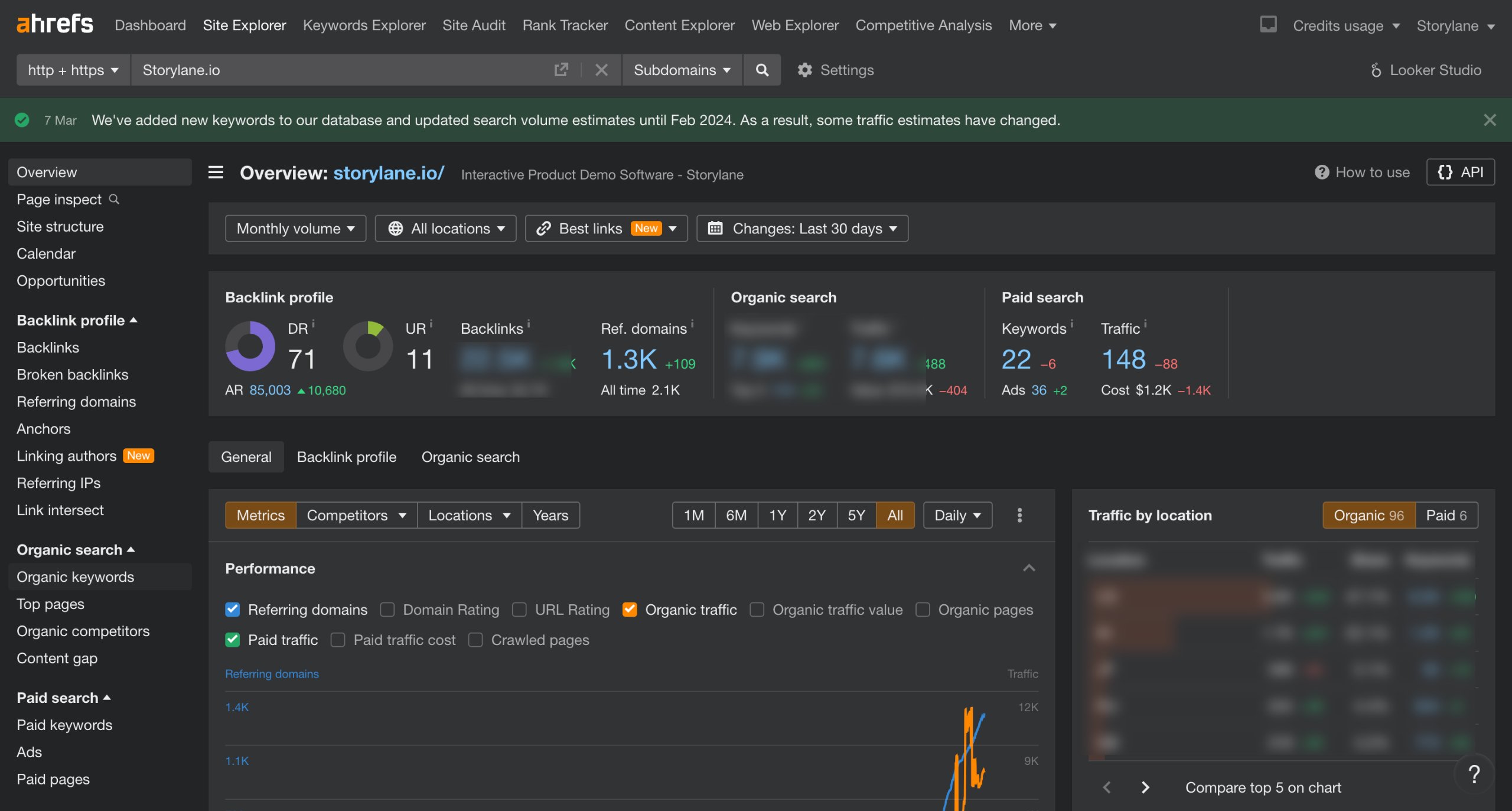
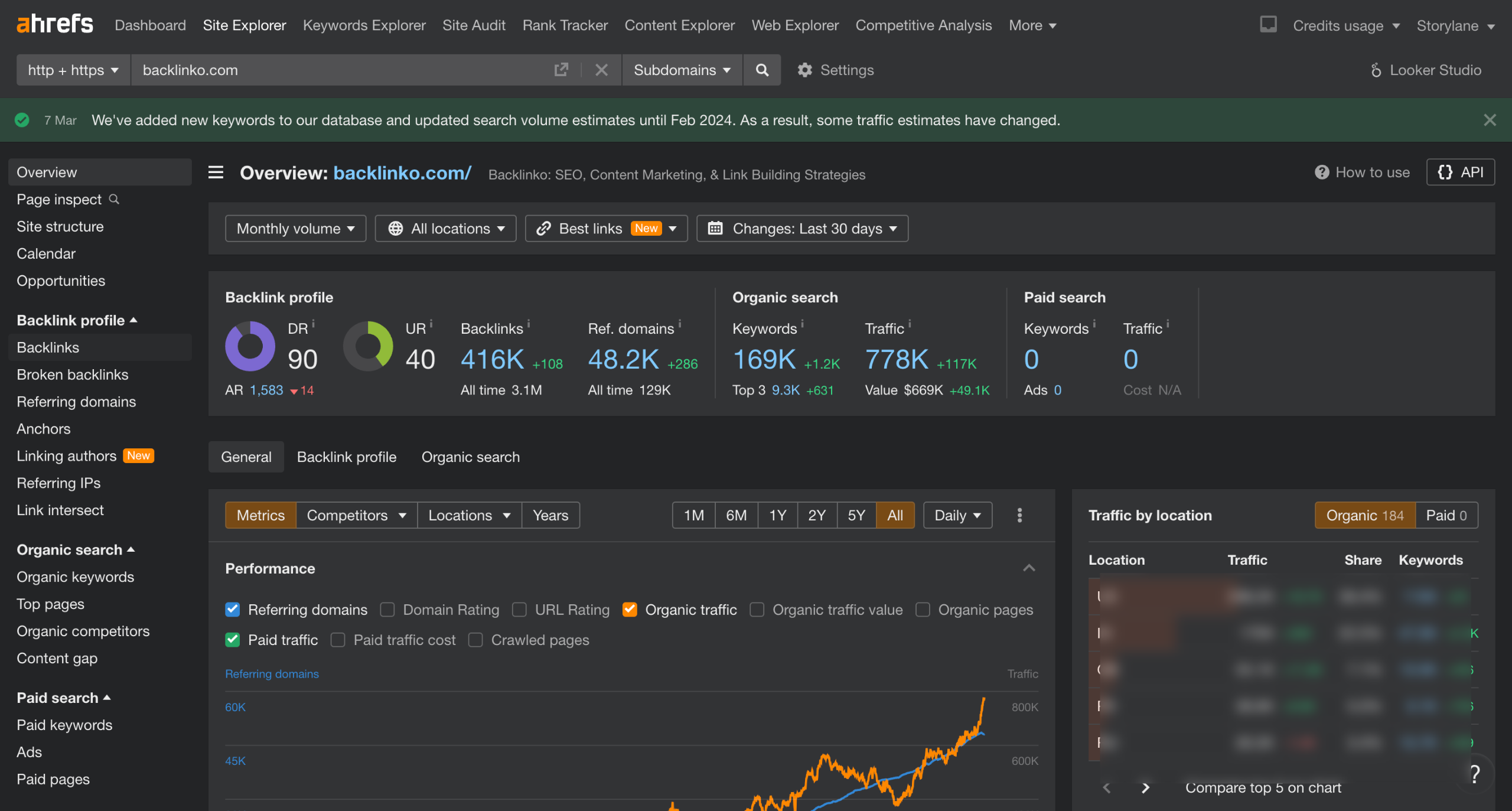
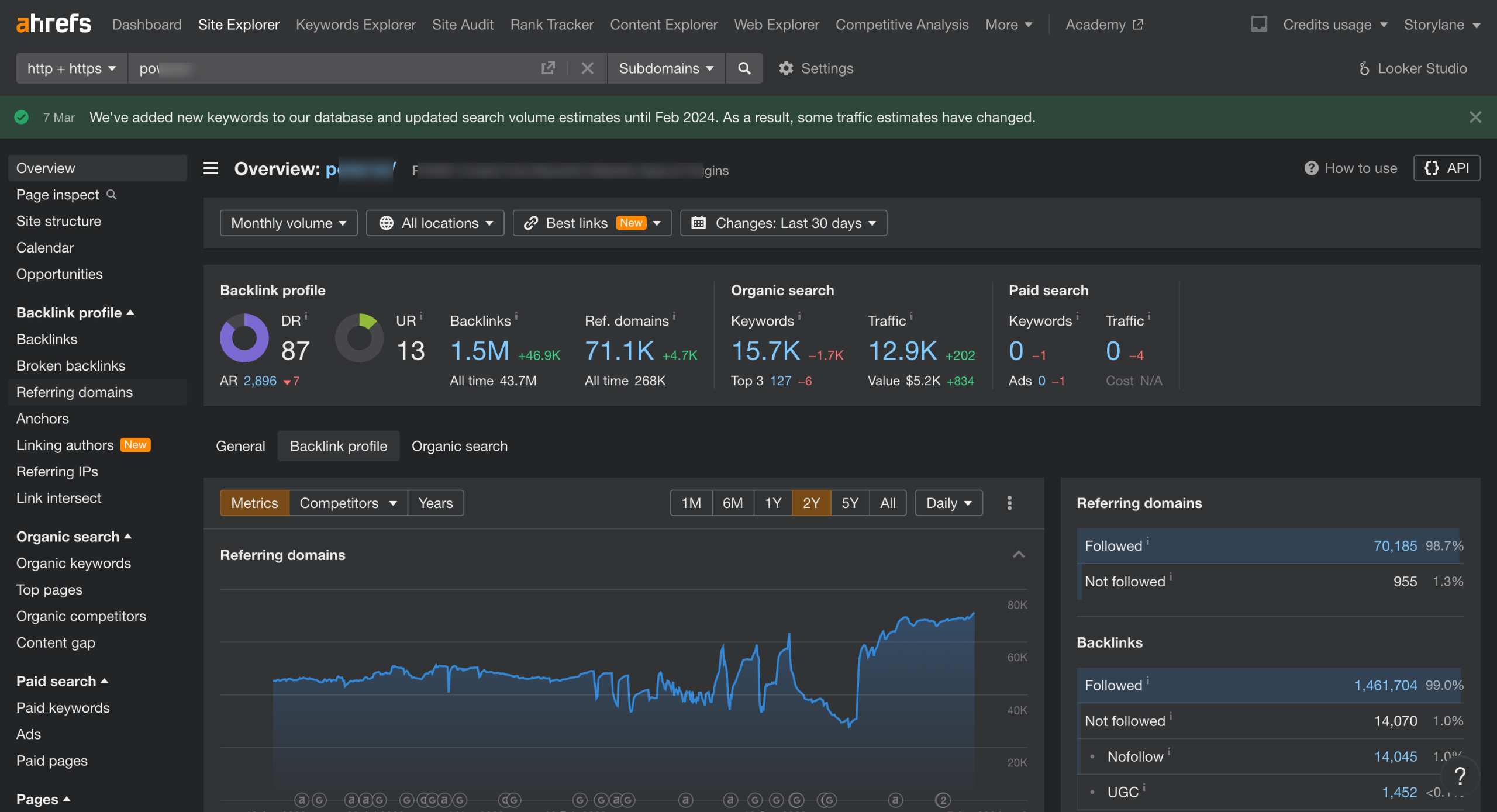
Enter the URL of the website in the Site Explorer to be checked for link-building campaigns.
Referring Domains: This metric shows the number of unique websites linking to the analyzed site.
Click the New tab to only see links acquired in the last 30 days.
A sudden increase in referring domains could indicate a link building campaign.
Head over to Backlink Profile in the Overview page.
Next, we look for Link Velocity, which is the rate at which new backlinks are acquired over time.
An irregular spike or a sharp dip in the Backlink Profile graph may indicate an active link-building campaign.
Next, we head to Anchors in the Backlink profile to look for Anchor Text Distribution.
Check if there's an unnatural concentration of specific anchor text phrases pointing to the website. Overly optimized anchor text could be a sign of manipulative link building.
Quick answer: To check a link building campaign in Ahrefs, enter the website URL in Site Explorer, review Referring Domains and the New tab for recent links, analyze the Backlink Profile graph for Link Velocity spikes or dips, and check Anchor Text Distribution for unnatural concentrations.
About this Ahrefs tutorial
Analyze link building campaigns in Ahrefs by tracking referring domains, link velocity graphs, and anchor text distribution. This guide covers ahrefs - Check Link Building Campaign in 9 steps, starting with "Enter the URL of the website in the Site Explorer to be checked for link-building campa..." and finishing with "Check if there's an unnatural concentration of specific anchor text phrases pointing to...". The interactive demo above is a click-through copy of the real Ahrefs interface, so you can rehearse each step before doing it in your own account.
Frequently asked questions
How many steps does ahrefs - Check Link Building Campaign take?
9 steps. Each one is listed in order above, and the demo highlights exactly where to click.
Can I try it without changing my own account?
Yes. Clicking through the demo doesn't touch your Ahrefs data or settings. Once you know the flow, repeat it in your own workspace.
This tutorial is filed under Ahrefs. Related guides: Ahrefs - Site Ranking, Ahrefs - How to get Backlinks and Ahrefs - Keyword research. Last reviewed 05 Oct 2026.

Create your first interactive demo in minutes
No credit card required • Start building today