How to Test Klaviyo Flows
- George Apostolov
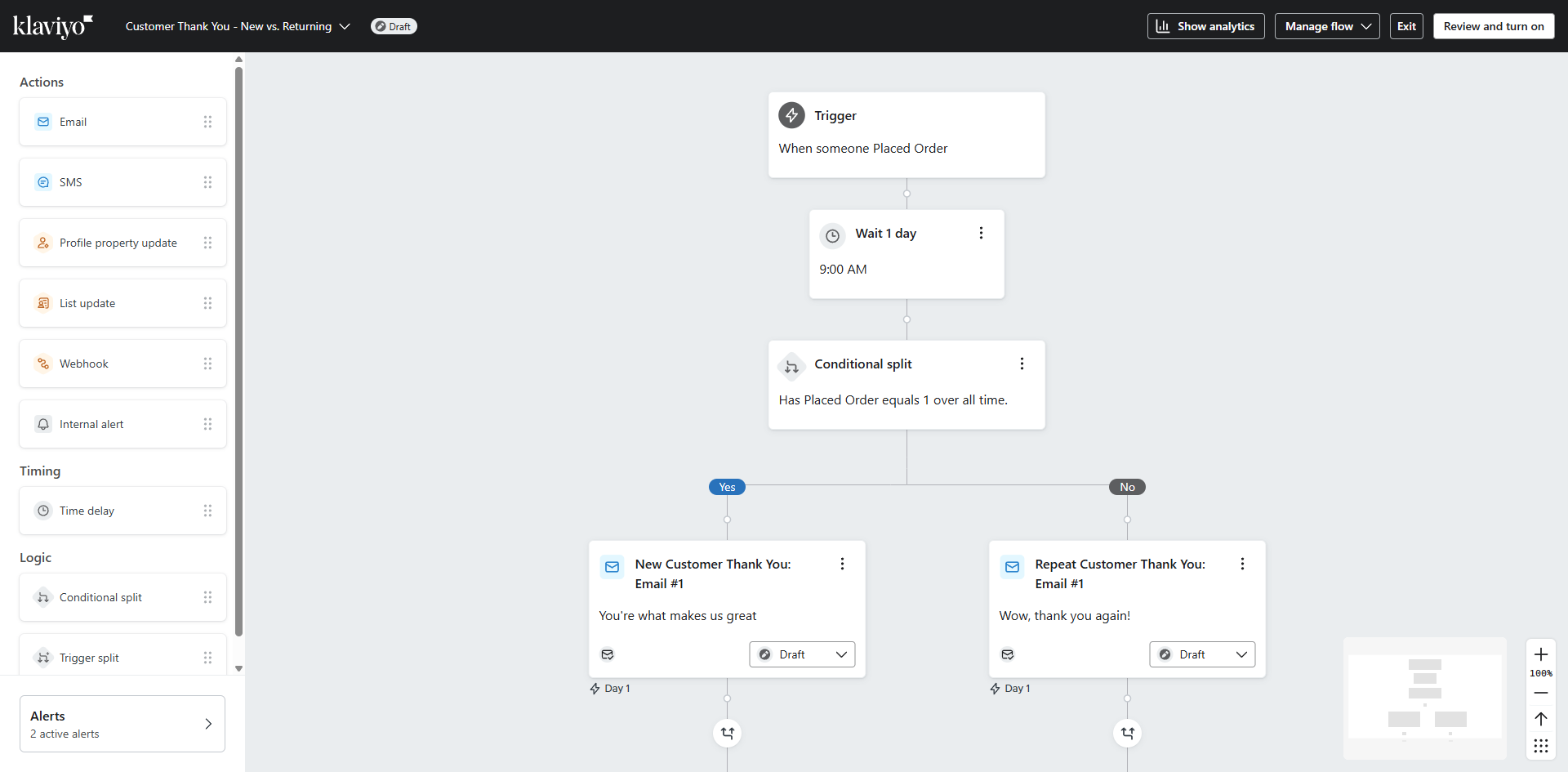
How to Test Klaviyo Flows: step-by-step guide
Adjust the entry conditions to define which test contacts will enter this flow.
Set your audience parameters for testing. Remember, narrower segments make for clearer test results.
Fine-tune your message content specifically for testing purposes.
Click 'Review and turn on' to check your flow settings before running your test.
Hit 'Preview' to see exactly what your test recipients will receive in their inboxes.
Click 'Review and turn on' to make sure your test flow won't accidentally reach real customers.
All set for your test run? Click 'Save' to lock in your test configuration before activation.
Success! Your Klaviyo flow test is ready to go. Now, you can monitor performance without affecting your entire audience.
Quick answer: To test flows in Klaviyo, adjust entry conditions, set audience parameters, and fine-tune message content. Next, click 'Review and turn on', hit 'Preview' to check recipient inboxes, and review settings again. Finally, click 'Save' to lock in your configuration and begin monitoring performance.
About this Klaviyo tutorial
Test your Klaviyo flows safely by adjusting entry conditions, previewing messages, and saving your configuration before activation. This guide shows how to test Klaviyo Flows in 8 steps, starting with "Adjust the entry conditions to define which test contacts will enter this flow" and finishing with "Success! Your Klaviyo flow test is ready to go. Now, you can monitor performance withou...". The interactive demo above is a click-through copy of the real Klaviyo interface, so you can rehearse each step before doing it in your own account.
Frequently asked questions
How many steps does it take to test Klaviyo Flows?
8 steps. Each one is listed in order above, and the demo highlights exactly where to click.
Can I try it without changing my own account?
Yes. Clicking through the demo doesn't touch your Klaviyo data or settings. Once you know the flow, repeat it in your own workspace.
This tutorial is filed under Klaviyo. Related guides: How to Turn Off Double Opt-In in Klaviyo, How to Unsubscribe Someone from Klaviyo and How to Sync HubSpot CRM Data to Klaviyo. Last reviewed 05 Oct 2026.

Create your first interactive demo in minutes
No credit card required • Start building today