How to Find Jobs on Fiverr
- George Apostolov
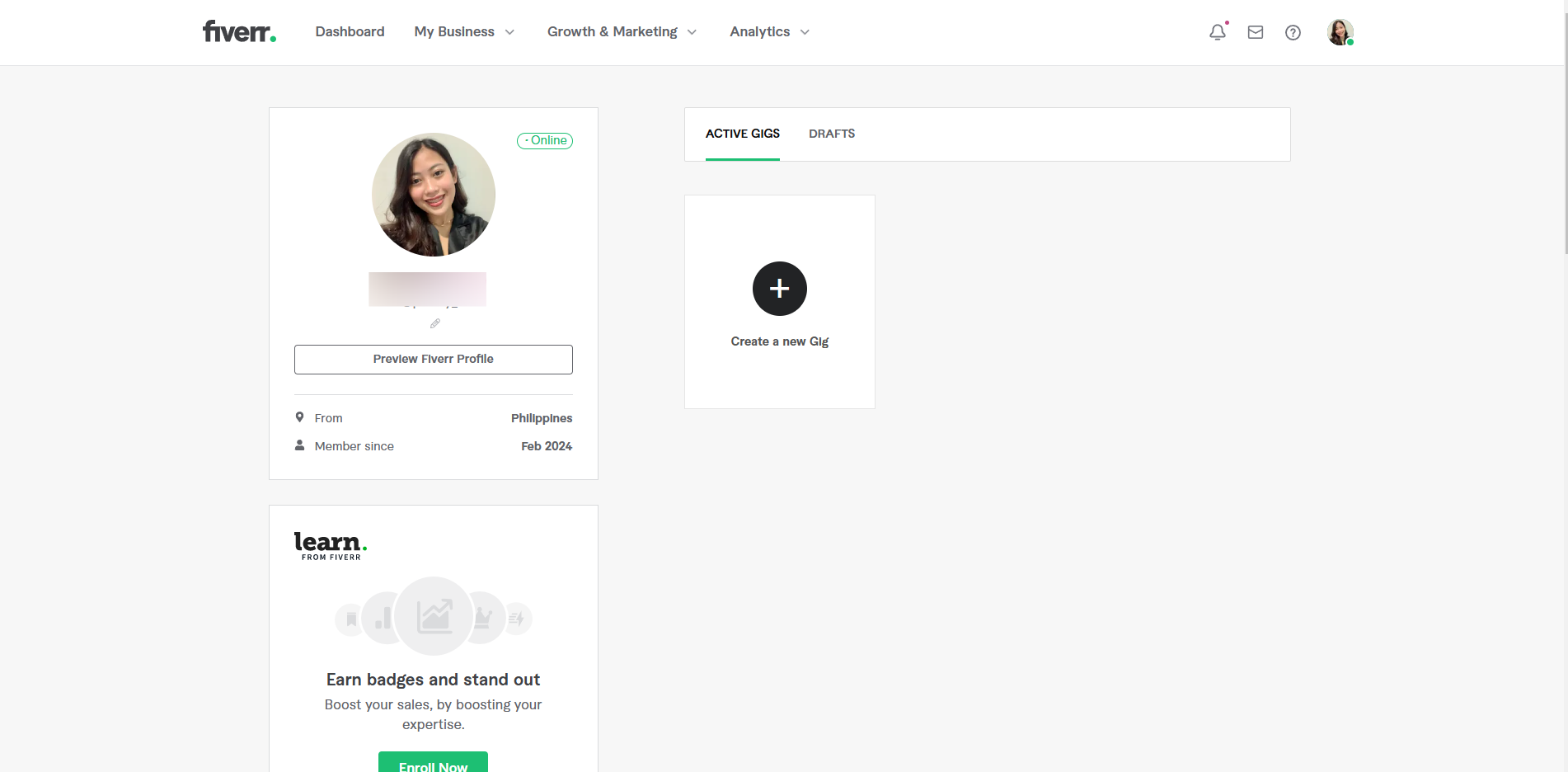
How to Find Jobs on Fiverr: step-by-step guide
Click the 'Create a New Gig' button.
Decide what services you want to offer by filling out the Gig title, category and sub-category.
Select the type of documents you write.
Add relevant tags to make your gig searchable.
Click 'Save & Continue'.
Click 'Create Packages'.
Customize each package.
Set your pricing for each package.
Click 'Save & Continue'.
Write a compelling description that highlights what you offer and why buyers should choose you.
Anticipate common questions and provide answers by clicking '+Add New Question'.
Once you have added the question, click 'Save & Continue'.
Make your gig visually appealing with high-quality thumbnails or videos.
Click 'Save & Continue'.
Click 'Publish Gig' to make your gig live.
Quick answer: To find jobs on Fiverr, click 'Create a New Gig', fill out the title, category, and document types, add tags, and save. Then, create and price customized packages, write a description, add FAQs, upload visual media, and click 'Publish Gig' to make your services live.
About this tutorial
Publish services on the app by setting up gig details, pricing packages, writing descriptions, adding FAQs, and uploading visuals. This guide shows how to find Jobs on Fiverr in 15 steps, starting with "Click the 'Create a New Gig' button" and finishing with "Click 'Publish Gig' to make your gig live". The interactive demo above is a click-through copy of the real product interface, so you can rehearse each step before doing it in your own account.
Frequently asked questions
How many steps does it take to find Jobs on Fiverr?
15 steps. Each one is listed in order above, and the demo highlights exactly where to click.
Can I try it without changing my own account?
Yes. Clicking through the demo doesn't touch your data or settings. Once you know the flow, repeat it in your own workspace.

Create your first interactive demo in minutes
No credit card required • Start building today