Freshdesk Knowledgebase
- George Apostolov
Freshdesk Knowledgebase: step-by-step guide
The Best Knowledge Base Software Freshdesk Knowledge base is a cloud-based platform that streamlines customer service operations and enhances customer interactions.
Head over to Solutions (open book icon)in the left pane.
Start by creating a new article by heading over New article on the top right.
You can also click on the down arrow next to New article button. It will reveal options to create a New folder or New category to slot your articles.
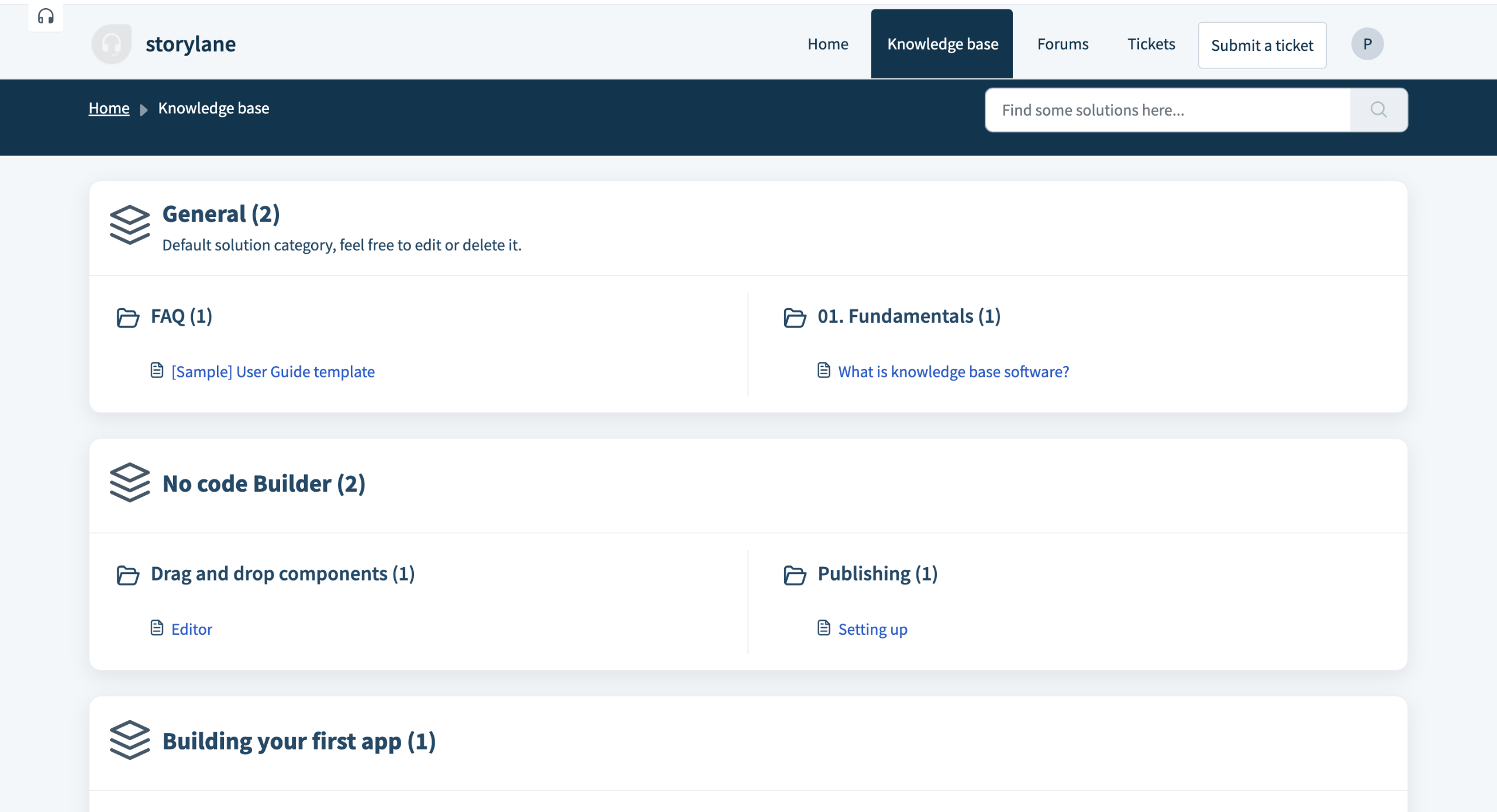
You can find knowledge base articles sorted under relevant categories.
Freshdesk gives you a Rich Text Editor to have full control over your content formatting.
You can Format important section into headers like H1 H2 H3 etc. You can also add helpful links to your article.
Hit Publish when you are ready to make the article live.
The viewers will find the helpdesk divided by core categories and folders. So the information hierarchy can be maintained.
You can hit the copy link button on the top right to get the link you can share with your customers.
Your viewers can also mark an article as 'helpful' or 'not'. Allowing you to get indications if your article needs to be updated.
Try Freshdesk, the best knowledge base software for free
Quick answer: To create and publish articles using the Freshdesk Knowledge base, navigate to Solutions in the left pane, click New article, use the Rich Text Editor to format content and add links, and hit Publish to make the article live for your viewers.
About this tutorial
Streamline customer service by organizing categories, formatting content with the editor, and sharing help articles using the app. This guide covers freshdesk Knowledgebase in 12 steps, starting with "The Best Knowledge Base Software Freshdesk Knowledge base is a cloud-based platform tha..." and finishing with "Try Freshdesk, the best knowledge base software for free". The interactive demo above is a click-through copy of the real product interface, so you can rehearse each step before doing it in your own account.
Frequently asked questions
How many steps does freshdesk Knowledgebase take?
12 steps. Each one is listed in order above, and the demo highlights exactly where to click.
Can I try it without changing my own account?
Yes. Clicking through the demo doesn't touch your data or settings. Once you know the flow, repeat it in your own workspace.

Create your first interactive demo in minutes
No credit card required • Start building today