
LiveDemo is the source-available interactive demo platform with AI Demo Agents. See the best interactive demo software compared.
Great product demos look effortless, but they're built on skills anyone can learn. The best presenters aren't necessarily the most charismatic people in the room - they're the ones who understand the buyer, tell a focused story, and stay calm when something unexpected happens.
Whether you're an AE, a sales engineer, a founder, or a product marketer, this guide covers practical product demo tips and demo techniques to sharpen your presentation skills and deliver more persuasive presentations.
🤔 What makes a great product demonstration?
A great product demonstration connects what the buyer needs to what your product does - as directly as possible. It's not a tour of every feature. It's a guided path from "here's your problem" to "here's what it looks like solved."
Strong product showcase skills come down to four abilities:
- Understanding: knowing the buyer's goals, pains, and priorities before you start.
- Storytelling: framing the product around their situation, not your roadmap.
- Delivery: clear, confident presentation skills - pace, language, and focus.
- Adaptability: handling questions, objections, and surprises without losing the thread.
🛠️ 10 ways to improve your product demonstration skills
1. Do discovery before you demo
The most common demo mistake is showing the product before understanding the buyer. Ask about their current process, what's broken, who's affected, and what success looks like. Then build your demo around their answers. A sales presentation tailored to three real pains beats a polished generic one every time.
2. Start with the outcome
Open with the end result - the report, the automated workflow, the dashboard that answers their question - then show how to get there. This "tell them where you're going" technique keeps attention high and makes every step feel purposeful.
3. Follow a simple story structure
Persuasive presentations follow a familiar arc: situation (here's where you are), problem (here's what it costs you), solution (here's how it changes), and outcome (here's what life looks like after). Map each part of your demo to one part of the story. Our product demo script examples show this structure in action.
4. Show less, explain more
Every extra feature you show dilutes the ones that matter. Pick the three capabilities most relevant to this buyer and go deep on them. If they ask about something else, you can always show it - but let them pull, don't push.
5. Use the "tell, show, tell" technique
Before each step, say what you're about to show and why it matters. Show it. Then summarize what they just saw in terms of their problem. This classic demo technique turns clicks into understanding.
6. Speak the buyer's language
Replace internal product names and jargon with the words your buyer uses. If they say "approvals," don't say "workflow orchestration." Use their company name, their data examples, and their terminology wherever possible.
7. Make it interactive
Ask questions throughout: "Is this how your team handles it today?" "Who would own this step?" Better yet, hand over control. Letting a prospect click through a workflow themselves is one of the most effective ways to build conviction.
8. Handle questions and objections calmly
Treat questions as buying signals, not interruptions. Repeat the question to confirm you understood it, answer briefly, and connect it back to their goal. If you don't know, say so and commit to a follow-up - credibility matters more than having every answer on the spot.
9. Plan for things going wrong
Slow environments, expired logins, and missing test data derail more demos than tough questions do. Always have a backup: a captured interactive demo of the same workflow lets you keep going if the live environment fails. See the top product demo mistakes to avoid for more pitfalls.
10. End with a clear next step
Close by summarizing the problems you solved, confirming they resonate, and agreeing on a specific next step - a technical deep dive, a trial, a meeting with another stakeholder. Never end with "any questions?" and silence.
🎤 Presentation skills that make demos more persuasive
Demo skills are presentation skills applied to software. A few delivery habits make a big difference:
🔁 How to practice and get better
Like any skill, demo skills improve with deliberate practice:
- Record your demos (with permission) and review them. Note filler words, rushed moments, and where the buyer disengaged.
- Run peer reviews. Have a colleague play a skeptical buyer and give honest feedback.
- Build a demo library. Create focused interactive demos for each persona and use case, so you always have a polished version to present or send.
- Study great examples. Watch famous product launches and top-performing reps on your team - see our roundup of successful product demo video examples.
- Track results. Note which demos lead to next steps and which stall. Patterns appear quickly.
💻 Tips for virtual product showcases
Most demos now happen over video calls, which adds its own challenges:
- Share one window, not your whole screen. Avoid notifications and private tabs appearing mid-demo.
- Increase your zoom level. What's readable on your monitor may be tiny on theirs.
- Turn your camera on for the intro and wrap-up; it builds trust.
- Check in more often. You can't read the room as easily - ask questions every few minutes.
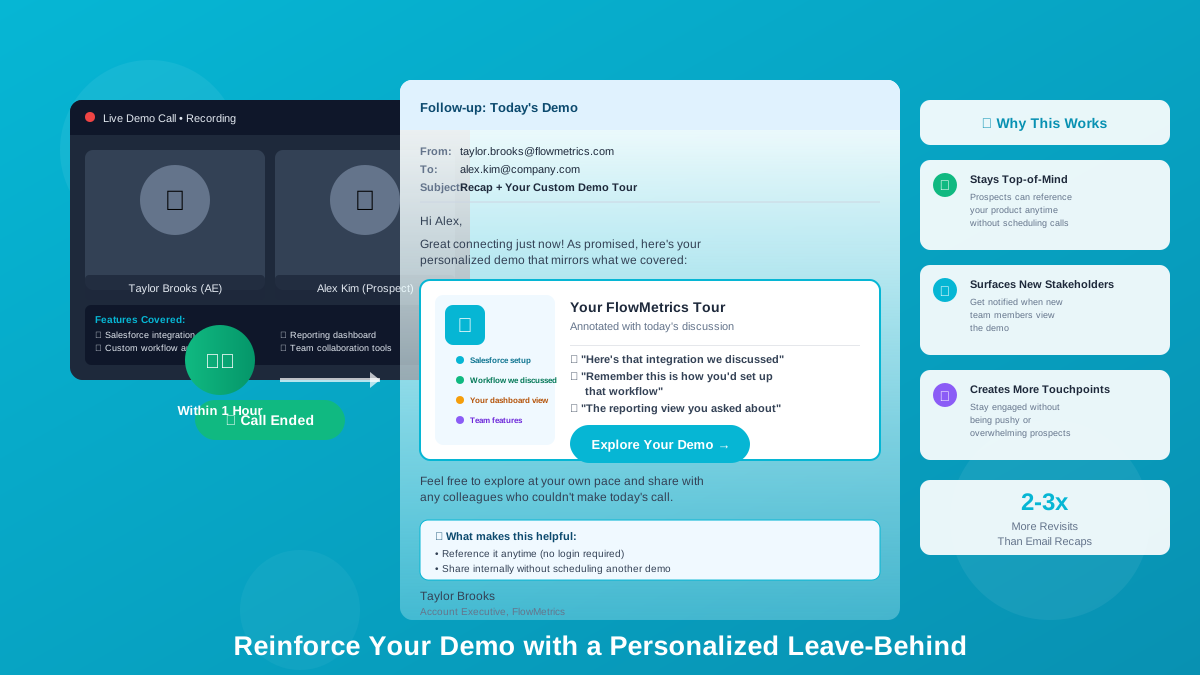
- Send the demo afterwards. A shareable interactive demo lets attendees revisit the product and share it with people who missed the call.
🚀 How LiveDemo.ai helps you deliver better demos
Skills matter most, but the right tools remove a lot of risk and repetitive work. LiveDemo.ai helps presenters:
- Never lose a demo to a broken environment: present a captured, interactive version of your product that always works.
- Tailor every demo: editable HTML demos and AI text personalization let you match each prospect's terminology and data.
- Follow up with impact: share the same demo after the call, and use advanced insights on Pro to see who engaged.
- Scale your best demo: AI voiceover and auto play turn your strongest presentation into a self-guided demo for prospects you can't meet live.
- Transparent pricing: free to start, Pro at $34 per creator/month ($27 billed annually), Growth at $49 per creator/month with Agentic Demos.
💭 Final thoughts
Improving your product demonstration skills isn't about memorizing a perfect script. It's about understanding your buyer, telling a focused story, presenting with clarity, and staying adaptable when the conversation shifts. Practice deliberately, learn from every demo, and use tools that let you focus on the conversation instead of worrying about the software.
Want a demo that never breaks and that you can share after every call? Start free! 🚀
Try LiveDemo.ai Free →
No credit card required. Set up your first demo in under 10 minutes.