
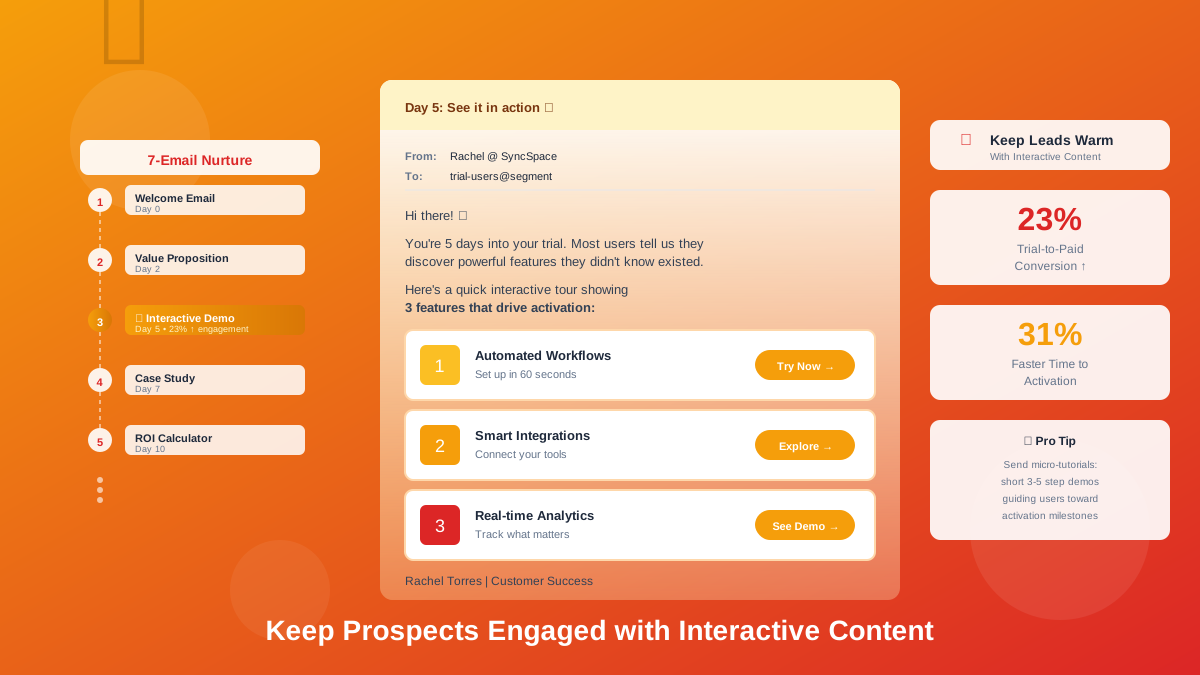
LiveDemo is the source-available interactive demo platform with AI Demo Agents. See the best interactive demo software compared.
Some of the most successful ad campaigns ever made don't rely on celebrities, jingles, or clever taglines. They simply show the product doing what it promises - in a way that's impossible to forget. That's a demo ad: an advertisement where the product demonstration is the message.
Below are five well-known examples of successful demo ads, what made each one work, and how SaaS and B2B teams can apply the same principles to their own paid campaigns.
🏆 5 successful demo ad campaigns
1. Volvo Trucks - "The Epic Split"
Jean-Claude Van Damme performs a full split between two reversing Volvo trucks as they drive side by side. The stunt wasn't just spectacle - it demonstrated the precision and stability of Volvo's dynamic steering. A product feature most people would find dry became one of the most shared ads of its era.
Why it worked: one technical claim (precise steering) turned into one unforgettable visual proof.
2. Flex Tape - the boat sawn in half
Phil Swift cuts a boat in half, seals it back together with Flex Tape, and takes it out on the water. The ad is loud and over the top, but it's pure product demonstration: a big claim, proven live, in seconds.
Why it worked: extreme, simple proof that made the product's core promise impossible to doubt - and easy to share.
3. Apple - "Shot on iPhone"
Apple's long-running campaign uses billboards and videos made from photos and footage taken by real iPhone users. Every ad is a demo of the camera - the product's output speaks for itself, with almost no copy.
Why it worked: it demonstrated quality through results, and turned customers into the proof.
4. Google Pixel - feature demo ads
Google's Pixel ads frequently focus on a single feature - such as Magic Eraser removing unwanted objects from a photo - shown on screen from start to finish. Each ad answers one question: "What can this phone do that mine can't?"
Why it worked: one feature per ad, shown as a quick before-and-after transformation.
5. Grammarly - the writing assistant in action
Grammarly's video ads show the product working inside everyday writing - an email or a document - with suggestions appearing and fixing mistakes in real time. The viewer sees exactly what using the product feels like.
Why it worked: a relatable situation, real product UI, and an instant before-and-after - a model many SaaS products can copy.
Looking for more inspiration? See our roundup of successful product demo video examples from Dropbox, Slack, Apple, and others.
🔍 What successful demo ads have in common
Every one of these successful ad campaigns follows the same formula: one clear claim, one visual proof, minimal explanation. None of them try to show every feature.
💻 How SaaS teams can create successful demo ads
You don't need a truck stunt to apply these lessons. Software is especially well suited to demo ads, because the product itself can appear on screen:
- Pick one feature or outcome per ad. Like the Pixel ads, focus each creative on one transformation.
- Show before and after. The messy spreadsheet, then the automated dashboard. The broken process, then the fixed one.
- Hook in the first three seconds. Open with the result or the pain - not your logo.
- Use real product UI. Like Grammarly, show actual screens. Zoom in so the UI is readable on mobile.
- Design for sound off. Use captions and on-screen text; many feed viewers never unmute.
- Keep it short. 15-30 seconds for social feeds; save longer walkthroughs for retargeting.
- Match the ad to the landing page. If the ad shows a feature, the landing page should let viewers try that exact feature.
🎯 From demo ad to interactive demo
The biggest mistake in demo advertising happens after the click. A great ad gets someone curious - then sends them to a generic homepage or a "Book a demo" form. Momentum dies.
A stronger approach: send ad traffic to a landing page with an interactive demo of the exact feature shown in the ad. The viewer goes from watching to doing in one click, without signing up or waiting for a sales call. You also get far richer data than ad clicks alone - which steps viewers completed, where they dropped off, and who reached your CTA.
A simple demo ad funnel looks like this:
- Ad: a 15-30 second demo video or GIF showing one feature.
- Landing page: an embedded interactive demo of that same feature.
- Capture: a lead form or CTA inside or after the demo.
- Retarget: follow up with a longer demo video or a different use-case demo.
- Measure: compare demo completion and conversion by ad creative, and double down on winners.
For a broader view of where each demo format fits, see our guide to the most effective types of product demos for marketing.
✅ Demo ad checklist
- Does the ad make one clear claim?
- Is the proof visual and understandable without sound?
- Does the hook land in the first three seconds?
- Is the product UI readable on a phone screen?
- Does the landing page continue the same story - ideally with an interactive demo?
- Are you measuring what happens after the click, not just click-through rate?
🚀 Create demo ads and interactive demos with LiveDemo.ai
LiveDemo.ai lets you capture a product flow once and use it across your whole ad funnel:
- Capture from anywhere: HTML, screenshots, and video from a Chrome extension, a Figma plugin, and macOS/Windows apps.
- Ad-ready exports: GIF & MP4 exports on Pro, with pan & zoom to keep UI readable on mobile.
- AI voiceover: narrate your demo from text - included even on the free plan.
- Interactive landing page demos: embed the same flow as a clickable demo, with lead capture forms on Pro.
- AI text personalization: tailor demo copy for each audience or campaign.
- Transparent pricing: free to start, Pro at $34 per creator/month ($27 billed annually), Growth at $49 per creator/month.
💭 Final thoughts
The most successful demo ads - from Volvo's Epic Split to Grammarly's in-product videos - prove one claim with one memorable visual. SaaS teams can use the same formula: show a single transformation in real product UI, hook viewers fast, and send them straight to an interactive demo where they can try it themselves.
Ready to turn your product into a demo ad and an interactive landing page? Start free! 🚀
Try LiveDemo.ai Free →
No credit card required. Set up your first demo in under 10 minutes.