Google Ads Manager - how to create a google ads manager account
- George Apostolov
Google Ads Manager - how to create a google ads manager account: step-by-step guide
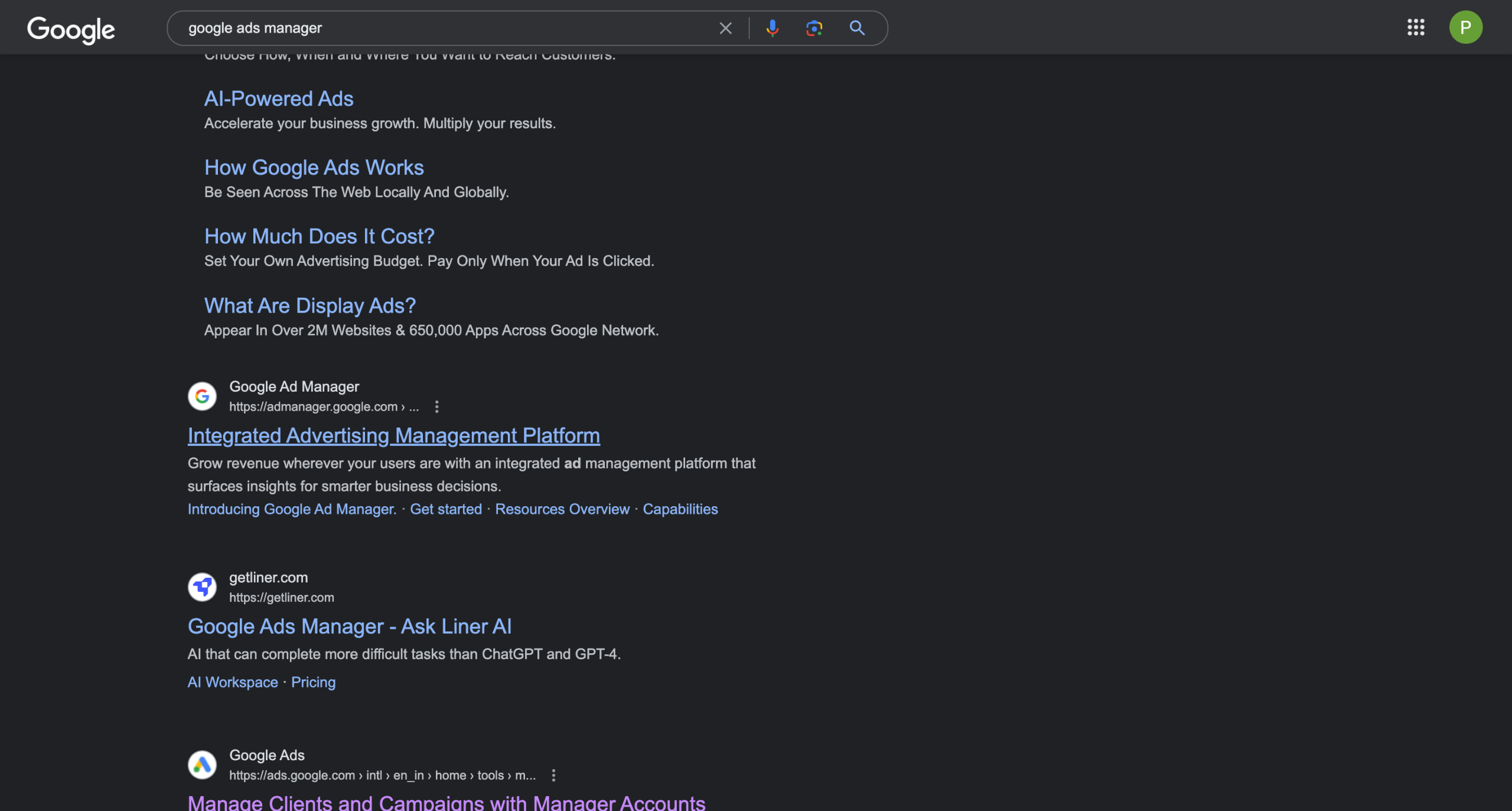
Search for Google Ad Manager on Google
Click here to get started
Provide an Appropriate Ad account name
If you are an agency managing multiple ad accounts for others you will select Manage other people's accounts, else select Manage my accounts
Fill basic billing info and hit Submit
Click here to continue
Your Ad manager is now created. Head to Accounts to start adding your Ad accounts
Go to Performances in the left Tab under Accounts
Click on the Blue + button
And select Link existing account
Paste your Google Ad account Id and hit Send Request
You will be able to see the Ad Account under Settings>Sub-account settings once the request gets approved by your client
Quick answer: To create a google ads manager account in Google, search for Google Ad Manager, click get started, and provide an account name. Select your account management type, fill in billing information, and submit. Continue to the ad manager, go to Accounts, click the blue plus button, select link existing account, and paste your Google Ad account ID to send the request.
About this Google tutorial
Set up your Google Ad manager account quickly. Provide your details, choose management preferences, and link existing accounts. This guide covers google Ads Manager - how to create a google ads manager account in 12 steps, starting with "Search for Google Ad Manager on Google" and finishing with "You will be able to see the Ad Account under Settings>Sub-account settings once the req...". The interactive demo above is a click-through copy of the real Google interface, so you can rehearse each step before doing it in your own account.
Frequently asked questions
How many steps does google Ads Manager - how to create a google ads manager account take?
12 steps. Each one is listed in order above, and the demo highlights exactly where to click.
Can I try it without changing my own account?
Yes. Clicking through the demo doesn't touch your Google data or settings. Once you know the flow, repeat it in your own workspace.
This tutorial is filed under Google. Related guides: Google Analytics - Create a View, How to Create Coda Charts From Google Analytics Data and How to Create Coda Dashboards From Google Sheets Data. Last reviewed 05 Oct 2026.

Create your first interactive demo in minutes
No credit card required • Start building today