How to Create memes with Supermeme.ai
- George Apostolov
How to Create memes with Supermeme.ai: step-by-step guide
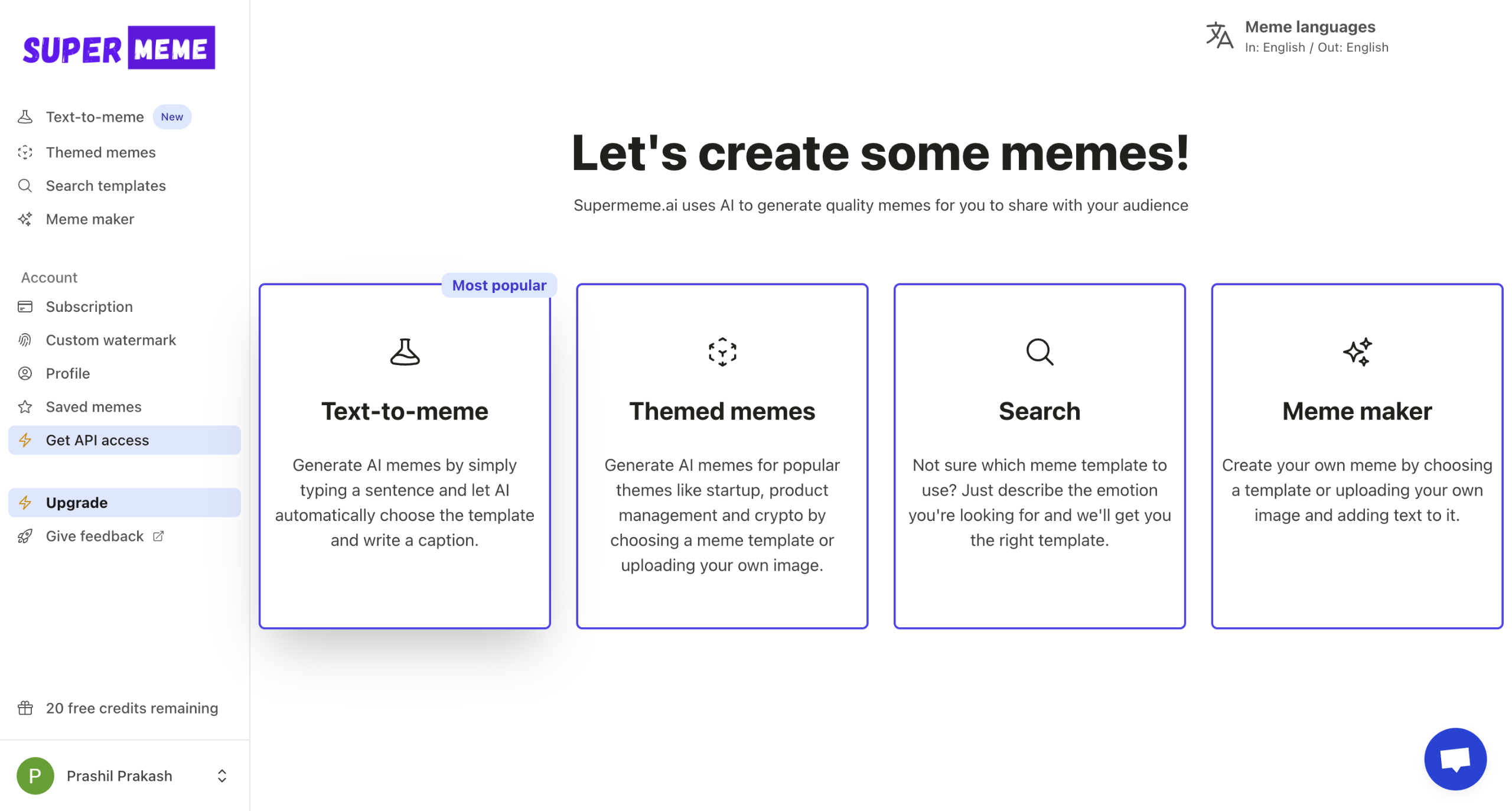
Welcome to Supermeme.ai Let's get cracking with some memes.
Let's start with Text-to-meme
Start with a text prompt and let the meme generator do the magic.
Edit the meme suggestion to fit your needs or save it for later
The editor lets you customize your meme messages.
Download the meme or save your masterpiece for later!
Congrats! You have made your first meme. You can now explore 'Themed memes' or sign up with Supermeme.
Themed memes give you more control over meme templates and meme messages.
Click here to explore the templates
Describe an emotion to find templates
This one looks promising. Let's go with confused Cap'n Jack Sparrow!
Give a prompt to generate meme ideas.
Hit Generate
Voila! Supermeme generates a bunch of meme ideas for you to select from!
Edit or download if you like what you see.
The Editor lets you tweak your meme to perfection!
You can change your font family or font size.
Download and start sharing your memes with the world!
And That's It! Like what you see? Sign up and try Supermeme for yourself!
Quick answer: To create memes with Supermeme.ai, start with a text prompt using Text-to-meme to generate and edit suggestions, or explore Themed memes by describing an emotion to find templates, generating ideas, tweaking them in the editor, and downloading or saving your creations.
About this tutorial
Generate and customize hilarious memes using text prompts or emotion-based templates in the app to download and share your masterpieces. This guide shows how to create memes with Supermeme.ai in 19 steps, starting with "Welcome to Supermeme.ai Let's get cracking with some memes" and finishing with "And That's It! Like what you see? Sign up and try Supermeme for yourself!". The interactive demo above is a click-through copy of the real product interface, so you can rehearse each step before doing it in your own account.
Frequently asked questions
How many steps does it take to create memes with Supermeme.ai?
19 steps. Each one is listed in order above, and the demo highlights exactly where to click.
Can I try it without changing my own account?
Yes. Clicking through the demo doesn't touch your data or settings. Once you know the flow, repeat it in your own workspace.

Create your first interactive demo in minutes
No credit card required • Start building today