How to Make Presentations with AI using SlidesAI
- George Apostolov
How to Make Presentations with AI using SlidesAI: step-by-step guide
Create Presentation Slides with AI in seconds with SlidesAI. Say goodbye to tedious, manual slides creation. Let the AI create professional, engaging slides from any text in no time.
Visit Google Slides, create a new presentation, or open an existing presentation.
Go to Extensions> SlidesAI.io and select Generate New Slides.
Click on From Your Own Text tile to get started.
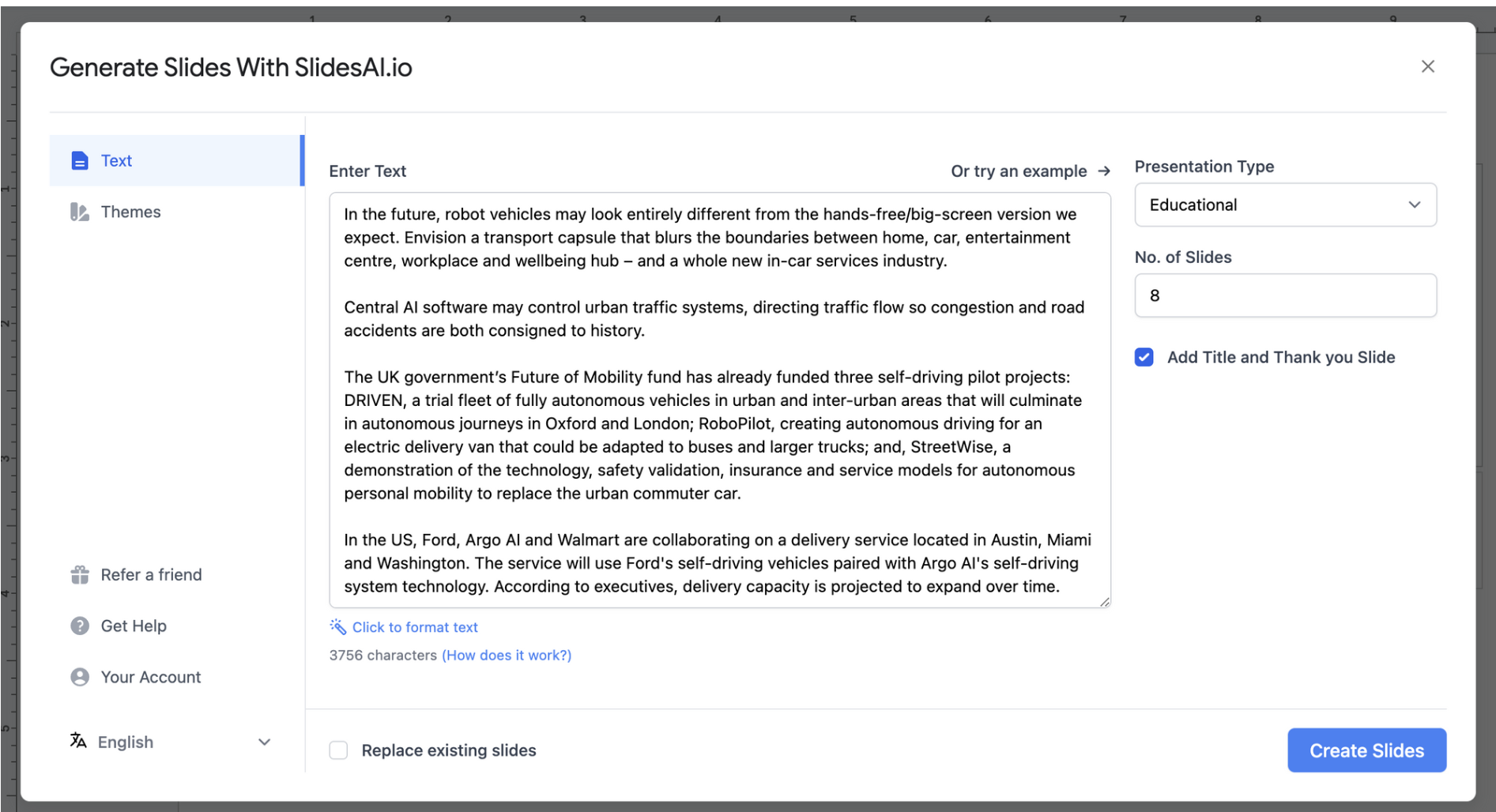
Paste the text that you want to convert in the Text Field.
Hit Choose Appearance to further customise your presentaion
Select the No. of Slides you want. And Toggle ON the Add Title and Thank you Slide
You can even add a logo to appear throughout your slides to create a stronger brand presence.
Finally Hit Create Slides.
SlidesAI will take a few seconds to build your AI-Generated slides based on your text input.
And voila! Your slides are created! You can now further edit them to perfectly match your needs and style!
If you want to change the images, go to Extensions> SlidesAI.io and select Magic Write.
You can select Generate AI Images to change images to suit your liking
Provide an Image Description to prompt AI to Generate it for you.
You can add the generated image to your slide!
Quick answer: To make presentations with AI using SlidesAI, open Google Slides, select Extensions > SlidesAI.io > Generate New Slides, and click From Your Own Text. Next, paste your text, choose appearance and slide count, toggle title and thank you slides, and click Create Slides. Finally, edit your slides and use Magic Write to generate AI images.
About this tutorial
Generate professional presentations from any text using the app. Create, customize, and edit AI-powered slides in seconds. This guide shows how to make Presentations with AI using SlidesAI in 15 steps, starting with "Create Presentation Slides with AI in seconds with SlidesAI. Say goodbye to tedious, ma..." and finishing with "You can add the generated image to your slide!". The interactive demo above is a click-through copy of the real product interface, so you can rehearse each step before doing it in your own account.
Frequently asked questions
How many steps does it take to make Presentations with AI using SlidesAI?
15 steps. Each one is listed in order above, and the demo highlights exactly where to click.
Can I try it without changing my own account?
Yes. Clicking through the demo doesn't touch your data or settings. Once you know the flow, repeat it in your own workspace.

Create your first interactive demo in minutes
No credit card required • Start building today