How to Post a Job/Project on Upwork
- George Apostolov
How to Post a Job/Project on Upwork: step-by-step guide
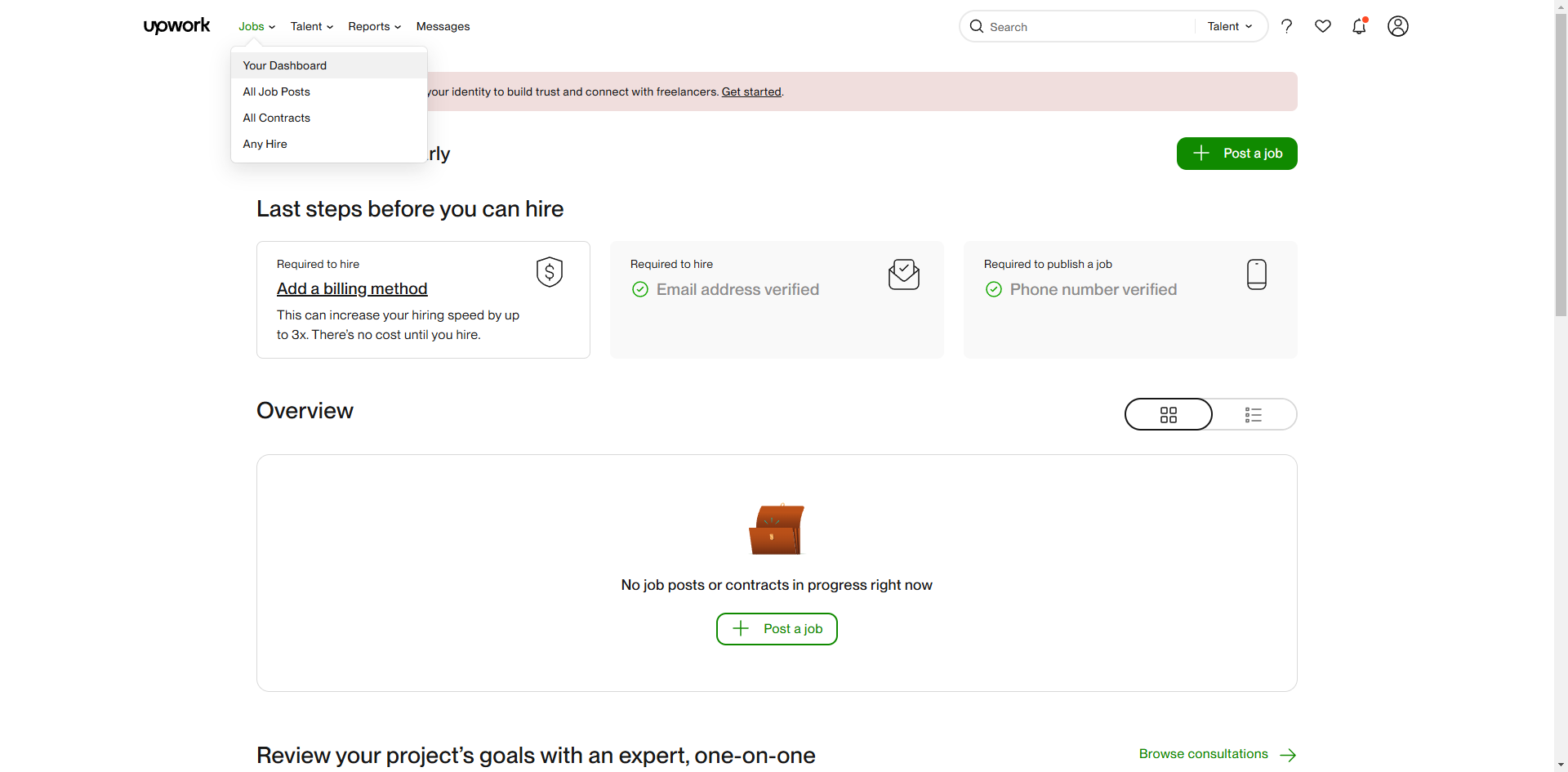
On your dashboard, find and select the '+ Post a Job' button.
Write a clear and concise title.
Select the required skills from the options below.
Decide if your job is short-term/one-off or a long-term project.
If small, select from the options below how long the work will take.
Specify the freelancer's experience level.
Decide whether to pay hourly or a fixed amount.
Provide an estimated budget range.
Describe what you need and what are the key features that you're looking to hire from a freelancer.
Click 'Review Job Post'.
Select 'Post your job' to complete the action.
That's it! By following these steps, you'll be receiving proposals from freelancers. Review them based on their profiles, ratings, and cover letters.
Quick answer: To post a job on Upwork, click the post button from your dashboard, write a title, select skills, specify project duration and experience level, choose a payment method and budget, describe the requirements, review the post, and finalize it to start receiving freelancer proposals.
About this tutorial
Publish a new listing on the app by detailing project requirements, setting your budget, and reviewing the post to start receiving proposals. This guide shows how to post a Job/Project on Upwork in 12 steps, starting with "On your dashboard, find and select the '+ Post a Job' button" and finishing with "That's it! By following these steps, you'll be receiving proposals from freelancers. Re...". The interactive demo above is a click-through copy of the real product interface, so you can rehearse each step before doing it in your own account.
Frequently asked questions
How many steps does it take to post a Job/Project on Upwork?
12 steps. Each one is listed in order above, and the demo highlights exactly where to click.
Can I try it without changing my own account?
Yes. Clicking through the demo doesn't touch your data or settings. Once you know the flow, repeat it in your own workspace.

Create your first interactive demo in minutes
No credit card required • Start building today