How to Use Gumlet to Host Videos
- George Apostolov
How to Use Gumlet to Host Videos: step-by-step guide
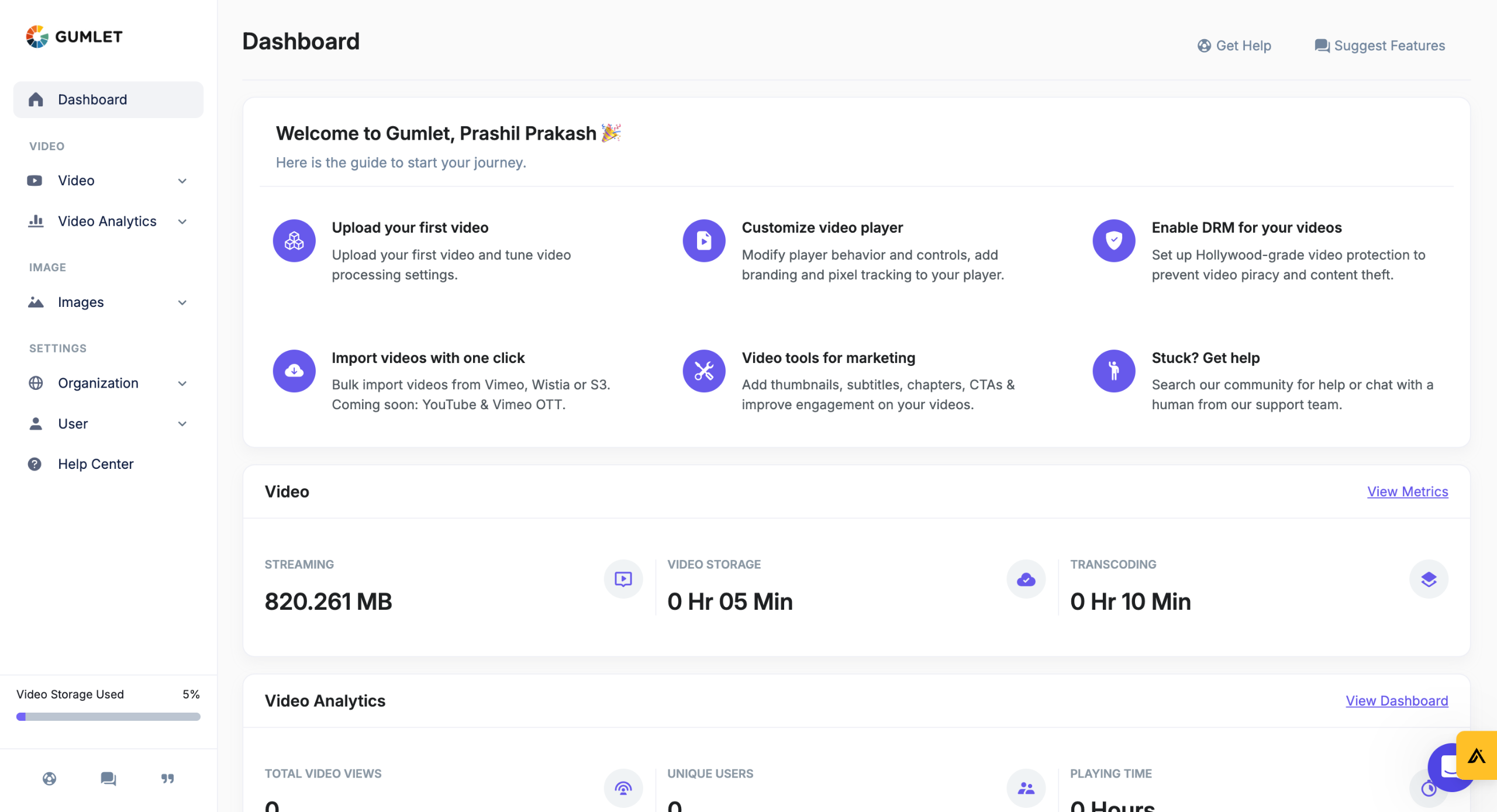
Upload, manage, secure, and stream videos in minutes. Gumlet lets you customize every aspect of your video to fit your unique use case.
When you first Log in to Gumlet, you will see a CMS collection ready to experience the video platform.
Start by uploading a New Video to Gumlet.
You can upload your video files from sources like Google Drive, Vimeo, Dropbox, Device etc.
Gumlet makes processing your videos extremely fast so videos are steam-ready in less than 5 seconds!
You can add chapters to your videos to make them engaging and helpful for viewers.
You can also add Custom CTAs to take your audience to Product Pages, Websites, or custom destinations. Configure call-to-action to increase brand awareness and drive sales
Let's click on the Embed & Share button to publish your videos.
Use the Gumlet's Embed Code to play videos on your website, blog, or any other CMS. It has a player, video meta configuration, SEO snippet, and security features.
You can get high-quality buffer-free HLS streaming, or MP4 URLs to suit your specific needs.
Gumlet provides multiple options for securing your video playback under the Security Settings.
You can use the Whitelist Referrers to ensure that your video is only accessible from a specific server/host. You can Password Protect your videos or unlist them to avoid search engines indexing them.
Gumlet's Advanced Video Analytics provides video insights that enable you to improve your content and increase engagement.
You can find the Total Views, Impression and Times played on a particular date range. You also get Daily, Weekly, and Monthly interval records.
Gumlet's Advanced Analytics also lets you set your own custom parameters and get Geography, Player software-vise breakdowns. (among other parameters)
Quick answer: To use Gumlet to host videos, first log in and upload video files from various sources. Next, customize your content by adding chapters and CTAs. Then, publish videos using embed codes or streaming URLs. Finally, secure your playback and analyze performance using advanced video analytics.
About this tutorial
Upload, secure, and stream videos fast using the app. Customize players, add CTAs, and track advanced analytics. This guide shows how to use Gumlet to Host Videos in 15 steps, starting with "Upload, manage, secure, and stream videos in minutes. Gumlet lets you customize every a..." and finishing with "Gumlet's Advanced Analytics also lets you set your own custom parameters and get Geogra...". The interactive demo above is a click-through copy of the real product interface, so you can rehearse each step before doing it in your own account.
Frequently asked questions
How many steps does it take to use Gumlet to Host Videos?
15 steps. Each one is listed in order above, and the demo highlights exactly where to click.
Can I try it without changing my own account?
Yes. Clicking through the demo doesn't touch your data or settings. Once you know the flow, repeat it in your own workspace.

Create your first interactive demo in minutes
No credit card required • Start building today