Rajat - Updated after DAM search features
- George Apostolov
Rajat - Updated after DAM search features: step-by-step guide
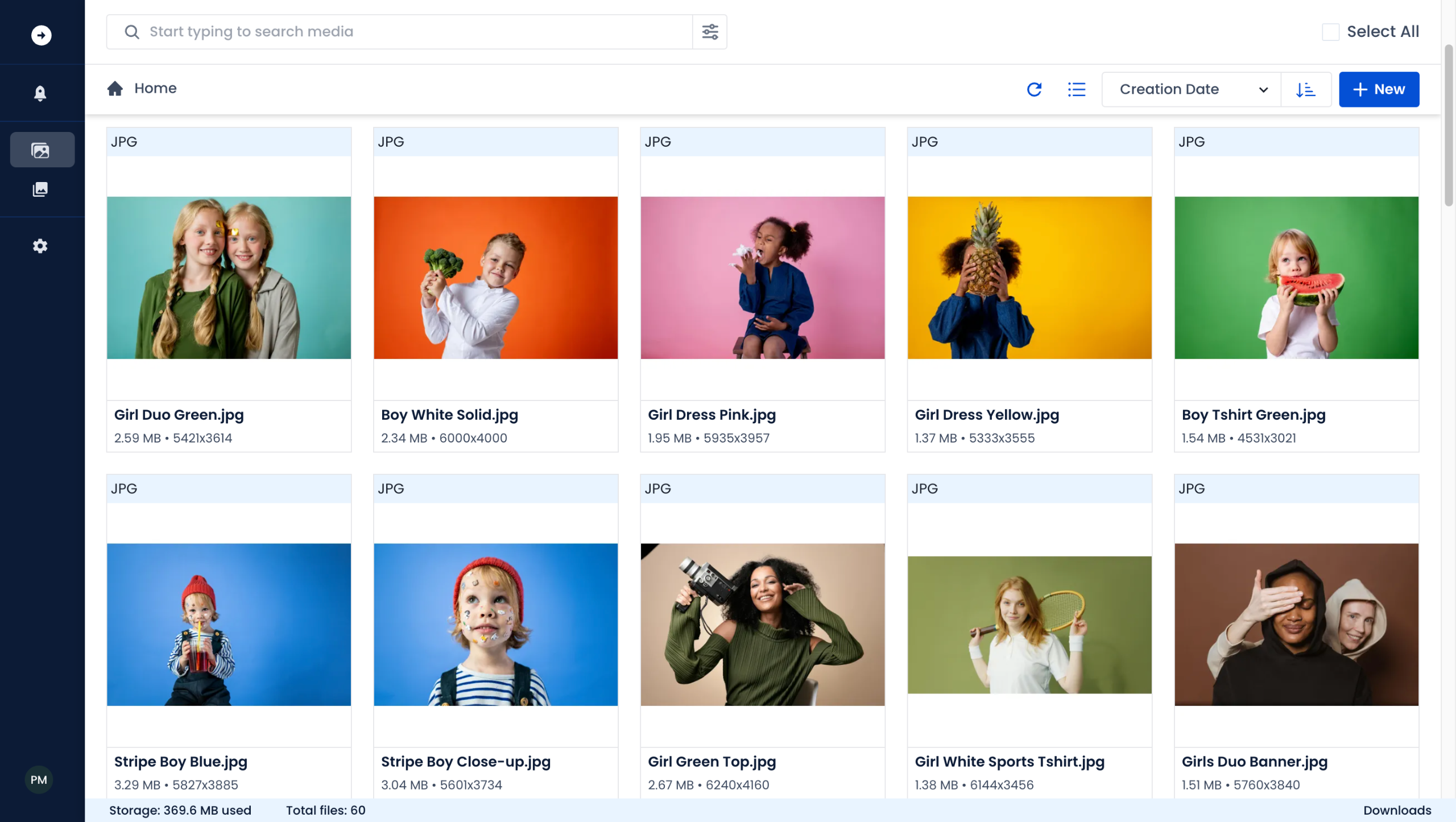
Let’s get started 🚀 ImageKit DAM helps you streamline storage, management and distribution of all your digital assets.
Import your digital assets from various sources such as Google Drive, Dropbox, and Cloud Storage services like AWS S3 or from your device.
Let’s upload an asset to start.
Add metadata to improve the asset's discoverability. 💡 ImageKit offers the flexibility to tailor metadata fields according to your specific requirements.
You can further enhance your asset's discoverability with AI-powered tagging.
ImageKit DAM features a dedicated search bar, ensuring you're always just one Search away from accessing assets you need.
ImageKit's Advanced Search works on your custom organization scheme, tags, and file attributes, which helps you get to your assets faster.
Combine as many parameters as you want. and click on Search.
Voila 🚀 With just 1 search query, you've got all the assets you need. Want to simplify your search further? Use AI to find visually similar content.
You can view one of the suggested files or let our AI search find all visually similar images based on your query.
Just like magic 🪄 AI search simplified your search to a single click.You can now start refining your assets.
Collect feedback from your team, in the same place, chronologically sorted.
Perform rapid edits within ImageKit DAM.
ImageKit tags all versions of an asset together, allowing you to retrieve any version at your convenience.
Your asset is ready 🥳 It's now time to share the asset with other teams.
Leverage granular access control to share assets, folders and collections with diverse groups and individuals.
Want to share with external stakeholders who are not ImageKit DAM users? You can do that too with public links.
That's how simple your life should be ❤️ All your media assets in one place for a faster and smoother workflow!
Quick answer: To streamline asset management in ImageKit DAM, import digital assets, upload files, add metadata, and use AI-powered tagging. Search using the dedicated bar and Advanced Search, leverage AI visual search for similar content, collect team feedback, edit files, manage versions, and share assets using granular access control or public links.
About this tutorial
Streamline digital asset storage, management, and distribution in the app using search, AI tagging, version control, and secure sharing options. This guide covers rajat - Updated after DAM search features in 18 steps, starting with "Let’s get started 🚀 ImageKit DAM helps you streamline storage, management and distribu..." and finishing with "That's how simple your life should be ❤️ All your media assets in one place for a faste...". The interactive demo above is a click-through copy of the real product interface, so you can rehearse each step before doing it in your own account.
Frequently asked questions
How many steps does rajat - Updated after DAM search features take?
18 steps. Each one is listed in order above, and the demo highlights exactly where to click.
Can I try it without changing my own account?
Yes. Clicking through the demo doesn't touch your data or settings. Once you know the flow, repeat it in your own workspace.

Create your first interactive demo in minutes
No credit card required • Start building today