Factors.ai Product Demo
- George Apostolov
This guide is an interactive LiveDemo. Create interactive demos of your own product: Interactive demo software · Interactive customer onboarding guides · Start free
Factors.ai Product Demo: step-by-step guide
How Factors works
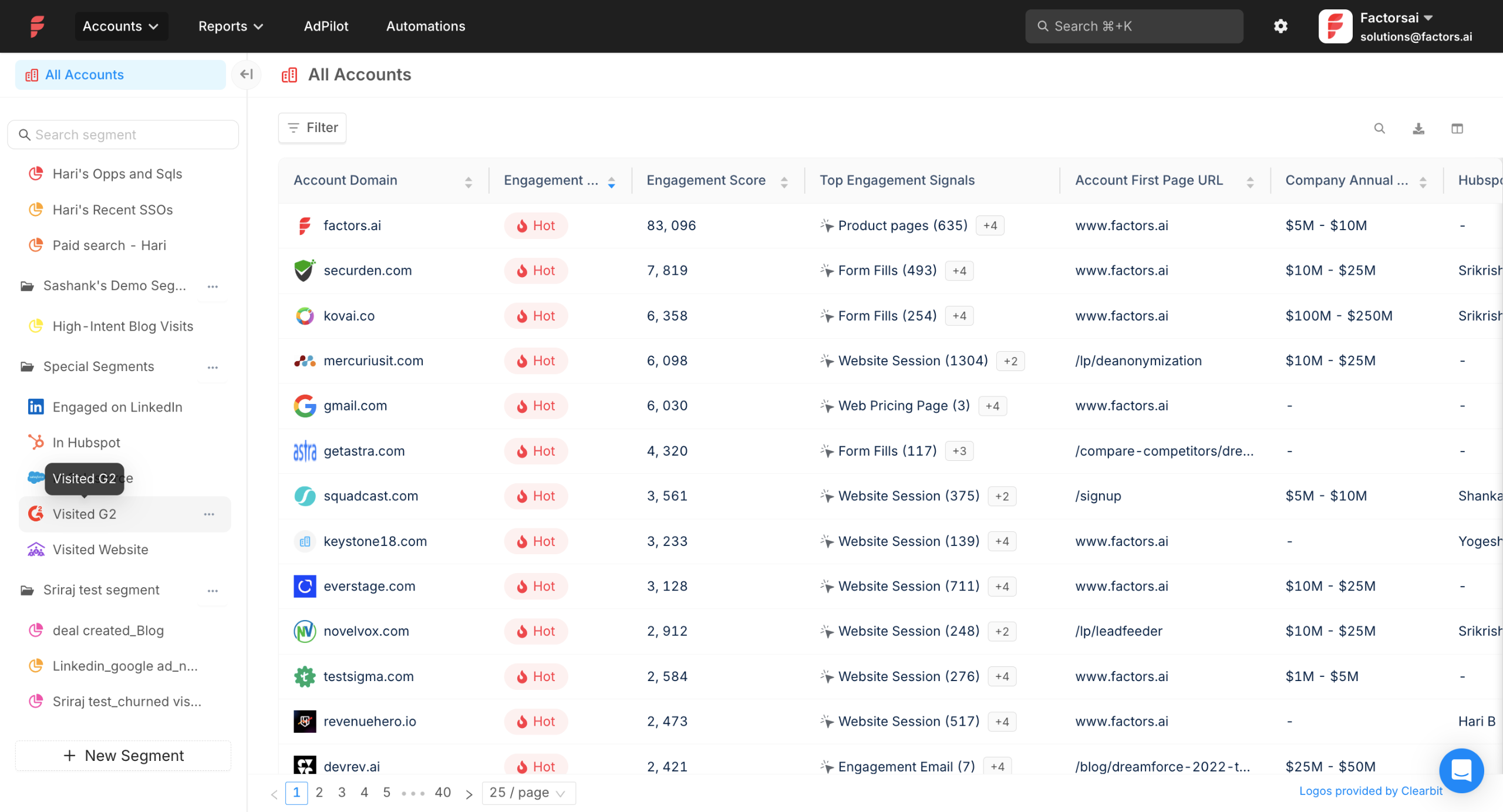
Factors.ai can identify upto 75% of accounts visiting your website with its waterfall enrichment model for account identification. With our website SDK, and other intent data sources like CRM, MAP, G2, ad platforms etc, we help you track what your accounts are doing across all your digital touch points.
Once you have set up your integrations, you can score and categorize accounts into Hot, Warm, Cool, and Ice based on how much they've engaged with your brand.
And, you can also understand which features your prospects are more interested in.For example, we understand that this prospect is more interested in workflows and account intelligence, so we can tailor our conversations around these features.
If you want to know more about a particular account, you can track actions like website session, LinkedIn Ad viewed, visited G2, etc in a timeline journey.But just knowing this is not enough. You need to act on these accounts at the right time to get the best results.
Your sales team can prioritize high-intent accounts by setting up alerts that notify them of key account activities.They can also set up customized workflows to automate manual processes like enriching contact details from Apollo.io, reaching out via LinkedIn or email, or updating information in your CRM. Factors.ai can also send customer journey information to Clay, so you can deliver personalized email at scale.
For example, this workflow will fetch contact details from Apollo.io and add those to your email campaign (via Smartlead).
Your marketing team can segment accounts based on various filters and use these to run intent-based campaigns on LinkedIn, Google, Meta, etc. For example, they can create a segment of accounts that have visited the pricing page in the last 7 days and run LinkedIn ads that target this particular segment.
Plus, thanks to Account 360, you can see exactly how many times prospects have engaged with key assets, campaigns, and channels.Measure sales vs marketing engagement to identify where pipeline is stalling.
With Factors AdPilot, you can 2X your LinkedIn Ads ROI by: Building highly targeted account lists, Reaching more accounts with the same budget with impression control, Scaling and optimizing LinkedIn campaigns with Conversion API and Measuring LinkedIn's true impact on the pipeline with view-through attribution Learn more about LinkedIn Adpilot.
And if your aim is to improve Google ads ROI, then Google CAPI can help you:- Send 3x more conversion events by capturing Google Click IDs on every interaction - Provide value-based conversion feedback so Google's automated bidding prioritizes high-value deals
To measure how each channel is performing, you can use Factors' Segment insights and advanced reporting dashboards. With Segment Insights you can understand how each marketing channel is performing and compare their performance!
Want to know what converted accounts do differently from non-converted ones? "Milestones" help define two key points in the funnel, like MQL → SQL or Demo → Opp, and identify actions that distinguish accounts that progress down the funnel.
With custom event and funnel reports you can analyse cross-channel impact as well.
For ex, Waystar's content team can clearly show the ROI of their content marketing efforts with this funnel report.
And there you have it! Factors helps you identify website visitors, layer intent signals, engage accounts and activate them through the right channels at the right time. If you have any further questions, we are just a call away!
Quick answer: To use Automation, identify website visitors using a waterfall enrichment model, score and categorize accounts based on brand engagement, track prospect feature interest, view account timeline journeys, set up sales alerts and customized workflows, run intent-based marketing campaigns, measure engagement with Account 360, improve ad ROI with AdPilot and Google CAPI, and analyze channel performance using reporting dashboards.
About this Automation tutorial
Streamline account identification, track engagement, automate workflows, and optimize ad ROI using Automation. This guide covers factors.ai Product Demo in 16 steps, starting with "How Factors works" and finishing with "And there you have it! Factors helps you identify website visitors, layer intent signal...". The interactive demo above is a click-through copy of the real Automation interface, so you can rehearse each step before doing it in your own account.
Frequently asked questions
How many steps does factors.ai Product Demo take?
16 steps. Each one is listed in order above, and the demo highlights exactly where to click.
Can I try it without changing my own account?
Yes. Clicking through the demo doesn't touch your Automation data or settings. Once you know the flow, repeat it in your own workspace.
This tutorial is filed under Automation. Related guides: How to Automate ClickUp Documentation in Notion Through Zapier, How to Automate ClickUp List Creation from Typeform Responses with Zapier and How to Automate Data Entry in Coda with Integromat. Last reviewed 05 Oct 2026.

Create your first interactive demo in minutes
No credit card required • Start building today