How to Manage Social Media in Sprout Social
- George Apostolov
How to Manage Social Media in Sprout Social: step-by-step guide
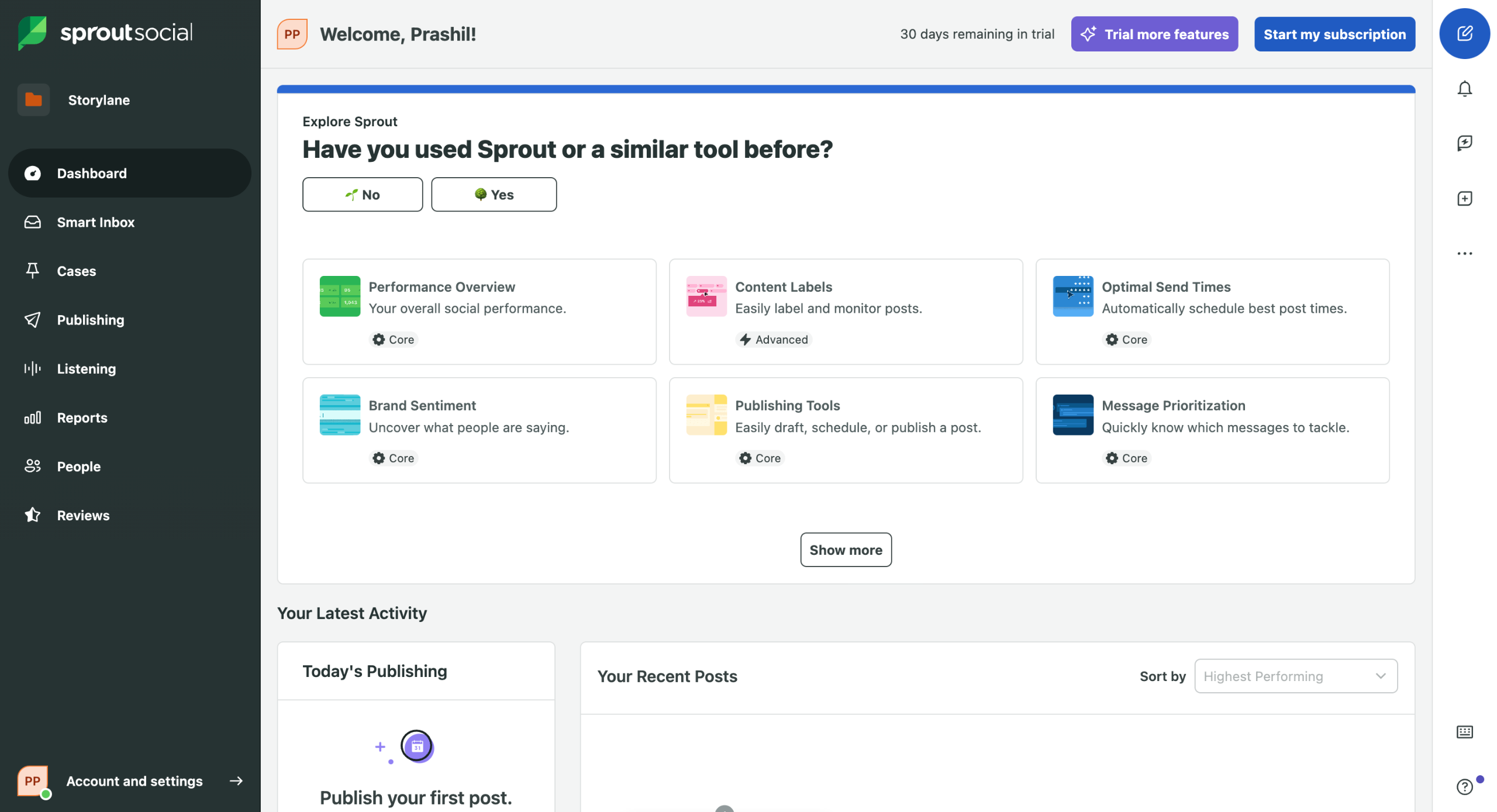
On the left sidebar, locate and click on the Dashboard to view your social media overview.
Access the Smart Inbox to manage all social interactions from multiple platforms in one place.
Click on Smart Inbox in the sidebar to access and respond to incoming communications.
Use the Reports section to analyze performance metrics across your social accounts.
Apply custom Filters in the Reports section to focus on specific metrics that matter most to your social strategy.
Navigate to Publishing to schedule and create content for your social platforms.
Under Publishing you can see the posts in Calendar view and organize all scheduled posts.
Head over to Accounts and Settings to look for Approval Workflows.
Click on your profile icon and select Settings to configure account preferences.
You can find many relevant account configuration options here.
In Settings, you can go under Global Features to find Approval Workflows.
Quick answer: To manage social media in Sprout Social, view your social overview on the Dashboard, handle interactions in the Smart Inbox, and analyze performance metrics using Reports and Filters. Next, schedule content in Publishing, view scheduled posts in the Calendar, and configure account preferences and Approval Workflows in Settings.
About this tutorial
Streamline social media management in the app by handling inbox messages, analyzing metrics, scheduling posts, and setting up workflows. This guide shows how to manage Social Media in Sprout Social in 11 steps, starting with "On the left sidebar, locate and click on the Dashboard to view your social media overview" and finishing with "In Settings , you can go under Global Features to find Approval Workflows ". The interactive demo above is a click-through copy of the real product interface, so you can rehearse each step before doing it in your own account.
Frequently asked questions
How many steps does it take to manage Social Media in Sprout Social?
11 steps. Each one is listed in order above, and the demo highlights exactly where to click.
Can I try it without changing my own account?
Yes. Clicking through the demo doesn't touch your data or settings. Once you know the flow, repeat it in your own workspace.

Create your first interactive demo in minutes
No credit card required • Start building today