"Should we record a demo video, or build an interactive demo?" It's one of the most common questions product marketers ask, and most answers are written to sell one format. This page takes a different approach: it shows you the same product flow in both formats, then compares them on the things that matter.
We build LiveDemo, an interactive demo tool, so we have a bias. We've tried to offset it by being specific about where video is the better choice, and there are several.
The same flow, two formats
Below is a demo of Putler's revenue analytics dashboard. First, the interactive version: click the hotspots to move through it at your own pace.
Now the same demo exported as an animated GIF. It's the same capture, with no extra work.
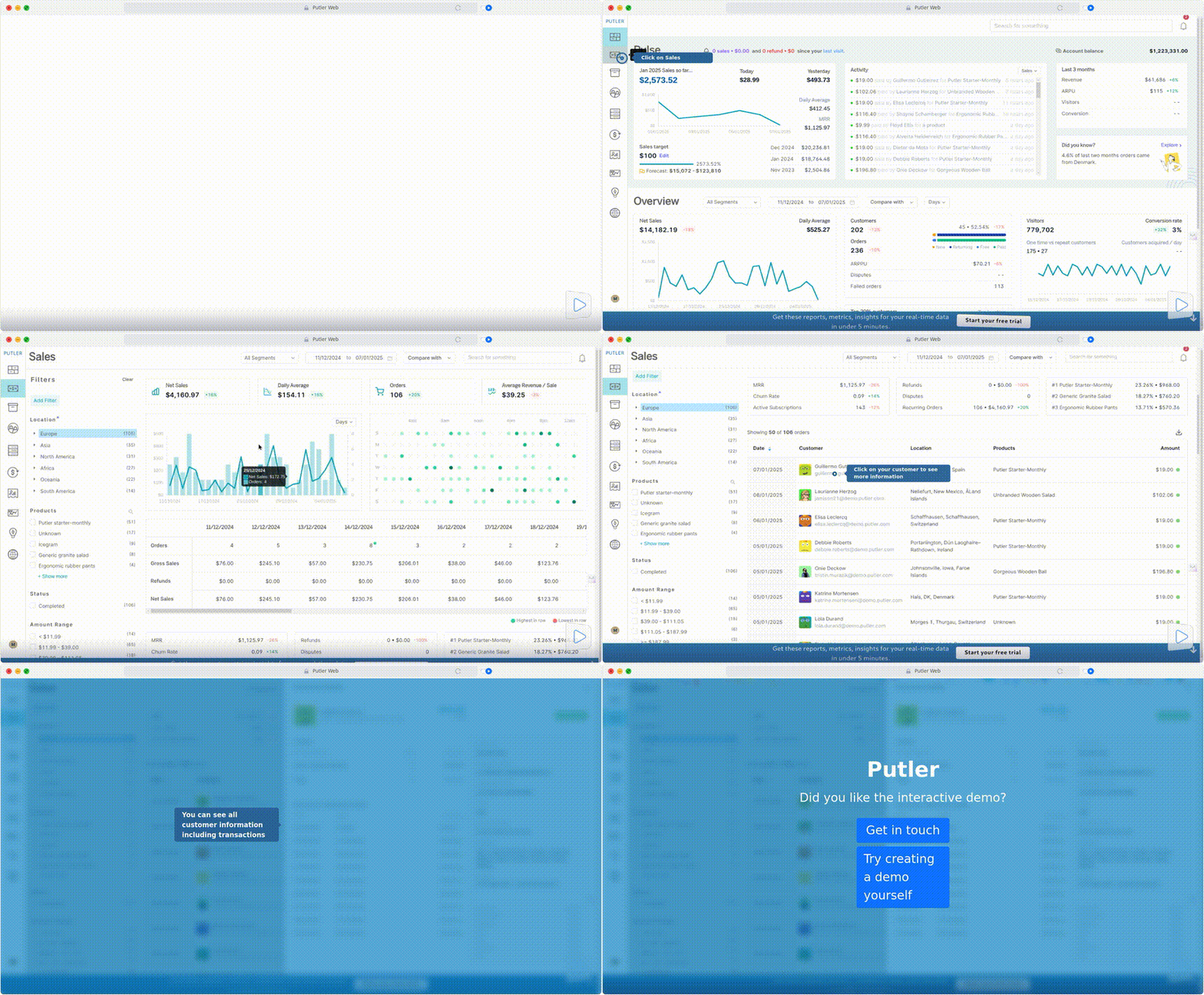
Notice what changes. In the interactive version, you decide when to move on, and the demo can measure how far you got. The GIF plays the same way for everyone, but it works in places an embed can't, such as email, social posts, GitHub READMEs and app store listings.
Side-by-side comparison
| Interactive demo | Recorded video | |
|---|---|---|
| Viewer control | Viewer clicks to advance, goes back, skips ahead | Viewer can pause and scrub, but the path is fixed |
| Attention | Requires action at every step, so viewers stay engaged or leave | Easy to play in the background or abandon unnoticed |
| Analytics | Views, completion rate, drop-off per step, time spent, leads | Plays and watch time, depending on the host |
| Production time | Capture by clicking through once, then edit text and hotspots | Script, record, edit, and often add voiceover and music |
| Updating after a UI change | Replace one step, or edit text directly in HTML captures | Re-record and re-edit from the changed point |
| Personalization | Swap in company names, persona copy, or let an AI agent guide | One version per audience, or none |
| Storytelling and emotion | Limited: mostly text, with optional AI voiceover | Strong: voice, face, pacing, music |
| Long or conceptual explanations | Weak past 10 or so steps | Strong |
| Where it runs | Websites, help centers, share links | Anywhere, including email (as GIF), social, YouTube |
| Search visibility | Lives on your own pages | Can also rank on YouTube and video search |
When interactive demos win
Your buyers want to try before they talk. B2B buyers often want to see the real interface before booking a call. An interactive demo feels like using the product, and a video feels like being shown it.
You need to know what's working. With an interactive demo, you can see which step loses viewers. If 40% leave at step 3, you know exactly what to fix. Video analytics usually stop at plays and average watch time.
Your UI changes often. Fast-moving SaaS products can make a video outdated within weeks. In an interactive demo, you re-capture or edit just the step that changed. With HTML capture, renaming a button or updating a number doesn't require re-recording at all.
You want different versions for different buyers. Personalization variables and AI text personalization let one demo speak to several personas. LiveDemo's Agentic Demos go further: an AI agent guides each buyer and answers their questions inside the demo.
You want to capture leads. A form before or during the demo (LiveDemo Pro and up) turns engaged viewers into contacts at the moment of highest interest.
When video wins
You're telling a story, not showing a workflow. Launch videos, brand films and founder introductions rely on voice, pacing and emotion. Interactive demos aren't built for that.
The explanation is long or conceptual. A 10-minute architecture walkthrough or webinar recording works as video. As an interactive demo it would need dozens of steps, and completion would collapse.
You need a human face. Sales prospecting videos with a rep on camera build trust in a way tooltips can't.
The platform can't run an embed. Email clients, most social networks and app stores accept images and video but not iframes.
You want discovery on YouTube. Videos can rank on YouTube and in video search results. Interactive demos live on your own site.
The hybrid approach most teams use
You don't have to choose. The most efficient workflow we see is to capture once and publish everywhere:
- Capture the flow once with the LiveDemo Chrome extension, Figma plugin or desktop app.
- Publish the interactive version on your homepage, product pages and help center, where step-level analytics and lead capture matter.
- Export a GIF for email campaigns and READMEs, linked to the interactive version.
- Export an MP4 for social posts, release notes and app store listings.
- Add AI voiceover if you want narration without recording your own voice.
- Keep long-form video for launches, webinars and conceptual explainers, and link to the interactive demo from the video description.
Because both outputs come from the same capture, a UI change means one update instead of two. See how to export a demo as GIF or video.
A simple decision guide
- Website product tour: interactive
- Help center article: interactive, with a GIF fallback
- Sales follow-up email: GIF in the email, linking to the interactive demo
- LinkedIn or X post: MP4 or GIF
- Product launch: video, with an interactive demo on the launch page
- Onboarding: interactive for workflows, short video for concepts
- Webinar or conference talk: video
Limits of interactive demos
Interactive demos capture what's on screen. They don't let viewers enter their own data and get real results; for that, you need a free trial or a sandbox environment. They also ask more of the viewer than a video does. A viewer who wants to sit back and watch may prefer a video, which is why autoplay and GIF exports exist.
Try both from one capture
Build one interactive demo, export it as a GIF, and test both on a page you already have. Within a couple of weeks, completion rate and click-through will tell you which format your audience prefers. Start with the step-by-step demo builder guide, or browse more interactive demo examples.