
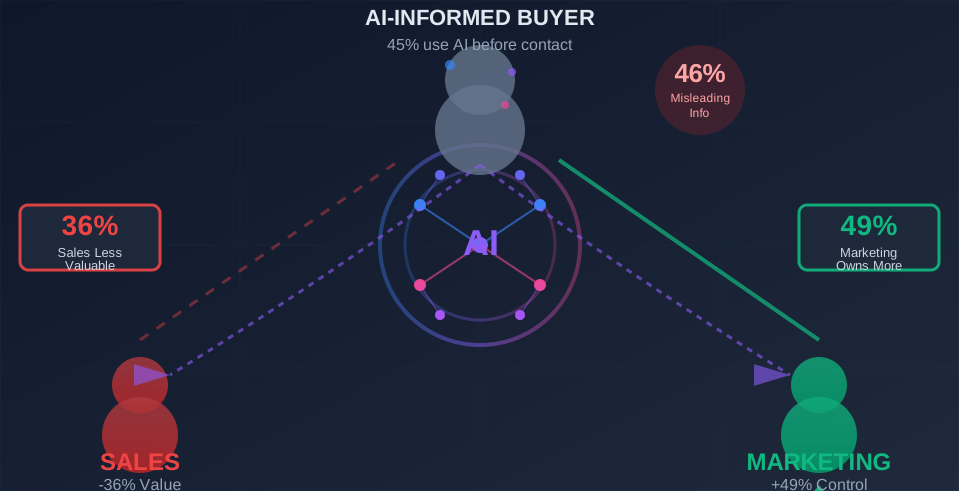
Short answer: an agentic demo is a product demo that an AI agent runs for each visitor. The agent finds out who is watching, decides what to show, answers questions as they come up and hands the visitor to sales when they are ready. The difference from every other demo format is who decides what happens next. In a product tour, the author decided weeks ago. In an agentic demo, the agent decides while the visitor is there.
This guide covers what the agent actually does, how it differs from interactive demos and chatbots, what you need to set up, and where it breaks. It's written by the LiveDemo team. We build an AI Demo Agent, so we'll be specific about where it fits and where it doesn't.
What is an agentic demo?
An agentic demo is a demo where an AI agent makes the calls a good sales engineer makes in a first conversation. It does four jobs:
- Qualifies the visitor: their role, team size, and what they're trying to get done.
- Chooses which part of the product to show, based on those answers.
- Answers questions in context, with the product on screen.
- Hands off to a person at the right moment, along with everything it learned.
"Agentic" only earns its place if the agent decides something while the visitor is watching. A demo with an AI-written script that plays the same way for everyone is still a fixed demo. Using AI to build a demo faster, with AI voiceover or AI text personalization, is useful, but that's about the person creating the demo. An agentic demo is about who runs it. (For the other formats, see our guide to types of demos.)
How does an agentic demo work?
It runs in three stages: qualify, guide, convert. Here's what each stage looks like in LiveDemo.
1. Qualify
Before it shows anything, the agent learns who it's talking to. It knows the page the visitor is on, the referrer and the UTM campaign, so a visitor from a "salesforce-integration" campaign hears about Salesforce first. It then asks your qualification questions in its own words, at most one per reply, and never asks for something the visitor already said. Qualifying before the meeting is also one of the most reliable ways to reduce demo no-shows.
2. Guide
The agent answers only from the knowledge you give it: your website, docs, PDFs, FAQs and even sales call transcripts. When a question is easier to show than to explain, it opens the matching interactive demo next to the conversation. The visitor can click through the demo at their own pace, keep asking questions by chat or voice, and talk to a live video avatar if you've turned one on.
If the visitor's company is known, the demo shows it. Personalized demos fill in {{company}}, {{firstName}} and {{logo}} from a work email, an account link or your website.
3. Convert
When the visitor asks about pricing or talking to sales, the agent offers your booking link. Calendly and Cal.com open right inside the demo pane, prefilled with the visitor's name and email. Qualified visitors see the calendar. Everyone else gets your free-trial link. That fixes the main reason book-a-demo buttons lose conversions: the buyer gets answers before being asked to commit to a call.
When the session ends, your team gets a conversation summary: who the visitor was, what they asked, which demos they watched, their buying intent and their qualification answers. It can go to Slack, webhooks and HubSpot, and the visitor can get a recap email and a shareable recap page to forward to their boss.
What does that feel like for a buyer?
Picture a hypothetical visitor. A RevOps lead lands on your pricing page at 11pm and types "Does this work for a 15-person team?" into the smart search bar.
The agent answers the pricing question first, then asks what they use today. They say HubSpot. The agent opens the demo of your HubSpot sync, with their company name already in the first step, and walks them through it out loud. Halfway through, they ask how you compare to the tool they're replacing. Nobody scripted that question into a product tour, but the agent answers it from your comparison page, with the product still on screen.
When they ask about next steps, the agent sees they pass your qualification rules and shows your calendar. They book a call for Thursday. Your account executive gets a Slack message with the summary, the demos they watched and a replay link before they've had their morning coffee.
Nobody on your team was awake for any of it, and the Thursday call starts with the buyer's real questions instead of "so, tell me about your company."
Is an agentic demo the same as an AI-native demo?
In practice, yes. Both describe a demo whose behavior an agent decides at viewing time. Be careful when a vendor uses "AI-native" to describe how a demo was made, though. Ask one question: does the agent decide anything while the visitor is watching? If not, the demo is fixed, no matter what tool produced it.
Agentic demo vs. interactive demo vs. chatbot
Each of the other formats leaves out something the agent does.
| Format | What the visitor gets | What it can't do |
|---|---|---|
| Interactive demo | A clickable walkthrough of the real product, the same path for everyone | Answer a question its author didn't anticipate |
| Chatbot | Text answers from help or marketing content | Show the product |
| Demo video | A linear recording, often with narration | React to the viewer at all |
| Agentic demo | A conversation that qualifies, shows the right demo and answers questions | Replace a person on a complex, multi-stakeholder deal |
The categories combine more than they compete. In LiveDemo, the agent's main tool is your interactive demos: it opens the one that answers the question. If you already have a library of interactive demos, you already have most of what an agent needs to show. For a deeper comparison of the non-AI formats, read interactive demo vs. video.
What does an agentic demo need to work?
Accurate product material and a few decisions you make up front. The agent can only show and explain what you've given it, so the quality of the demo follows the quality of that material.
In LiveDemo, that material is:
- Knowledge sources: crawl your website or help center, upload files, add FAQs and paste sales call transcripts so the agent borrows your best reps' phrasing.
- Demos: the interactive demos the agent is allowed to open, plus a default one it opens first. If you don't have any yet, start with how to create product demos or the product demo builder guide.
- Persona: the welcome message, starter questions, voice, optional avatar and any extra instructions on tone or topics to avoid.
On your side, three decisions matter more than any setting:
- What to ask. The two or three things you need to know about a visitor before showing anything, such as role and team size.
- What to show for each answer. The demo that should come first for each kind of buyer. Write down the questions visitors ask most, too.
- What counts as ready. The rule that makes someone qualified, and who on your team gets the handoff. In LiveDemo, a fixed rule makes this call, not the AI, so a visitor can't talk the agent into qualifying them.
If you haven't made those decisions, the agent will give visitors a more fluent version of an unfocused demo.
What can go wrong with an agentic demo?
Four things, and the first is the most common.
- Stale material produces stale answers. When your product changes, the knowledge has to change too. LiveDemo re-crawls your website on a schedule (every 24 hours by default) and only re-processes pages that changed, but anything behind a login or only in a video still needs adding by hand.
- It doesn't replace a person on a complex deal. A multi-stakeholder evaluation, or a technical buyer who wants to test with their own data, still goes better with a sales engineer.
- Some visitors want a human right away. A good setup hands them off instead of keeping them in a conversation. Your Book a demo button stays visible in the player for exactly this reason.
- It shows you what your site can't answer. The Knowledge Gaps report groups the questions the agent couldn't answer. Not everyone enjoys reading that list at first, but it's the most useful content brief you'll get. Pair it with your demo analytics to see where viewers drop off.
Who should use an agentic demo, and who shouldn't?
Use one when your site gets visitors who aren't ready to book a call but have a question your pages don't answer. It also helps when first calls get spent on basics, or when leads reach sales as an email address and a job title.
Skip it, for now, if almost every deal starts in outbound and closes on a founder-led call. A good live demo may be all you need. The same goes if your product isn't documented anywhere yet, because the agent starts from your product material and that work comes first.
Marketing teams put the agent on the website as a chat bubble, email pill or smart search bar, with different starter questions per page (see how to add interactive demos to your website for placement ideas). Sales teams send each target account its own ?acct= link, so the first demo they open already shows their company name.
What does an agentic demo cost?
On LiveDemo, the AI Demo Agent is part of the Growth plan: $49 per creator per month, or $39 per month billed yearly, with a 7-day free trial. It includes chat and voice, live video avatars, the website widget, qualification and booking, conversation summaries and HubSpot, Slack and webhook integrations. AI, voice and avatars are included, so you don't need your own OpenAI or ElevenLabs account.
Pricing is per creator, not per visitor. Website visitors and demo viewers never count toward your bill. See the pricing section for current numbers, the ROI calculator to estimate the return, and the interactive demo software comparison to see which tools offer an AI agent at all.
What should you do this week?
List the five questions buyers ask before they book a call, and check whether your website or docs answer each one. Then write the two or three questions an agent should ask a new visitor. If you can do both in an afternoon, you're ready to create your first AI Demo Agent. If you can't, you've found the work to do first.
Frequently asked questions
What is an agentic demo?
An agentic demo is a product demo that an AI agent runs while the visitor watches. The agent asks who the visitor is, chooses which part of the product to show, answers questions as they come up, and hands the visitor to sales when they are ready.
What is an AI demo agent?
An AI demo agent is the AI that runs an agentic demo. In LiveDemo, the AI Demo Agent sits on your website as a chat bubble, email pill or search bar, answers from your website, docs and sales calls, opens the matching interactive demo, qualifies the visitor and books meetings.
How is an agentic demo different from an interactive demo?
An interactive demo is a clickable walkthrough that follows the same path for every viewer. An agentic demo uses interactive demos as its material, but an AI agent picks which one to open and answers questions the demo's author never anticipated.
Is an agentic demo the same as a chatbot?
No. A chatbot answers in text and usually only talks about the product. An agentic demo also shows the product: the LiveDemo AI Demo Agent opens the interactive demo that matches the question while it explains, by chat or voice.
Does an agentic demo replace the sales team?
No. It handles visitors who are not ready for a call and the questions that repeat, then hands sales a summary, the buying intent and the qualification answers. People still run complex evaluations and close deals.
What does the LiveDemo AI Demo Agent cost?
The AI Demo Agent is part of the LiveDemo Growth plan, which is $49 per creator per month, or $39 per month billed yearly, with a 7-day free trial. Website visitors and demo viewers never count as creators.
How do I know if an agentic demo is working?
Read what it hands your team. In LiveDemo, every session gets a summary, topics, buying intent and a list of questions the agent could not answer. If sales calls start with informed buyers and the knowledge gaps list keeps shrinking, the demo is doing its job.