Personalized Demos
Demos opened by the AI Demo Agent can show the visitor's company name, first name and logo. Use these variables in any step text or popup:
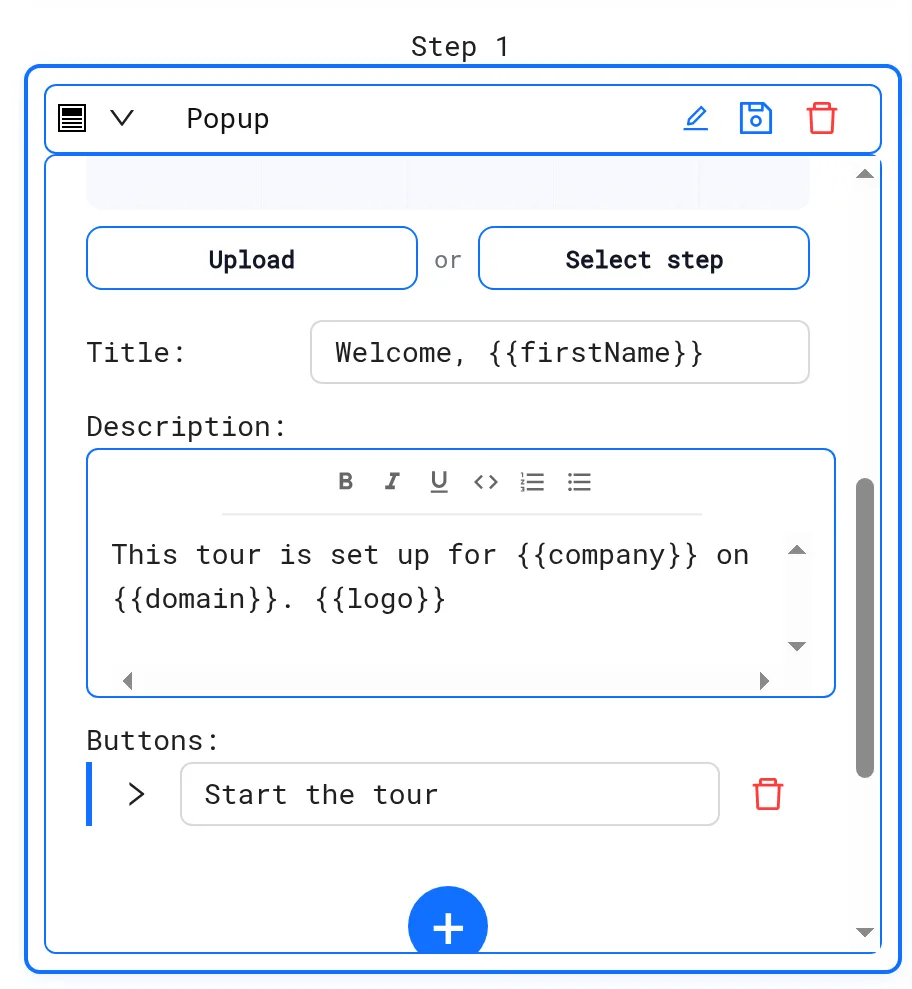
| Variable | Example value |
|---|---|
{{company}} | Acme Corp |
{{firstName}} | Jane |
{{domain}} | acme-corp.com |
{{logo}} | URL of the company's logo |
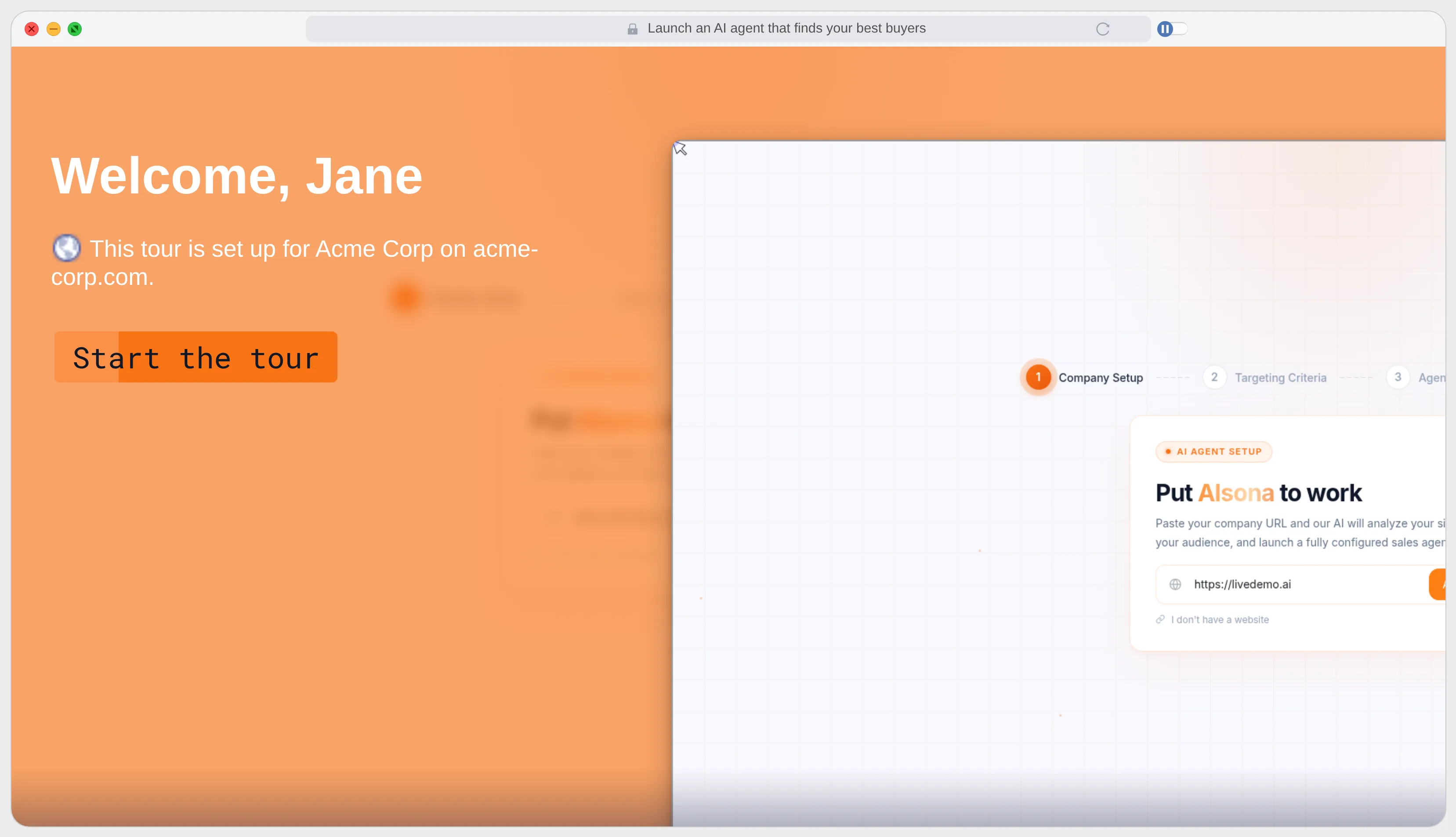
Where the values come from
LiveDemo checks these sources in order:
- Account links. Add
?acct=to the agent link:https://app.livedemo.ai/agents/AGENT_ID?acct=acme.com(a domain) or?acct=acme-corp(becomes "Acme Corp"). - Your website.
LiveDemo('identify', { email, name, company }). - The visitor. Their work email (
jane@acme-corp.com→ Acme Corp), and the company or name they mention in the chat.
Free email providers (Gmail, Outlook and others) are never treated as a company.
When the visitor shares their company in the middle of a conversation, the next demo the agent opens already uses it.
Tips
- Give each variable a default in the story's custom variables, so a demo still reads well for anonymous visitors.
- For outbound, send each account its own
?acct=link. Their first click opens a demo that already shows their name.
Next: Recap Page
More in AI Demo Agent
- Create an AI Demo Agent: Create an AI Demo Agent that answers buyer questions from your knowledge, opens the right LiveDemo, qualifies visitors and books meetings.
- Persona: Set your AI Demo Agent's welcome message, starter questions and extra instructions so it sounds like your best sales rep.
- Voice & Avatar: Give your AI Demo Agent an ElevenLabs voice and an Anam or LemonSlice video avatar, or create an avatar from a photo.
- Demos, Theme & History: Pick which demos the AI Demo Agent can open, set its theme, and undo or revert changes with version history.
- Knowledge: Teach the AI Demo Agent from your whole website, documents, FAQs and sales calls, see exactly what it reads, and fill the gaps.
- Crawl Your Website: Crawl your marketing site, docs or help center into the AI Demo Agent's knowledge and keep it up to date automatically.
- Knowledge Gaps: See the questions your AI Demo Agent couldn't answer, grouped by topic, and turn them into FAQ answers in one click.
- Lead Capture: Ask visitors for their name and email before the chat, capture emails during the conversation, or identify logged-in users from your site.
- Qualification & Booking: Let the AI Demo Agent ask your qualification questions, decide who is qualified with your own rules, and book meetings inside the demo.
- Conversation Insights: Every AI Demo Agent conversation gets a summary, topics, buying intent, unanswered questions and an optional recap email to the visitor.
- Summary Emails: Email AI Demo Agent visitors a recap of their conversation automatically, from LiveDemo or your own SMTP server.
- Recap Page: Every AI Demo Agent session gets a private, shareable recap page that visitors forward to their team, and you see who opened it.
- Website Widget: Put the AI Demo Agent on your website as a chat bubble, email pill, smart search bar, button or inline iframe, with different behaviour per page.
- Page Rules: Show a different teaser, starter questions or auto-open per page, or hide the AI Demo Agent widget on pages like checkout.
- JavaScript API: Open, close and identify visitors in the AI Demo Agent widget from your own code, and listen to lead, demo and booking events.
- Webhooks & Slack: Send AI Demo Agent leads, qualified visitors, bookings and conversation summaries to Slack, Zapier or your own endpoint with signed webhooks.