Leads
Open Analytics → Leads. Available on paid plans (the tab says "Upgrade to unlock" on the free plan).
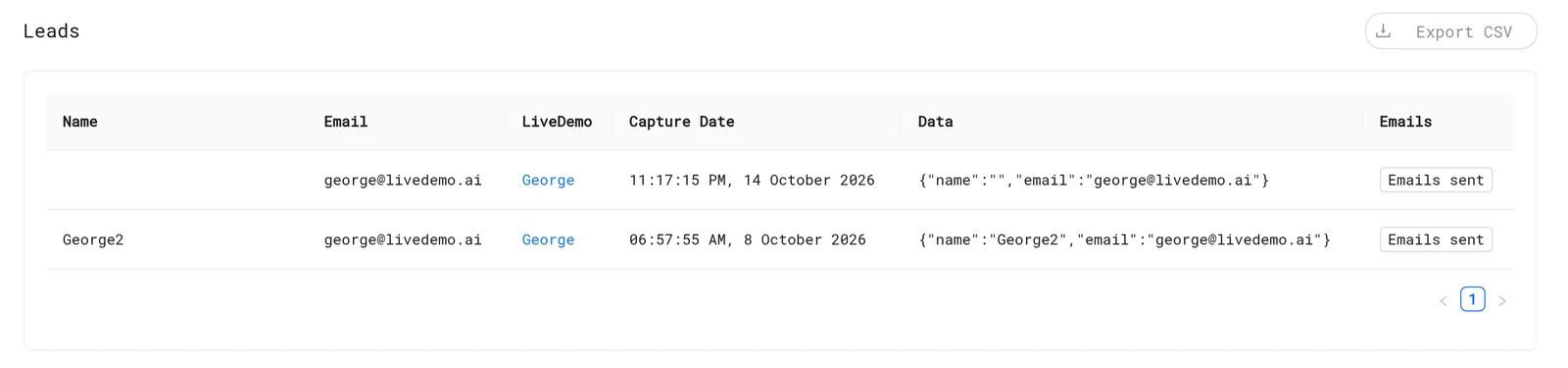
| Column | What it is |
|---|---|
| Name | From the form or the conversation |
| The lead's email | |
| LiveDemo | The demo or agent where they converted |
| Capture Date | When |
| Data | Every other answer, such as company or team size |
For agent leads, click Emails sent to see the summary emails they received.
Where leads come from
- Lead forms in demos.
- AI Demo Agents: the connect form, or an email typed in the chat.
Export
Click Export CSV to download leads.csv.
Send leads to other tools
- HubSpot: contacts are created automatically.
- Zapier & Make for AI Demo Agent leads.
- Slack alerts for AI Demo Agent leads.
Next: Exclude internal traffic
More in Analytics
- Analytics Overview: See how viewers engage with your LiveDemos and AI Demo Agents: views, completion, drop-off, sessions and leads.
- Sessions: Understand LiveDemo views, unique users, engagement, completion and drop-off per demo and per viewing session.
- Session Replays: Replay exactly how a viewer moved through your LiveDemo, step by step, to find confusing steps and hot leads.
- Exclude Internal Traffic: Stop your own team's views from counting in LiveDemo analytics with excluded IP addresses.
- Google Analytics: Send LiveDemo demo views, completions, leads and AI Demo Agent events to Google Analytics 4, server-side or from your own website.
- Segment: Send LiveDemo demo and AI Demo Agent events to Segment as track calls, server-side or from your own website, and on to any Segment destination.