Team & workspaces
A workspace holds your demos, AI Demo Agents, analytics, integrations and subscription. Everyone in the workspace can open and edit its demos.
Invite teammates
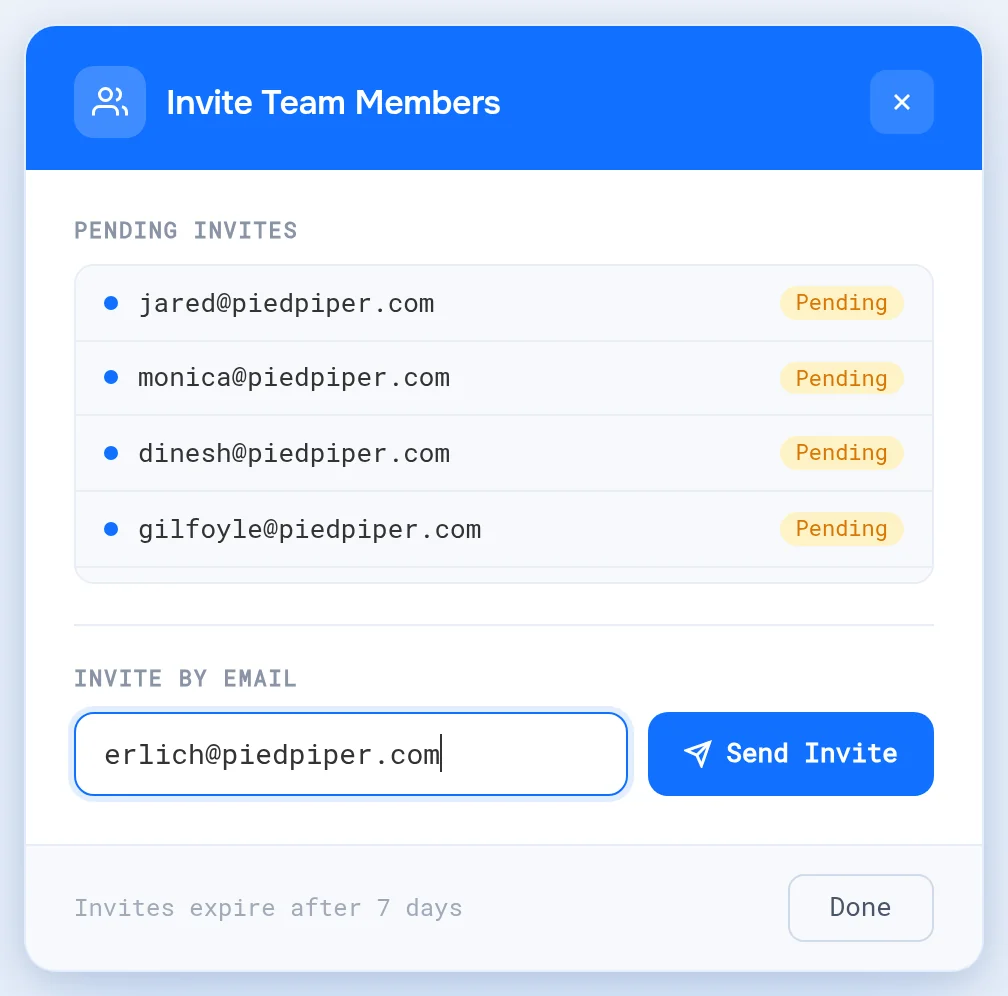
- Open Settings in the sidebar.
- Next to Users, click +.
- Under Invite by Email, enter your teammate's email and click Send Invite.
If they already have a LiveDemo account, they join right away. If not, they get an email to sign up and join when they register with that address. Invites waiting for a signup show under Pending Invites.
Your plan includes a set number of members. When it's reached you'll see "Member limit reached". Increase the quantity of your plan in Billing. To remove a member, the Admin clicks Delete next to them in the Users list.
With single sign-on on, people from your verified email domains join the workspace on their first SSO login, without an invite.
Roles
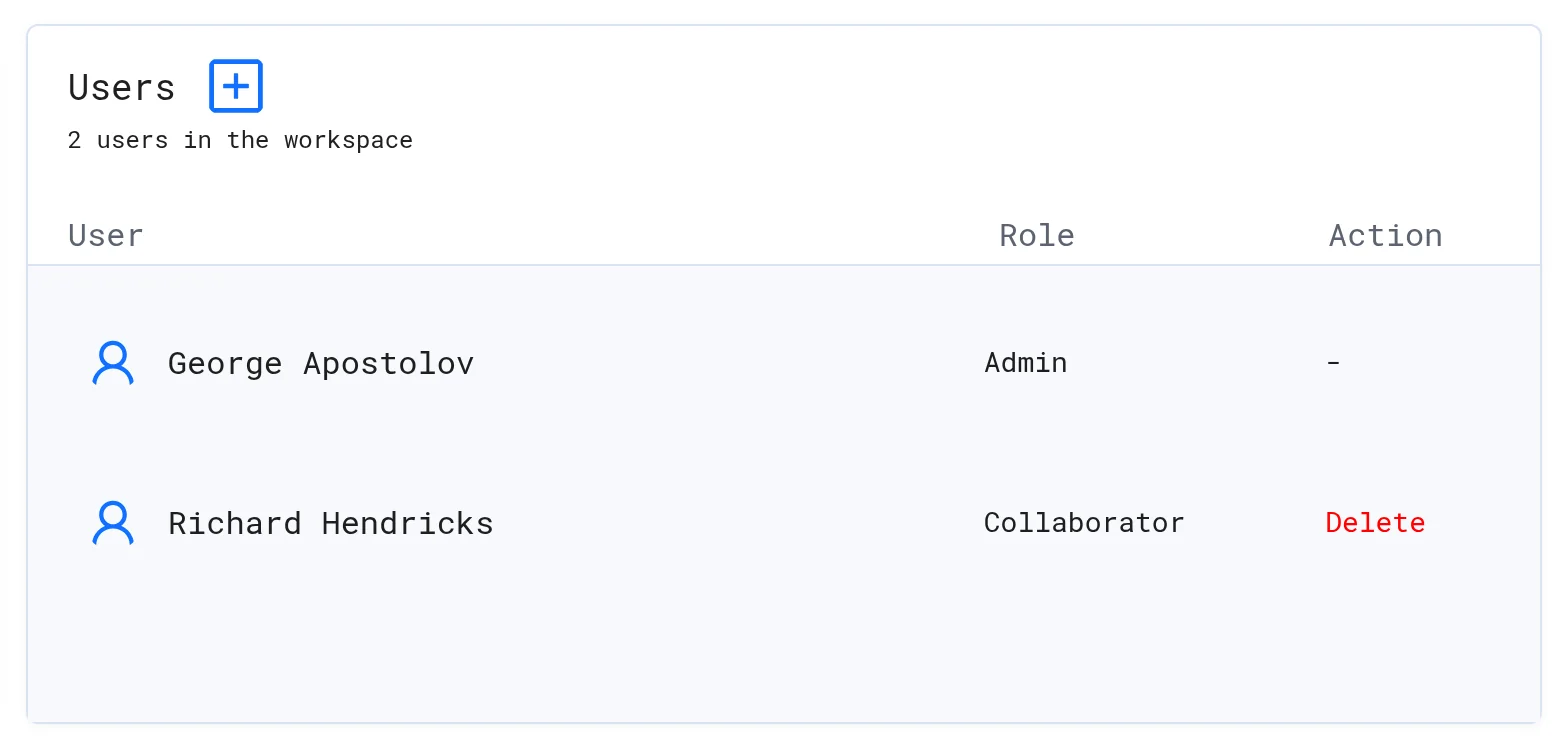
The Users list shows each person's Role:
| Role | Who | Can |
|---|---|---|
| Admin | The person who created the workspace | Everything, plus invite members, connect integrations, set Excluded IP addresses, add avatar API keys and delete the workspace |
| Collaborator | Everyone invited | Create, edit, share and delete demos and AI Demo Agents, and view analytics |
Switch workspaces
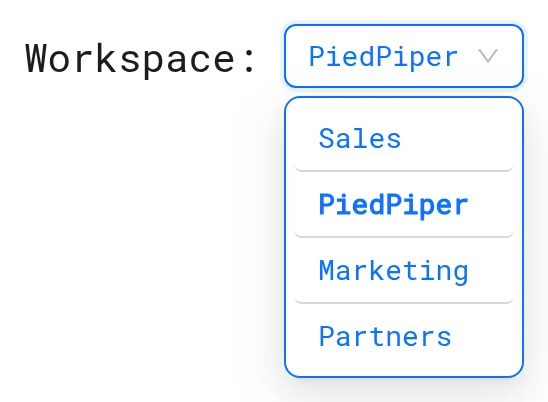
Use the Workspace dropdown at the top of the app (or in the sidebar). Demos, agents, analytics and settings change to the selected workspace.
Create another workspace
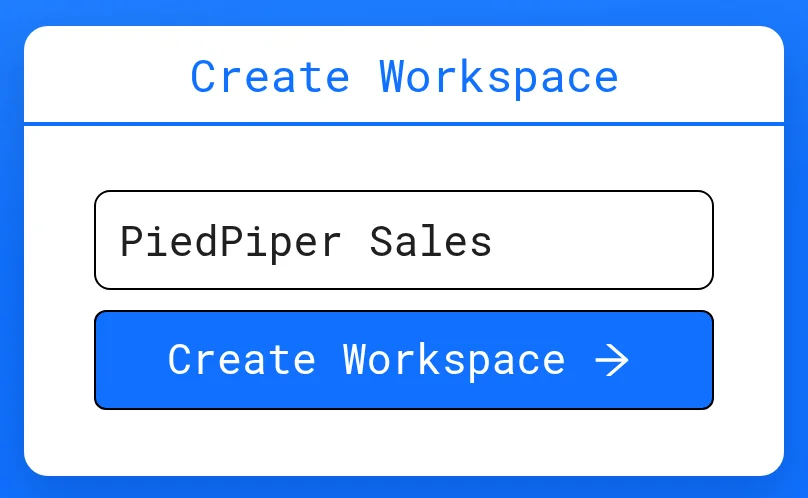
Multiple workspaces are part of the Growth plan. Open app.livedemo.ai/create-workspace, enter a name and click Create Workspace. You're the Admin of every workspace you create.
Rename or delete a workspace
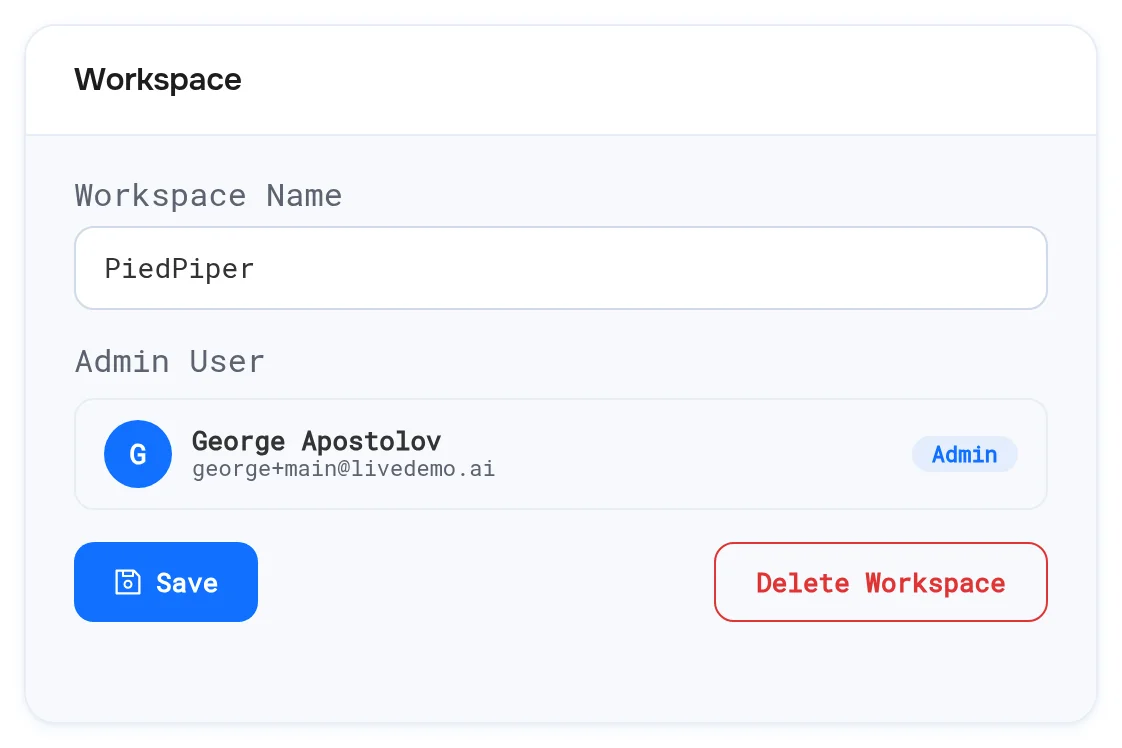
In Settings, change the workspace name and click Save.
The Admin can click Delete Workspace. This removes access to its demos and agents for everyone and can't be undone.
Next: Billing
More in Account
- Single Sign-On (SSO): Let your team sign in to LiveDemo with SAML single sign-on from Okta, Microsoft Entra ID or Google Workspace, with domain verification and optional enforcement.
- Plans & Features: Which LiveDemo features are included in the Startup, Pro, Growth and Business plans.
- Billing: Upgrade your LiveDemo plan, start a free trial, add creators, manage your card and invoices, and cancel a subscription.
- Security & Privacy: What the LiveDemo Chrome extension can access and why, what the demo player tracks, where data is stored, GDPR requests and self-hosting.
- Self-Hosting: Run the open-source LiveDemo stack on your own servers with Docker Compose, and when to choose managed self-hosting instead.