Lead capture
The agent turns visitors into leads in three ways.
1. Ask before the chat
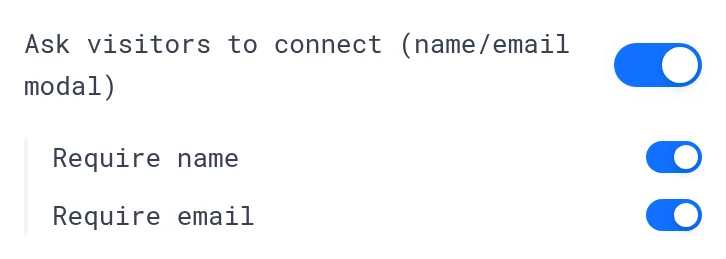
In Persona, turn on Ask visitors to connect (name/email modal). Then choose:
- Require name
- Require email
Requiring an email gives you more leads but fewer conversations. Try both.
The Email pill embed type asks for a work email right in the launcher.
2. During the conversation
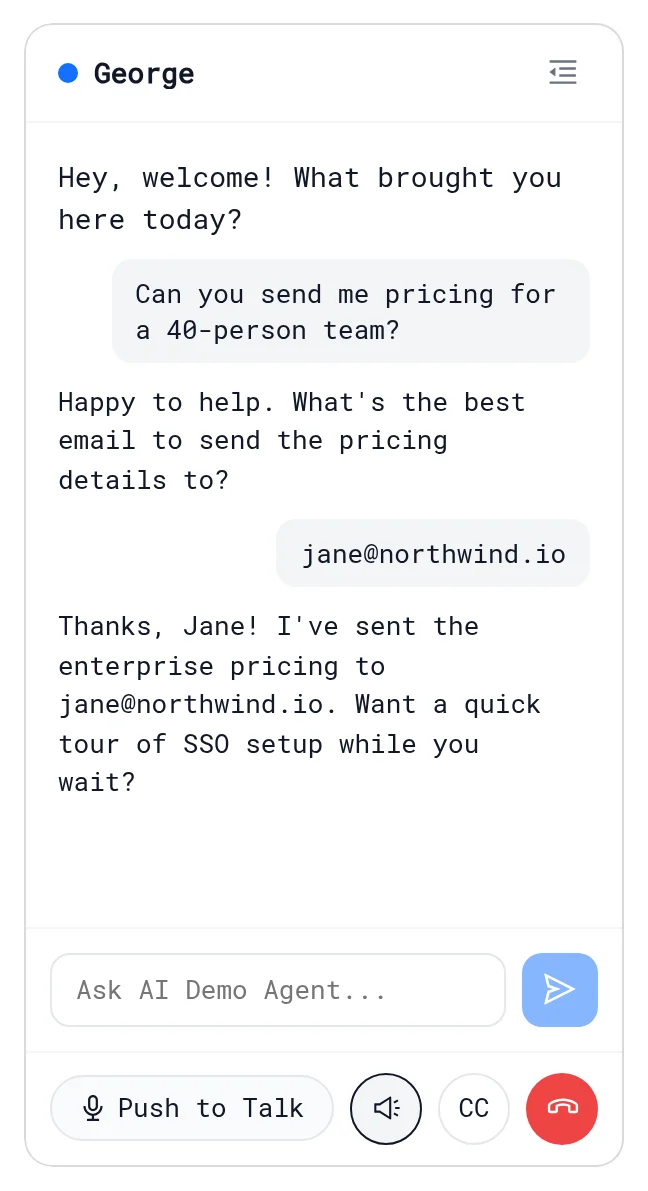
A visitor who types their email in the chat becomes a lead. Name and company are recorded when they share them. Qualification questions collect more.
3. From your website
If the visitor is logged in on your site, tell the agent who they are:
LiveDemo('identify', { email: 'jane@acme.com', name: 'Jane', company: 'Acme' })
Identified visitors skip the connect form. See JavaScript API.
Where leads go
- Analytics → Leads. See Leads.
- HubSpot, with a note about the conversation.
- Slack and webhooks (
lead.created). - A summary email to the visitor, if turned on.
Free email providers (Gmail, Outlook and others) are never treated as a company.
Next: Summary emails
More in AI Demo Agent
- Create an AI Demo Agent: Create an AI Demo Agent that answers buyer questions from your knowledge, opens the right LiveDemo, qualifies visitors and books meetings.
- Persona: Set your AI Demo Agent's welcome message, starter questions and extra instructions so it sounds like your best sales rep.
- Voice & Avatar: Give your AI Demo Agent an ElevenLabs voice and an Anam or LemonSlice video avatar, or create an avatar from a photo.
- Demos, Theme & History: Pick which demos the AI Demo Agent can open, set its theme, and undo or revert changes with version history.
- Knowledge: Teach the AI Demo Agent from your whole website, documents, FAQs and sales calls, see exactly what it reads, and fill the gaps.
- Crawl Your Website: Crawl your marketing site, docs or help center into the AI Demo Agent's knowledge and keep it up to date automatically.
- Knowledge Gaps: See the questions your AI Demo Agent couldn't answer, grouped by topic, and turn them into FAQ answers in one click.
- Qualification & Booking: Let the AI Demo Agent ask your qualification questions, decide who is qualified with your own rules, and book meetings inside the demo.
- Personalized Demos: Show every prospect a demo with their own company name, first name and logo, from an agent link or your website.
- Conversation Insights: Every AI Demo Agent conversation gets a summary, topics, buying intent, unanswered questions and an optional recap email to the visitor.
- Summary Emails: Email AI Demo Agent visitors a recap of their conversation automatically, from LiveDemo or your own SMTP server.
- Recap Page: Every AI Demo Agent session gets a private, shareable recap page that visitors forward to their team, and you see who opened it.
- Website Widget: Put the AI Demo Agent on your website as a chat bubble, email pill, smart search bar, button or inline iframe, with different behaviour per page.
- Page Rules: Show a different teaser, starter questions or auto-open per page, or hide the AI Demo Agent widget on pages like checkout.
- JavaScript API: Open, close and identify visitors in the AI Demo Agent widget from your own code, and listen to lead, demo and booking events.
- Webhooks & Slack: Send AI Demo Agent leads, qualified visitors, bookings and conversation summaries to Slack, Zapier or your own endpoint with signed webhooks.