Calendly & Cal.com
In an AI Demo Agent
- Open the agent's Persona tab.
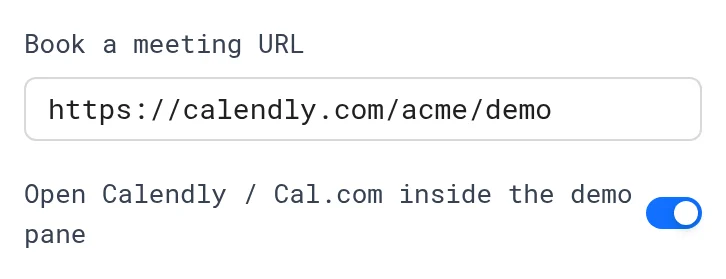
- Paste your link in Book a meeting URL, such as
https://calendly.com/acme/demoorhttps://cal.com/acme/demo. - Keep Open Calendly / Cal.com inside the demo pane on.
- Click Save persona.
The calendar opens inside the demo, prefilled with the visitor's name and email. Bookings mark the session booked and fire meeting.booked.
To copy your Calendly event link, see How to create a Calendly link:
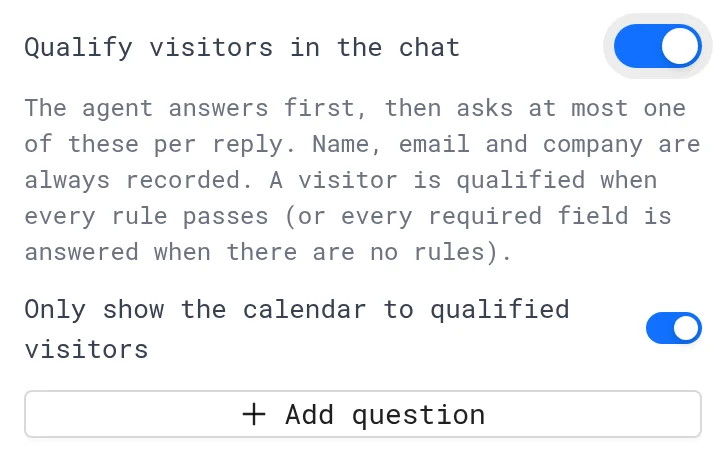
Show the calendar to qualified visitors only with Only show the calendar to qualified visitors. See Qualification & Booking.
Other booking tools (HubSpot Meetings, Chili Piper) work too, but open in a new tab.
In a demo
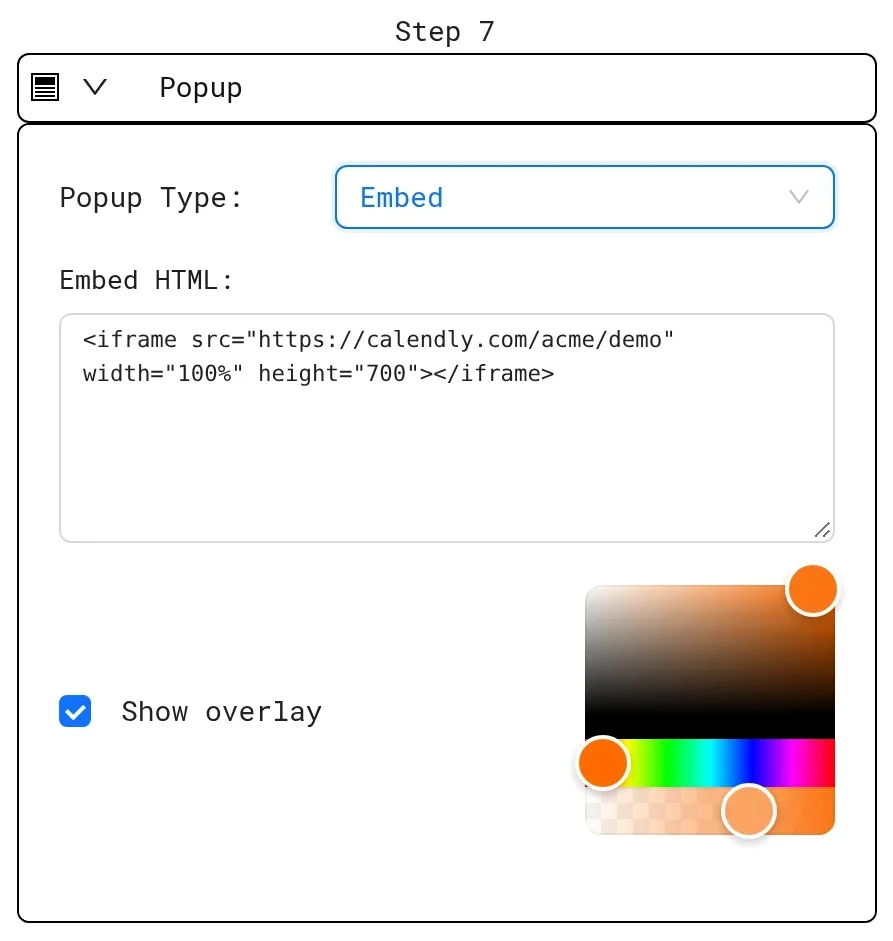
Show a calendar on the last step of a demo:
- Add an embed popup with your scheduling page.
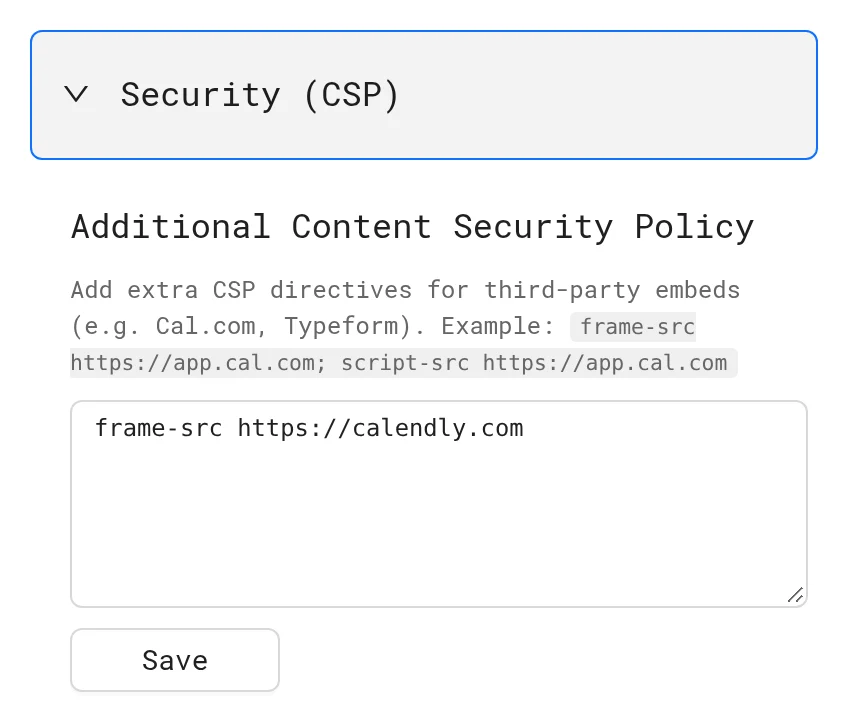
- Allow its domain in Content Security Policy, such as
frame-src https://calendly.comorframe-src https://app.cal.com.
To get the Calendly code for the embed popup, see How to get Calendly embed code:
Or add a popup button that links to your booking page. See Popup buttons & effects.
Next: Use cases
More in Integrations
- Integrations Overview: Connect LiveDemo to HubSpot, Slack, Zapier or Make through webhooks, and Calendly or Cal.com, to sync leads and get alerts.
- HubSpot: Connect HubSpot to LiveDemo to create contacts from demo and AI Demo Agent leads, add conversation notes, and use HubSpot forms in demos.
- Slack: Get Slack alerts when an AI Demo Agent captures, qualifies or books a lead, with the summary and a replay link.
- Zapier & Make: Send AI Demo Agent leads and events to Zapier, Make or n8n with webhooks, and on to Salesforce, Pipedrive, Google Sheets and more.
- MCP Server: Connect Claude, ChatGPT, Cursor or Claude Code to LiveDemo with the MCP server to list demos, get share links, read leads and create demos from a URL.