Slack
Post AI Demo Agent events to a Slack channel, so sales can follow up while the lead is warm.
Connect
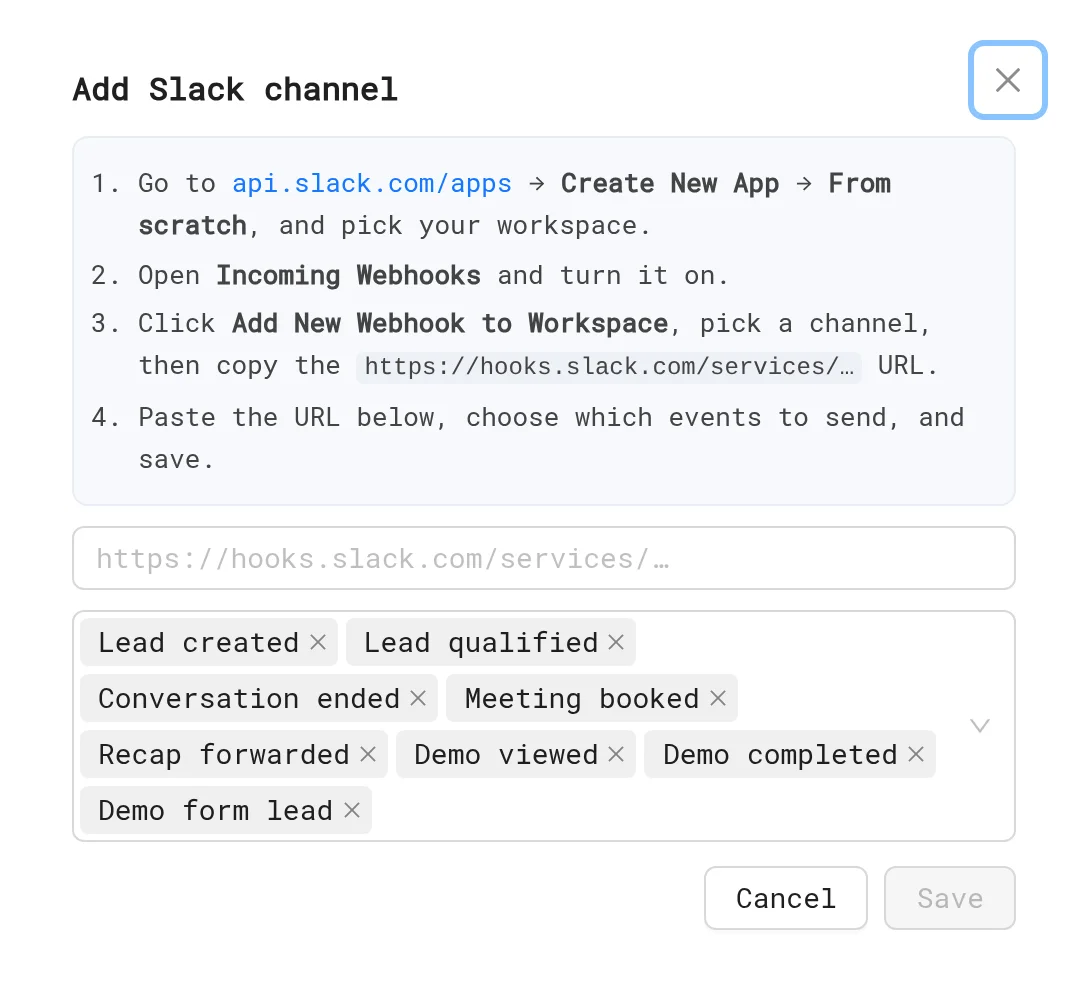
- In Slack, go to api.slack.com/apps and click Create New App → From scratch.
- Open Incoming Webhooks, turn it on and click Add New Webhook to Workspace. Pick a channel, such as
#demo-leads. - Copy the
https://hooks.slack.com/services/...URL. - In LiveDemo, open Settings → Integrations → Webhooks & Slack and click Add Slack.
- Paste the URL and pick the events.
You can also get the webhook URL from the Incoming Webhooks app in Slack's app directory. See How to integrate Slack with webhooks:
Events
| Event | When |
|---|---|
| Lead created | A visitor leaves an email |
| Lead qualified | A visitor passes your qualification rules |
| Conversation ended | A conversation ends, with its summary |
| Meeting booked | A visitor books through the inline calendar |
| Recap forwarded | Someone other than the visitor opens the recap page |
Messages include a Replay link to the session in LiveDemo.
Tips
- Pick only the events sales acts on, such as Lead qualified and Meeting booked, to keep the channel useful.
- Slack alerts are for AI Demo Agents. For demo leads, use HubSpot or Leads.
Details: Webhooks & Slack.
Next: Zapier & Make
More in Integrations
- Integrations Overview: Connect LiveDemo to HubSpot, Slack, Zapier or Make through webhooks, and Calendly or Cal.com, to sync leads and get alerts.
- HubSpot: Connect HubSpot to LiveDemo to create contacts from demo and AI Demo Agent leads, add conversation notes, and use HubSpot forms in demos.
- Zapier & Make: Send AI Demo Agent leads and events to Zapier, Make or n8n with webhooks, and on to Salesforce, Pipedrive, Google Sheets and more.
- Calendly & Cal.com: Let visitors book a meeting inside the AI Demo Agent with Calendly or Cal.com, or inside a demo with an embed popup.
- MCP Server: Connect Claude, ChatGPT, Cursor or Claude Code to LiveDemo with the MCP server to list demos, get share links, read leads and create demos from a URL.