Billing
Open Billing in the sidebar. A subscription belongs to a workspace, so pick the right one in the Workspace dropdown first.
Plans
| Plan | Monthly | Annual |
|---|---|---|
| Startup | Free | Free |
| Pro | $34 per creator | $324 per creator per year ($27/month) |
| Growth | $49 per creator | $468 per creator per year ($39/month) |
| Business | Custom, from 10 creators | Contact sales |
See the FAQ for what each plan includes, or the pricing page.
Upgrade or start a trial
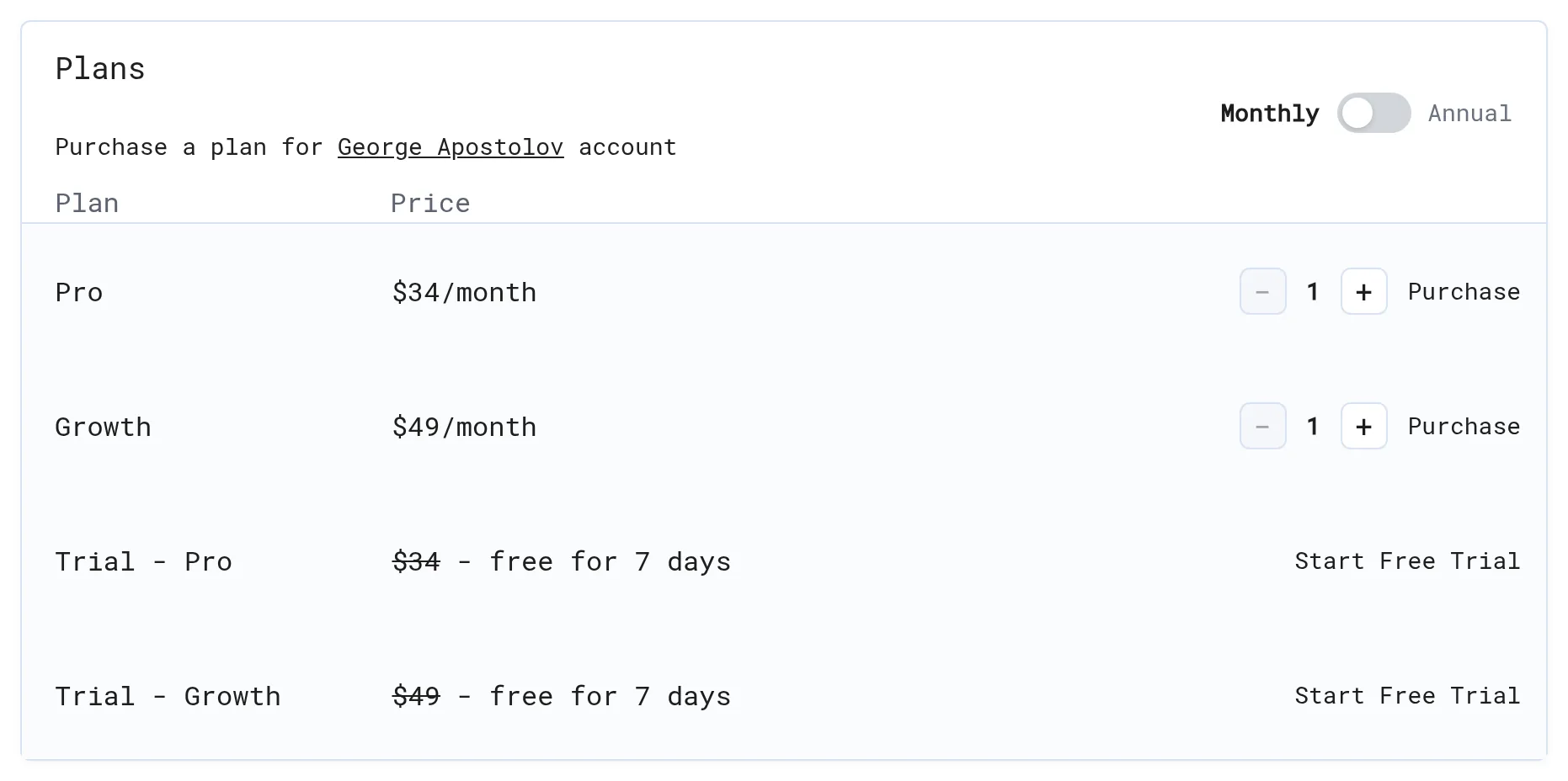
- Under Plans, choose Monthly or Annual (annual saves 20%).
- Set the number of creators with − / +.
- Click Purchase, or Start Free Trial for a 7-day trial of Pro or Growth (once per account).
- Pay on the Stripe checkout page.
Change card, see invoices or cancel
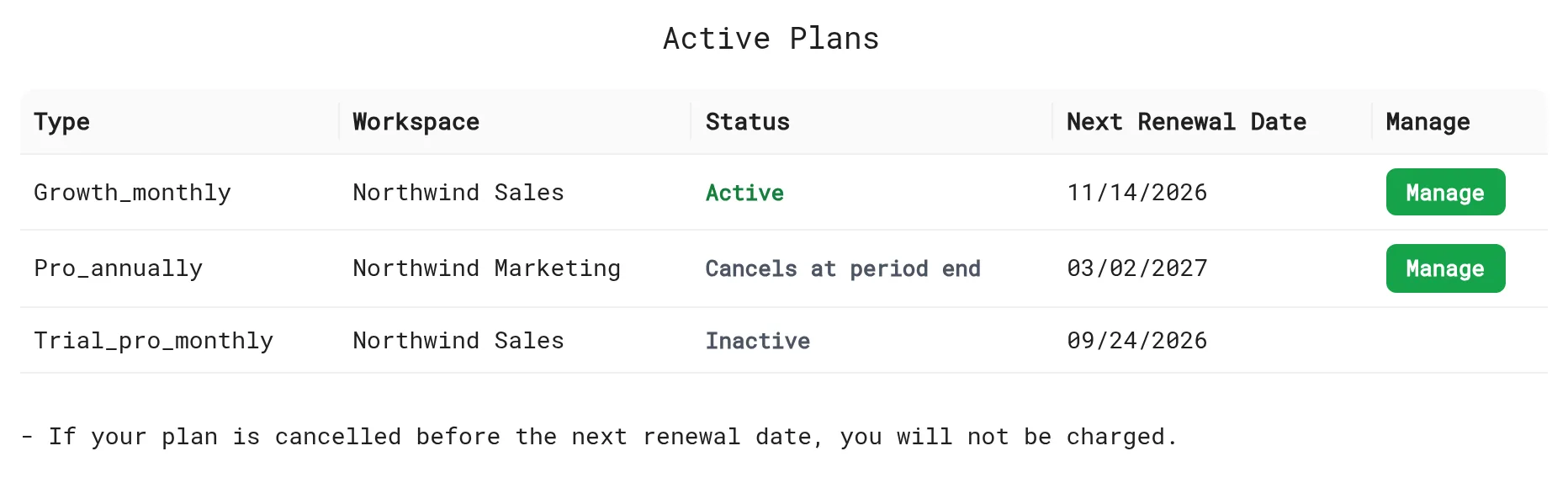
Under Active Plans, click Manage next to the subscription. This opens the Stripe billing portal, where you can update your card, download invoices and cancel.
When you cancel, the plan shows Cancels at period end and stays active until the Next Renewal Date. You won't be charged again.
What happens to my demos after I cancel?
Your demos aren't deleted, and published links and embeds keep working. Questions about a specific case? Email support@livedemo.ai.
Next: Security & privacy
More in Account
- Team & Workspaces: Invite teammates to your LiveDemo workspace, understand Admin and Collaborator roles, and switch, create or delete workspaces.
- Single Sign-On (SSO): Let your team sign in to LiveDemo with SAML single sign-on from Okta, Microsoft Entra ID or Google Workspace, with domain verification and optional enforcement.
- Plans & Features: Which LiveDemo features are included in the Startup, Pro, Growth and Business plans.
- Security & Privacy: What the LiveDemo Chrome extension can access and why, what the demo player tracks, where data is stored, GDPR requests and self-hosting.
- Self-Hosting: Run the open-source LiveDemo stack on your own servers with Docker Compose, and when to choose managed self-hosting instead.