Segment
Send LiveDemo events to Segment, and from there to Mixpanel, Amplitude, your warehouse or any other destination.
Server-side (Growth plan)
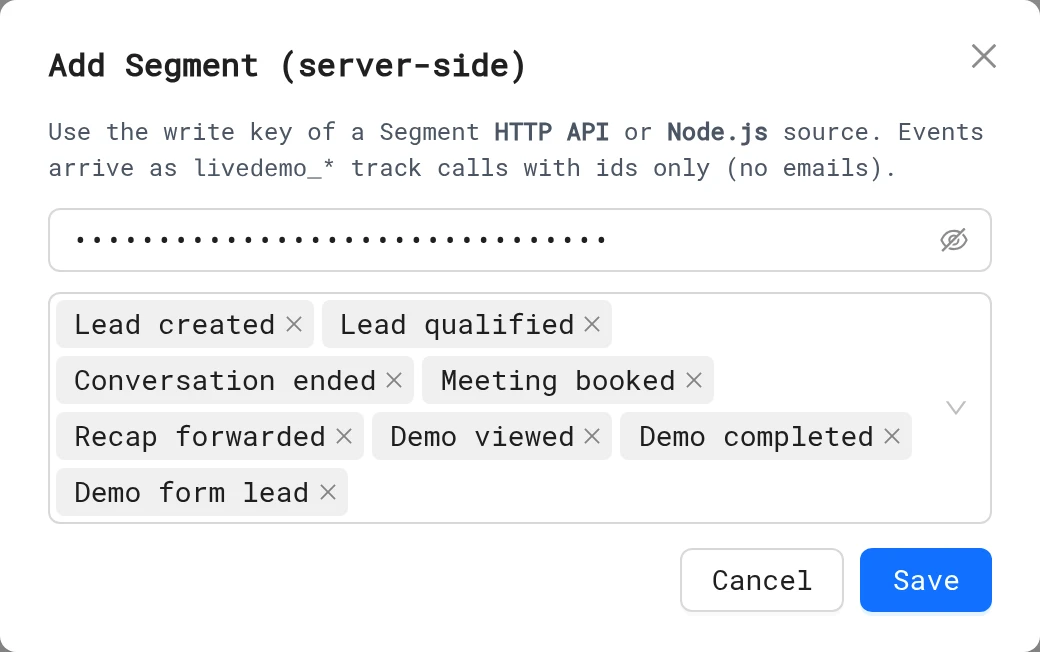
- In Segment, create an HTTP API or Node.js source and copy its Write Key.
- In LiveDemo, open Settings → Webhooks, Slack & server-side analytics and click Add Segment.
- Paste the Segment write key, pick the events and click Save ("Segment connected").
- Click Send test and check the source's Debugger in Segment.
Events arrive as track calls named livedemo_demo_viewed, livedemo_demo_completed, livedemo_demo_lead, livedemo_lead_created, livedemo_lead_qualified, livedemo_session_ended, livedemo_meeting_booked and livedemo_recap_viewed. The full list and properties are in Google Analytics.
The anonymousId is the LiveDemo session id. Names and emails are never sent. The write key is stored encrypted, and only the workspace Admin can add it.
From your website
- AI Demo Agent widget: if
analytics.trackexists on the page, the widget script calls it for every demo and agent event, tied to your visitor's ownanonymousId. Turn it off withdata-analytics="off". - Plain embed: forward the demo's messages yourself:
window.addEventListener('message', (event) => {
    if (event.origin !== 'https://story-api.livedemo.ai') return
    if (event.data?.type !== 'livedemo:event') return
    analytics.track(event.data.name, event.data.properties)
})
Browser event names are listed in Google Analytics.
Want identified users?
Server-side events are anonymous. To link a lead to a person, use HubSpot, or a webhook, which includes the lead's email.
Next: Integrations
More in Analytics
- Analytics Overview: See how viewers engage with your LiveDemos and AI Demo Agents: views, completion, drop-off, sessions and leads.
- Sessions: Understand LiveDemo views, unique users, engagement, completion and drop-off per demo and per viewing session.
- Session Replays: Replay exactly how a viewer moved through your LiveDemo, step by step, to find confusing steps and hot leads.
- Leads: See every lead captured by LiveDemo forms and AI Demo Agents, and export them to CSV.
- Exclude Internal Traffic: Stop your own team's views from counting in LiveDemo analytics with excluded IP addresses.
- Google Analytics: Send LiveDemo demo views, completions, leads and AI Demo Agent events to Google Analytics 4, server-side or from your own website.