Sessions
Open Analytics → Sessions and pick Last 48 hours, Last 7 days or Last 30 days.
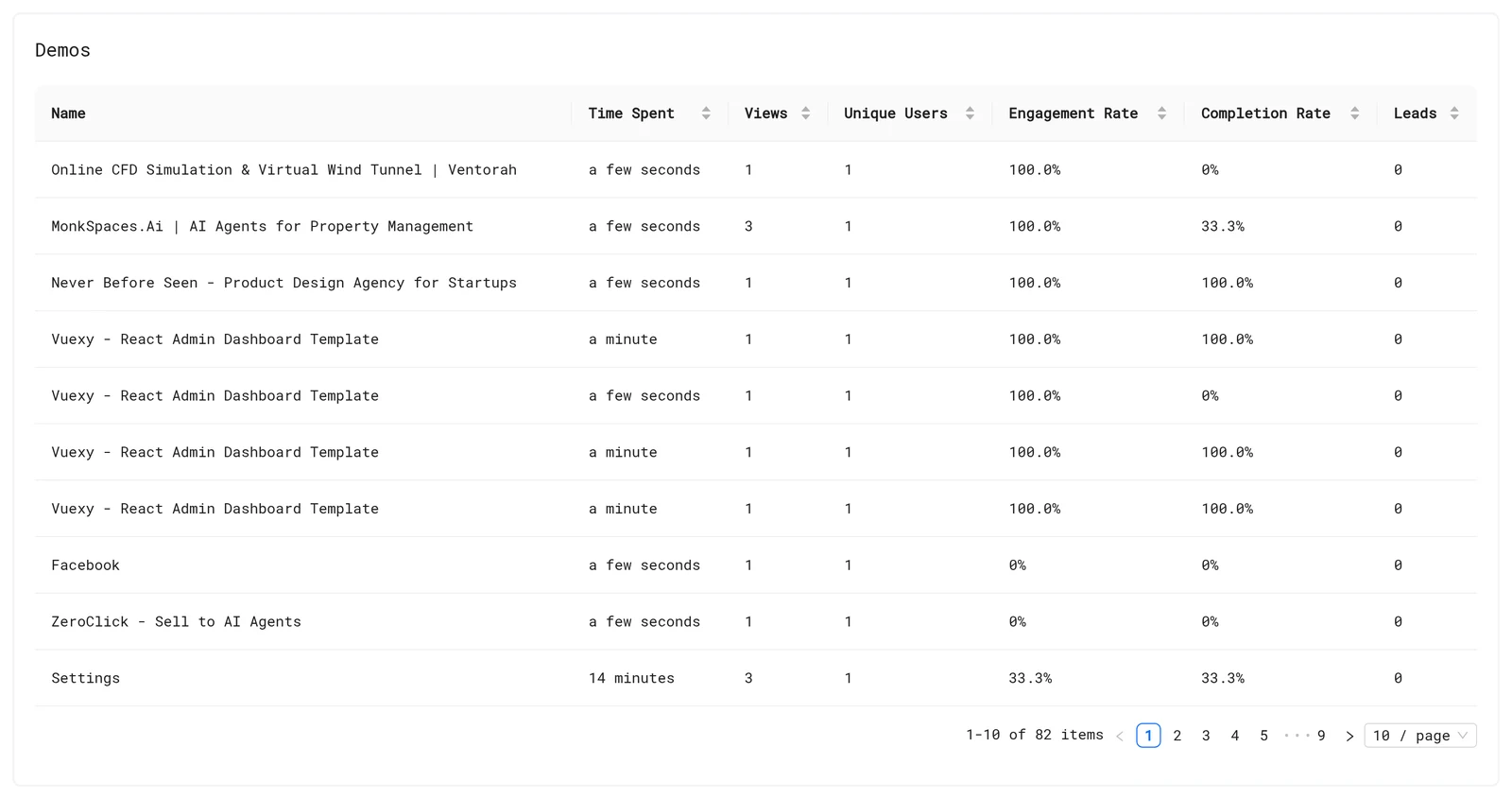
All demos
| Metric | Meaning |
|---|---|
| Views | Times the demo was opened |
| Unique Users | Different viewers |
| Time Spent | Time viewers spent in the demo |
| Engagement Rate | Viewers who moved past the first step |
| Completion Rate | Viewers who reached the last step |
| Leads | Emails captured |
One demo
Click a demo to see Total Views, Unique Users, Engagement rate, Completion rate, Top Drop-off Step and Captured Leads, then every session with its viewer, Duration, Events Count, Drop-off Step, Country and start time.
Filter the sessions table by Name, Livedemo or Country with the column filters. Expand a session to watch its replay.
Free vs paid
On the free plan you see views and time spent. Unique Users, rates, drop-off and leads are blurred: "Upgrade to unlock Advanced Demo Insights and Session Recordings."
Read the numbers
- Low engagement: the first step doesn't make viewers click. Make the first step a clear promise and a single hotspot.
- Big drop-off at one step: that step is confusing or too long. Shorten the text or split it.
- High completion, few leads: move the lead form earlier, or make the last step's call to action stronger.
Your own views count. Exclude internal traffic.
Next: Session replays
More in Analytics
- Analytics Overview: See how viewers engage with your LiveDemos and AI Demo Agents: views, completion, drop-off, sessions and leads.
- Session Replays: Replay exactly how a viewer moved through your LiveDemo, step by step, to find confusing steps and hot leads.
- Leads: See every lead captured by LiveDemo forms and AI Demo Agents, and export them to CSV.
- Exclude Internal Traffic: Stop your own team's views from counting in LiveDemo analytics with excluded IP addresses.
- Google Analytics: Send LiveDemo demo views, completions, leads and AI Demo Agent events to Google Analytics 4, server-side or from your own website.
- Segment: Send LiveDemo demo and AI Demo Agent events to Segment as track calls, server-side or from your own website, and on to any Segment destination.