Analytics
Open Analytics in the sidebar. Pick a date range: Last 48 hours, Last 7 days or Last 30 days.
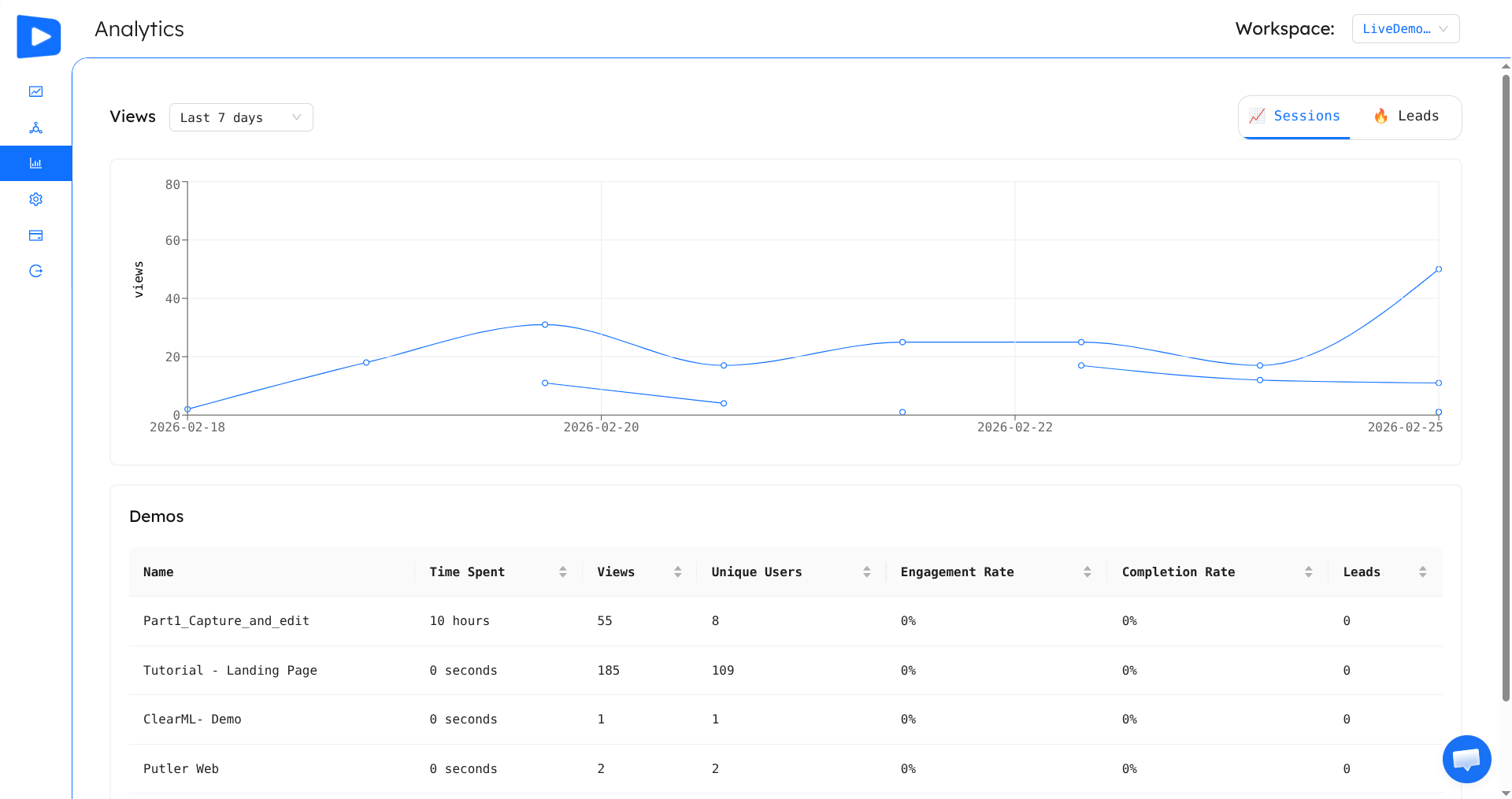
Sessions
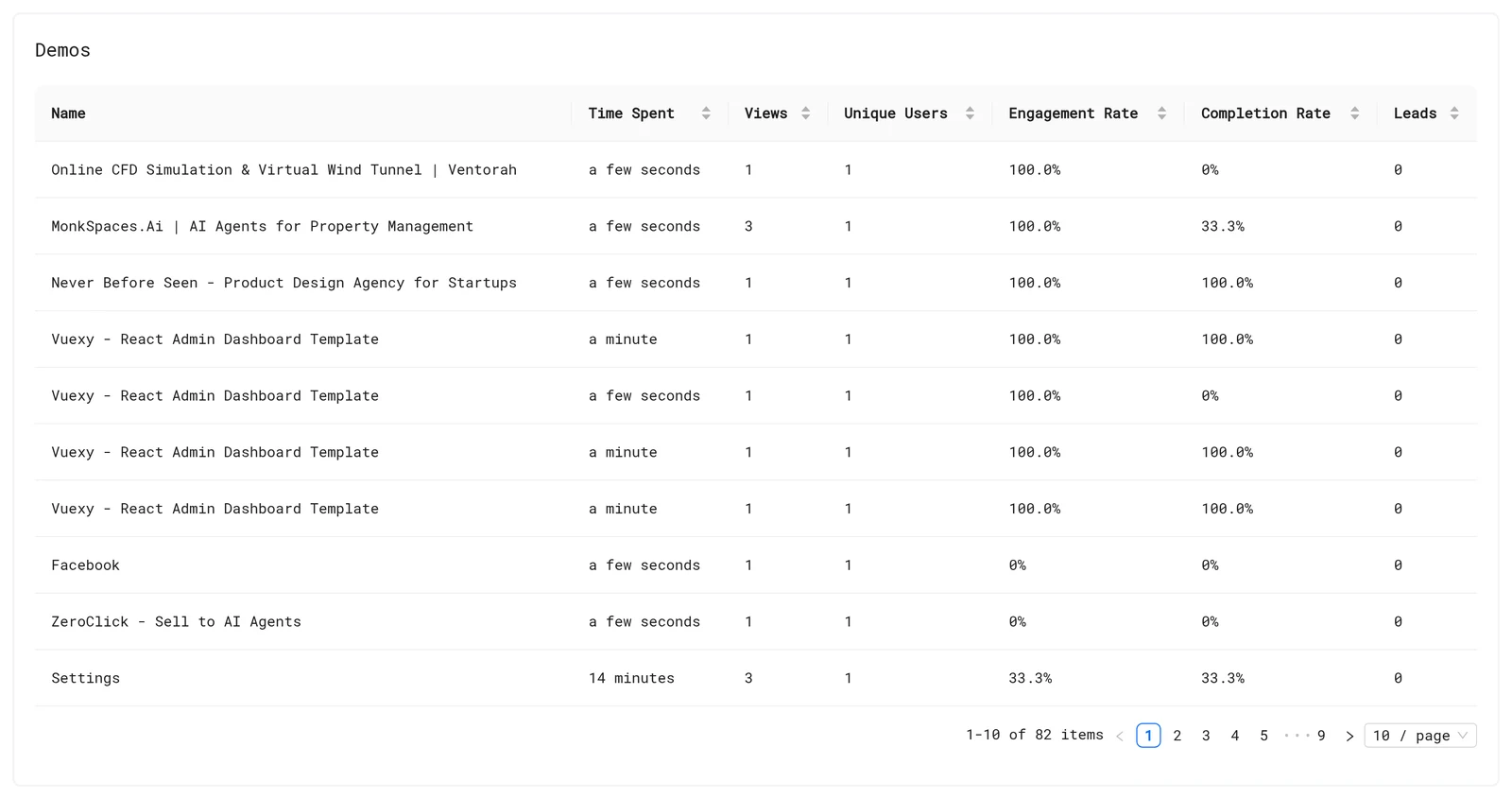
Every demo with its numbers:
| Metric | Meaning |
|---|---|
| Views | Times the demo was opened |
| Unique Users | Different viewers |
| Time Spent | Time viewers spent in the demo |
| Engagement Rate | Viewers who moved past the first step |
| Completion Rate | Viewers who reached the last step |
| Leads | Emails captured |
Click a demo to see its Top Drop-off Step and each session: viewer, Duration, Events Count, Drop-off Step, Country and start time.
Leads (paid plans)
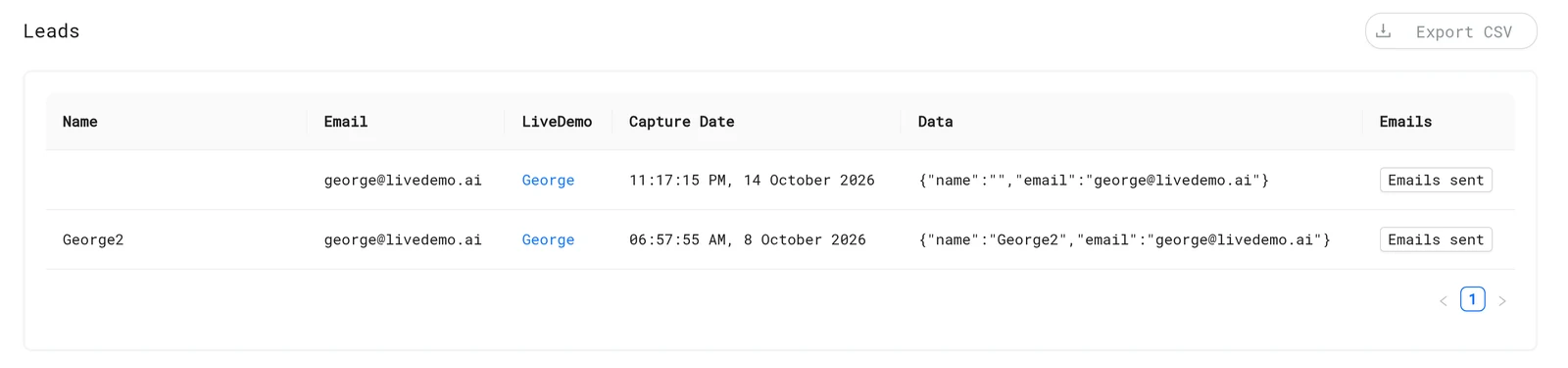
Every email captured by a form or an AI Demo Agent: Name, Email, LiveDemo, Capture Date and the other answers in Data.
Click Export CSV to download them all as leads.csv.
AI Agents
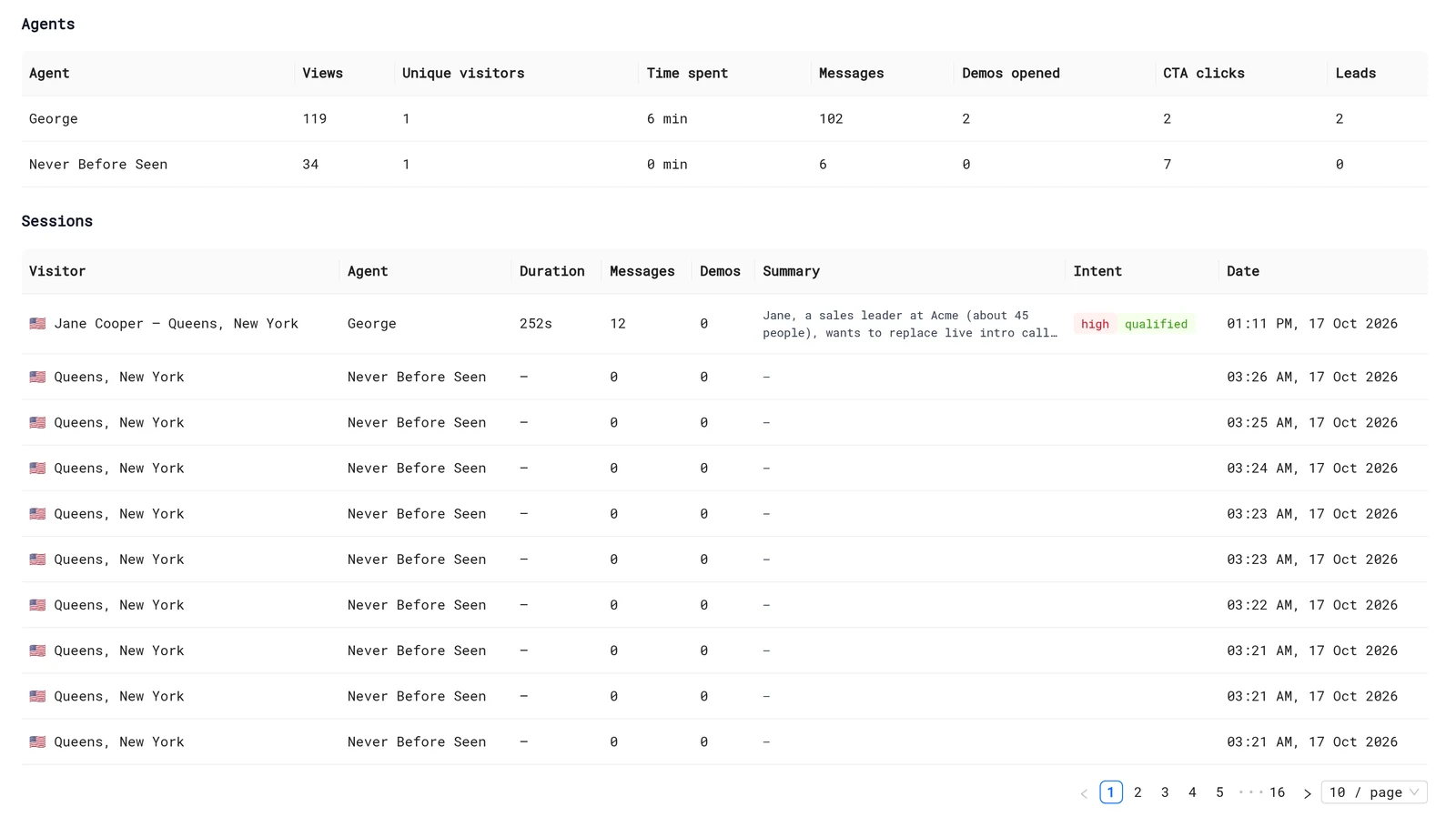
Per agent: Views, Unique visitors, Time spent, Messages, Demos opened, CTA clicks and Leads.
The sessions table shows each conversation with its Summary, Intent and qualified / booked tags. Click one to watch the replay and read the transcript. See Conversation Insights.
Session recordings need a paid plan.
Learn more about Best Practices
More in Analytics
- Sessions: Understand LiveDemo views, unique users, engagement, completion and drop-off per demo and per viewing session.
- Session Replays: Replay exactly how a viewer moved through your LiveDemo, step by step, to find confusing steps and hot leads.
- Leads: See every lead captured by LiveDemo forms and AI Demo Agents, and export them to CSV.
- Exclude Internal Traffic: Stop your own team's views from counting in LiveDemo analytics with excluded IP addresses.
- Google Analytics: Send LiveDemo demo views, completions, leads and AI Demo Agent events to Google Analytics 4, server-side or from your own website.
- Segment: Send LiveDemo demo and AI Demo Agent events to Segment as track calls, server-side or from your own website, and on to any Segment destination.